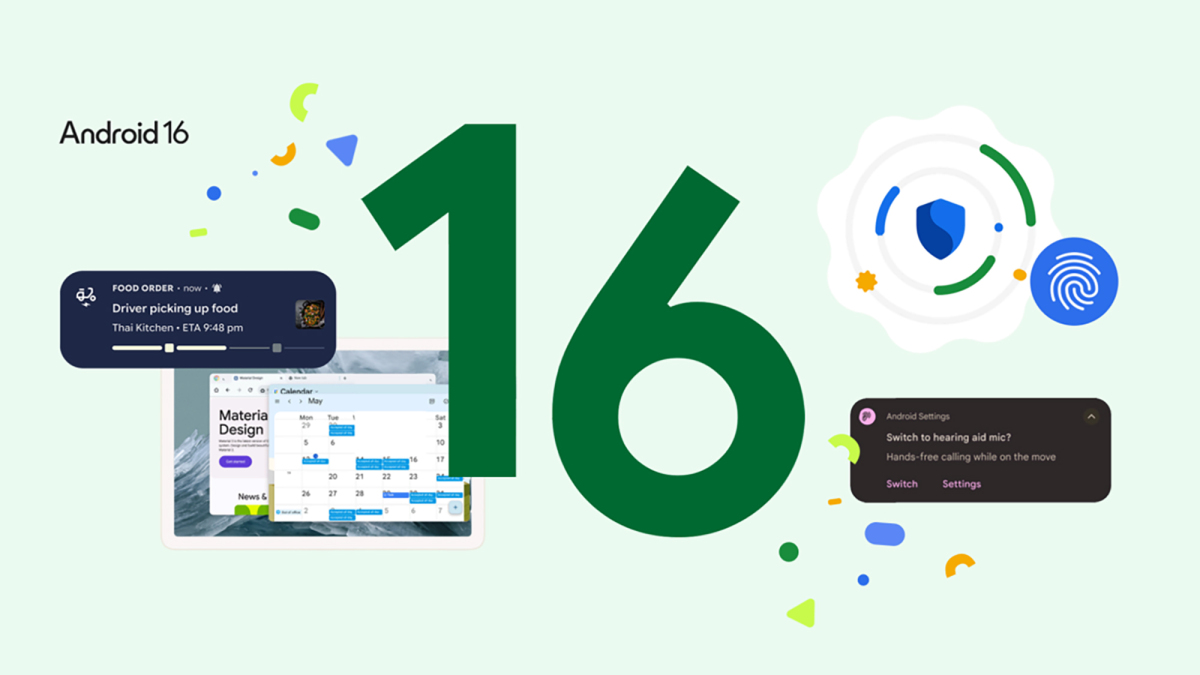
Android 16 is no longer hanging around the rumor mill wearing sunglasses and pretending to be “coming soon.” It is here, official, and rolling out across supported Android devices. For Pixel owners, the update arrived first, because Google likes to invite its own phones to the party before opening the front door to everyone else. For Samsung, OPPO, Xiaomi, OnePlus, and other Android brands, Android 16 arrives through their own custom software skins, rollout schedules, region rules, and carrier approvals. In other words: yes, Android 16 is official; no, your phone may not get it at the exact same minute as your friend’s phone. Android rollouts are less like a light switch and more like a very organized airport boarding process.
This guide explains which devices have official Android 16 availability, which brands have confirmed rollouts, what features make the update worth installing, and what everyday users should expect after tapping that tempting “Download and install” button. The goal is simple: help you understand whether your phone is invited to the Android 16 club, whether it is still waiting in line, and whether the upgrade is actually worth your battery percentage, Wi-Fi bandwidth, and emotional energy.
What Is Android 16?
Android 16 is Google’s major Android platform release for 2025, officially launched on June 10, 2025. It became available first for supported Google Pixel devices, while other manufacturers began rolling it out later through their own software layers. Samsung calls its Android 16 update One UI 8. OPPO packages Android 16 with ColorOS 16. Xiaomi delivers it through HyperOS 3. OnePlus uses OxygenOS 16. Same Android foundation, different outfits. Think of Android 16 as the cake, and each phone brand as the bakery deciding whether to add chocolate frosting, rainbow sprinkles, or a camera app with 47 buttons.
The update focuses on smarter notifications, stronger security, better large-screen multitasking, improved accessibility, and better support for modern device categories such as foldables and tablets. It is not only about making your home screen look slightly fresher. Android 16 also changes how apps behave, how developers build for larger displays, and how the system protects users from scams, harmful apps, and privacy risks.
Android 16 Officially Available First on Google Pixel Devices
Google Pixel phones and tablets received Android 16 first. That is one of the biggest perks of owning a Pixel: when Google releases Android, Pixel users usually get to press the shiny update button before everyone else starts refreshing forums and asking, “Anyone in the U.S. got it yet?”
Supported Google Pixel Devices for Android 16
Android 16 over-the-air updates and factory images are available for the following supported Pixel devices:
- Google Pixel 6
- Google Pixel 6 Pro
- Google Pixel 6a
- Google Pixel 7
- Google Pixel 7 Pro
- Google Pixel 7a
- Google Pixel Fold
- Google Pixel Tablet
- Google Pixel 8
- Google Pixel 8 Pro
- Google Pixel 8a
- Google Pixel 9
- Google Pixel 9 Pro
- Google Pixel 9 Pro XL
- Google Pixel 9 Pro Fold
- Google Pixel 9a
If you own one of these devices, Android 16 is not just “eligible someday, maybe, after six cups of coffee at headquarters.” It is officially available through the standard system update path. Open Settings, go to System, choose Software update, and check for the latest version. If the update does not appear instantly, do not panic-refresh your phone into a therapy session. Rollouts can still happen in stages based on region, model, and carrier.
Pixel Devices That Miss the Party
Older Pixel devices such as the Pixel 5a and earlier models are no longer in the Android version update window. That means Android 16 is not officially available for them through Google’s normal update channel. Could enthusiasts find unofficial routes? Sure, Android hobbyists can do impressive things with time, patience, and a USB cable. But for regular users, the safe answer is this: if your Pixel is older than the Pixel 6 generation, Android 16 is not part of its official update future.
Samsung Galaxy Devices Getting Android 16 With One UI 8
Samsung’s Android 16 rollout arrives as One UI 8. This is important because Galaxy owners rarely see “plain Android” on their phones. Samsung adds its own interface, Galaxy AI features, Knox security tools, multitasking tricks, and enough settings menus to make power users feel like they discovered a secret government dashboard.
Samsung began its official One UI 8 rollout with the Galaxy S25 series and confirmed expansion to many additional Galaxy phones and tablets. The rollout includes flagship phones, foldables, tablets, and selected Galaxy A-series models.
Major Samsung Devices Confirmed for One UI 8
- Galaxy S25 series
- Galaxy S24 series
- Galaxy S24 FE
- Galaxy S23 series
- Galaxy S23 FE
- Galaxy S22 series
- Galaxy Z Fold6
- Galaxy Z Flip6
- Galaxy Z Fold5
- Galaxy Z Flip5
- Galaxy Z Fold4
- Galaxy Z Flip4
- Galaxy S21 FE
- Galaxy Tab S10 series
- Galaxy Tab S9 series
- Galaxy Tab S8 series
- Selected Galaxy A-series models including Galaxy A56 5G, A36 5G, A26 5G, A55 5G, A35 5G, A25 5G, A16, A15 5G, A54 5G, A34 5G, A53 5G, and A33 5G
The Galaxy S25 series received the update first, with the Galaxy S24 family, recent foldables, Fan Edition models, tablets, and midrange Galaxy A devices following in phases. The exact date depends on region and carrier. If you bought your phone unlocked, you may see the update earlier than someone waiting for a carrier-approved build. This is Android’s traditional game of “same phone, different patience level.”
OPPO Devices Getting Android 16 With ColorOS 16
OPPO’s Android 16 update arrives as ColorOS 16, a software release focused on smoother animation, AI-powered tools, connectivity, and privacy features. OPPO published an official rollout schedule covering several Find, Reno, K-series, F-series, and Pad models.
OPPO ColorOS 16 Rollout Highlights
- OPPO Find N5
- OPPO Find N3
- OPPO Find N3 Flip
- OPPO Find X8 Pro
- OPPO Find X8
- OPPO Reno14 Pro 5G
- OPPO Reno14 5G
- OPPO Reno14 F 5G
- OPPO Reno13 Pro 5G
- OPPO Reno13 5G
- OPPO Reno13 F 5G
- OPPO Pad 3 Pro
- OPPO Find N2 Flip
- OPPO K13 Turbo Pro 5G
- OPPO K13 Turbo 5G
- Selected Reno12, Reno11, Reno10, F-series, K-series, and OPPO Pad models in later phases
OPPO’s schedule is especially important because not every model receives the update at the same time. Some models are listed for November 2025, others for December 2025, and many more for Q1 2026. Carrier-exclusive devices may follow different timelines, so owners should check the Software Update section on their phone rather than relying only on a friend’s screenshot from another country.
Xiaomi, Redmi, and POCO Devices Getting Android 16 With HyperOS 3
Xiaomi began its Android 16 rollout with HyperOS 3, starting with the Xiaomi 15T and Xiaomi 15T Pro. That made Xiaomi one of the earlier major Android brands to push a stable Android 16-based update beyond Google and Samsung. HyperOS 3 brings a redesigned visual experience, smoother animations, AI wallpapers, cleaner icons, and performance tuning. Translation: your phone should feel less like it had three coffees and more like it had a proper software spa day.
Xiaomi Android 16 Rollout Highlights
- Xiaomi 15T
- Xiaomi 15T Pro
- Xiaomi 15
- Xiaomi 15 Pro
- Xiaomi 15 Ultra
- Xiaomi 14 series
- Redmi Note 14 series
- POCO F7 series
- POCO X7 series
- POCO F6 series
- Xiaomi Pad 7 series
- Additional Redmi, POCO, and Xiaomi Pad models in staged waves
Xiaomi rollouts can vary widely by region. A model may receive HyperOS 3 in one country before the same model gets it elsewhere. That does not mean your phone has been forgotten in a software basement. It usually means Xiaomi is pushing the update in controlled batches to catch bugs before they become headlines.
OnePlus Devices and OxygenOS 16
OnePlus is bringing Android 16 through OxygenOS 16. The update emphasizes AI integration, deeper Google Gemini support, better lock screen customization, smoother animations, improved cross-device connectivity, and an upgraded Mind Space feature. OnePlus also introduced open beta access before the wider official rollout to older devices.
OxygenOS 16 officially debuted around OnePlus’s newer flagship cycle, with older devices expected to receive the update in phases. OnePlus owners should watch the official OxygenOS update page, OnePlus Community announcements, and the Software Update menu. As usual, beta builds are for users who enjoy adventure. Stable builds are for people who prefer their alarm clock to work tomorrow morning.
Other Android 16 Beta and Partner Devices
Beyond Pixel, several device makers participated in Android 16 beta availability through Google’s partner program. These included brands such as HONOR, iQOO, Lenovo, OnePlus, OPPO, realme, vivo, and Xiaomi. Beta availability does not always mean stable public availability for every model, but it is a strong signal that these manufacturers are actively testing Android 16 for selected devices.
For most users, the best rule is simple: official stable updates are safer than beta builds. If your phone is your daily driver, your school planner, your banking device, your camera, your ride-share tool, and your emergency “where are my keys?” machine, stable software is usually the smarter choice. Beta software is exciting, but so is eating mystery leftovers from the fridge. Not all excitement is productive.
Best Android 16 Features Worth Knowing
Live Updates for Real-Time Notifications
Android 16 introduces Live Updates, designed for apps that show ongoing activities such as ride-share trips, food deliveries, navigation, and similar time-sensitive events. Instead of repeatedly opening an app to check whether your burrito is approaching with heroic speed or sitting at a traffic light, you can get progress-style updates directly in notifications.
Cleaner Notification Grouping
Android 16 improves notification grouping, especially when one app sends multiple alerts. This helps reduce clutter and makes the notification shade feel less like a crowded bulletin board at a very dramatic coffee shop. It is a small change, but for people with busy phones, small changes can feel huge.
Advanced Protection for Better Security
Android 16 includes stronger security options through Advanced Protection. This is designed to help protect against harmful apps, scam attempts, online attacks, and risky device behavior. For everyday users, this matters because phones now hold passwords, payment apps, private photos, school accounts, work messages, and enough personal data to make your wallet feel underqualified.
Better Hearing Device Support
Android 16 improves support for hearing devices, including clearer call experiences and better control options. Accessibility is not a bonus feature; it is part of making technology actually useful for real people. This update helps Android serve a broader range of users more thoughtfully.
Desktop Windowing and Tablet Multitasking
On tablets and larger screens, Android 16 improves desktop-style windowing. This allows apps to behave more like resizable windows on a computer. For tablets, foldables, and productivity-focused devices, this is a major step. It makes Android feel less like “a big phone with ambition” and more like a flexible work machine.
How to Check If Your Phone Has Android 16
To check for Android 16, open your phone’s Settings app and look for Software update or System update. On Pixel devices, the path is usually Settings > System > Software update. On Samsung phones, go to Settings > Software update > Download and install. On OPPO, Xiaomi, and OnePlus phones, the wording may differ slightly, but the general idea is the same: find the update menu, tap the button, and let your phone decide whether today is your lucky day.
Before installing Android 16, back up your important data, charge your phone, connect to Wi-Fi, and make sure you have enough storage. Nothing kills update excitement like the message “Not enough space,” especially when the culprit is 742 nearly identical screenshots of a recipe you never cooked.
Should You Install Android 16 Right Away?
If Android 16 is officially available for your phone, most users should install it after backing up their device. The update brings important security improvements, new features, and long-term compatibility benefits. However, if your phone is critical for work, travel, banking, or school, it is reasonable to wait a few days after the rollout begins. Early updates sometimes reveal small bugs, and waiting briefly lets manufacturers patch the biggest surprises.
For Pixel owners, Android 16 is the cleanest and fastest path to Google’s newest Android experience. For Samsung users, One UI 8 adds Galaxy-specific AI and productivity features on top of Android 16. For OPPO, Xiaomi, and OnePlus users, the experience depends heavily on each brand’s custom interface. The update is not identical across devices, but the Android 16 foundation brings a more modern, secure, and adaptable system.
Real-World Experience: What Android 16 Feels Like After the Update
After installing Android 16, the first thing many users notice is not a giant fireworks show on the home screen. This is not the type of update where your phone suddenly grows wings and starts calling you “Captain.” Instead, Android 16 feels like a collection of smart, practical refinements that slowly become useful throughout the day. The notification experience is one of the biggest everyday improvements. If you use delivery apps, ride-share apps, or navigation tools, Live Updates make the phone feel more aware of what you are waiting for. You do not need to unlock the device every few minutes just to confirm that your driver is still three blocks away or that your food is not emotionally lost.
The cleaner notification grouping also matters more than it sounds. Before Android 16, a busy notification panel could feel like opening a drawer full of tangled charging cables. After the update, notifications from the same app are easier to manage. This makes the phone feel calmer, especially for people who get alerts from messaging apps, smart home cameras, email, shopping apps, school platforms, calendar reminders, and that one game that insists your virtual farm needs attention immediately.
Security improvements are less flashy, but they are arguably more important. Advanced Protection gives users a stronger safety layer without asking them to become cybersecurity experts. Most people do not want to spend their weekend reading about malicious apps and scam calls. They want the phone to quietly help protect them. Android 16 moves closer to that goal by making strong protection easier to access.
On tablets and foldables, Android 16 feels more meaningful. Desktop windowing and improved large-screen behavior help Android devices act more like real productivity tools. You can open, resize, and manage apps in a way that feels closer to a laptop. This is especially useful for students, writers, remote workers, and anyone who has ever tried to copy notes from one app into another while muttering, “There has to be a better way.” On supported devices, Android 16 makes multitasking smoother and less awkward.
Battery life and performance will vary by phone. Some users may notice smoother app launches after the update, especially on newer devices with optimized manufacturer skins like One UI 8, HyperOS 3, ColorOS 16, or OxygenOS 16. Others may need a day or two for the system to settle after installation. That is normal. After a major update, Android often rebuilds app caches, indexes data, and adjusts background behavior. In plain English: your phone may need a short nap before it becomes its best self.
The best Android 16 experience comes from updating carefully. Back up your data, install over reliable Wi-Fi, restart after the update, check app updates in the Play Store, and review your privacy and security settings. Also, give yourself a few minutes to explore. Android 16 is not just about what appears on day one. Many of its benefits show up when apps begin supporting new system features.
Overall, Android 16 feels like a mature update. It does not scream for attention; it improves the parts of the phone people actually touch every day. Better notifications, stronger protection, smarter large-screen tools, and broader accessibility support make it a worthwhile upgrade for eligible devices. It is the kind of update that may not make your phone feel brand new, but it can make it feel better behaved. And honestly, in a world where phones already beep, buzz, glow, and beg for attention, “better behaved” is a feature worth celebrating.
Final Thoughts
Android 16 is officially available first for supported Google Pixel devices, with major manufacturers including Samsung, OPPO, Xiaomi, and OnePlus rolling it out through their own software experiences. The most reliable Android 16 device list begins with Pixel 6 and newer supported Pixel models, then expands through confirmed brand-specific update programs such as One UI 8, ColorOS 16, HyperOS 3, and OxygenOS 16.
If your device is on the official list, Android 16 is worth installing after a proper backup. If your device is not listed yet, keep checking your manufacturer’s update page and your phone’s software update menu. Android updates move in waves, and sometimes your phone is simply waiting for its turn to walk the red carpet.
Note: Android 16 availability can vary by region, carrier, device model, and rollout phase. Always confirm through your device’s official Software Update screen before installing.