Running Ethernet outside sounds easy until the weather gets involved. Indoors, a cable lives a cushy life behind drywall, sipping electrons in climate-controlled comfort. Outdoors, that same cable faces sunlight, rain, soil, heat, freezing temperatures, lawn tools, curious squirrels, lightning-induced surges, and the occasional person who thinks a shovel is a precision instrument. That is why protecting an outdoor Ethernet cable is not a “nice extra.” It is the difference between a reliable network and a mysterious internet outage that appears every time it rains.
Whether you are connecting a detached garage, installing a PoE security camera, mounting a Wi-Fi access point on a pole, or extending a wired network to a backyard office, the basic rule is simple: use the right cable, protect the route, seal the entry points, and control electrical risk. This expert guide explains how to protect an outdoor Ethernet cable the smart way, without turning your yard into a tiny data-center construction site.
Why Outdoor Ethernet Cable Needs Special Protection
Standard indoor Ethernet cable is not designed for outdoor exposure. The outer jacket can crack under ultraviolet light, absorb moisture over time, and become brittle during temperature swings. Once water finds a path into the cable, the copper conductors can corrode, signal quality can drop, and PoE devices may behave like they have developed a dramatic personality.
Outdoor Ethernet cable protection focuses on five threats: UV exposure, moisture, physical damage, electrical interference, and surge energy. A good installation deals with all five. A bad installation usually deals with none of them and then blames the router. Poor router. It was just sitting there.
Choose the Right Outdoor Ethernet Cable First
The most important protection decision happens before you dig, drill, staple, or zip-tie anything. You need cable rated for the environment where it will live. Look for outdoor-rated Ethernet cable with a UV-resistant jacket. For underground routes, choose direct-burial Ethernet cable or run outdoor-rated cable through properly installed conduit. For wet or soil-contact environments, water-blocked or gel-filled cable adds another layer of defense against moisture.
Outdoor-Rated vs. Direct-Burial Cable
Outdoor-rated Ethernet cable is designed to survive sunlight and weather. It is appropriate for exterior walls, under eaves, camera runs, and exposed areas when supported correctly. Direct-burial Ethernet cable is built for underground use and normally has stronger moisture protection. Some direct-burial cables can be placed directly in soil, but conduit is still recommended in many real-world installations because it adds crush protection and makes future replacement easier.
Think of direct-burial cable as wearing hiking boots. Think of conduit as also giving it shin guards. If a future landscaper, root, rock, or ambitious mole gets involved, you will be glad the cable has armor.
Cat5e, Cat6, or Cat6A?
For most homes and small businesses, outdoor Cat6 cable is the practical sweet spot. It supports Gigabit Ethernet easily and can support higher speeds over shorter distances. Cat6A is a better choice for longer high-performance runs, noisy environments, or future 10-gigabit planning. Cat5e still works for many basic camera and access point installations, but if you are buying new cable today, Cat6 or Cat6A is usually worth the modest upgrade.
Also, avoid copper-clad aluminum, often labeled CCA. Use solid bare copper conductors, especially for Power over Ethernet. PoE sends power through the cable, and poor conductor material can increase heat, voltage drop, and reliability problems. Saving a few dollars on cable and then replacing a fried camera later is not “budget optimization.” It is a subscription plan for regret.
Use Conduit for Serious Outdoor Protection
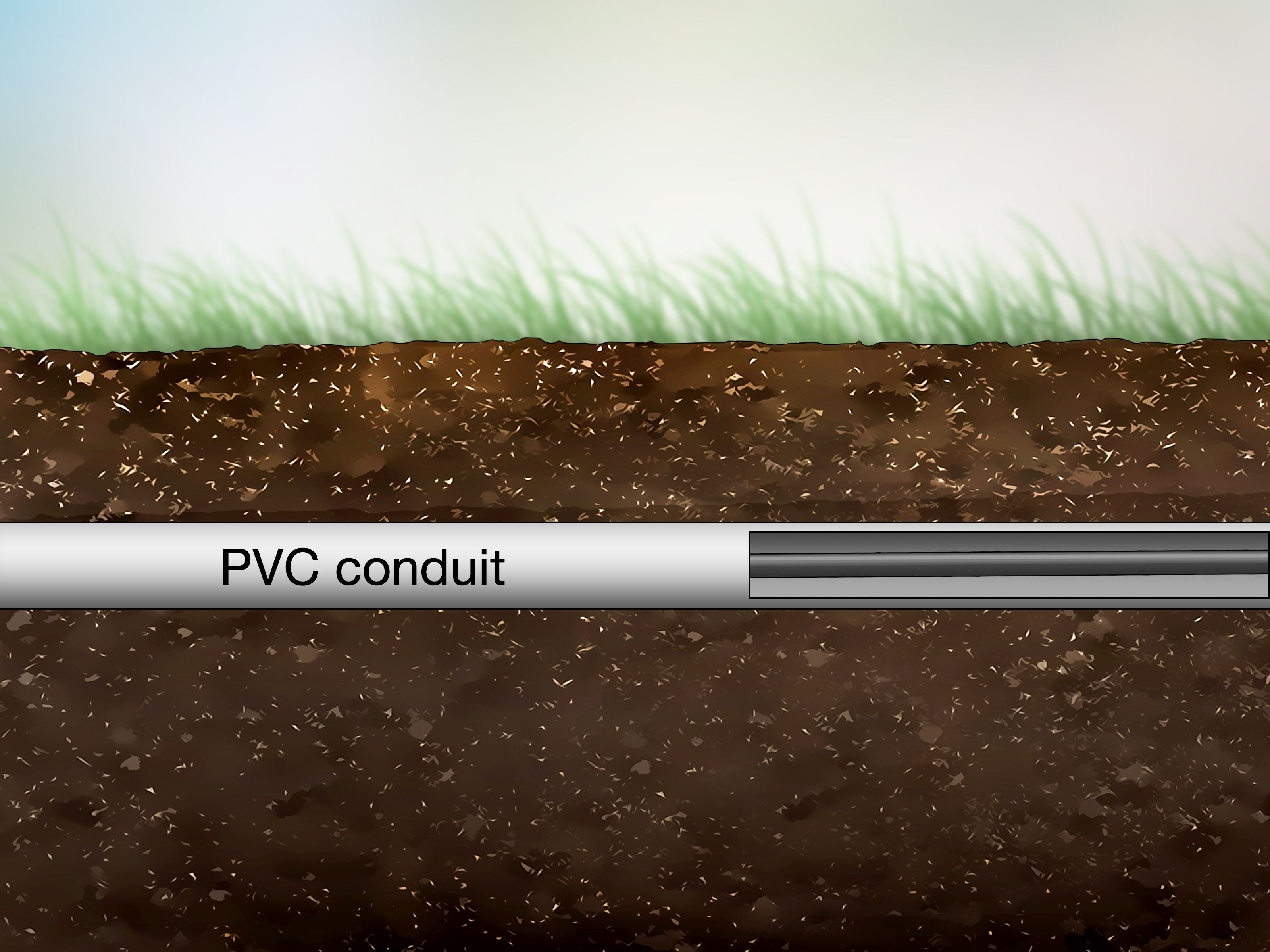
Conduit is one of the best ways to protect an outdoor Ethernet cable from physical damage. It shields cable from rocks, weed trimmers, foot traffic, rodents, sunlight, and accidental impacts. For exterior walls, rigid PVC conduit is common. For areas exposed to impact, Schedule 80 PVC provides more strength than Schedule 40. Underground conduit should be installed with smooth bends, proper fittings, and enough diameter so the cable can be pulled without being abused.
Best Practices for Ethernet in Conduit
Use sweep elbows instead of sharp 90-degree bends whenever possible. Ethernet cable does not like being bent like a paperclip. Tight bends can damage the twisted pairs and reduce performance. Keep the pull gentle, use cable lubricant if needed, and never yank the cable like you are starting a lawn mower.
Leave a pull string inside the conduit for future upgrades. Today it is one Cat6 line. Tomorrow it might be Cat6A, fiber, or an extra cable for another camera. Future you will either thank you or mutter your name while lying in the dirt. Choose wisely.
Call 811 Before You Dig
If you plan to trench, call 811 before digging. In the United States, 811 is the national before-you-dig service that helps identify approximate locations of buried public utilities. This step is not optional in spirit, and in many places it is legally required. Gas, electric, water, telecom, and other buried lines can be closer to the surface than expected. Hitting one is dangerous, expensive, and guaranteed to make your project suddenly much more exciting than intended.
Mark your planned route clearly, wait for utility markings, and remember that 811 may not locate private lines such as sprinkler wiring, landscape lighting, or a previous owner’s “creative” garage cable run. If the property has private underground utilities, hire a private locator before trenching.
Protect Cable on Exterior Walls
When running Ethernet along an exterior wall, do not simply staple indoor cable to siding and hope nature respects your optimism. Use outdoor-rated cable and secure it with UV-resistant cable clips or straps. Avoid standard nylon zip ties in sun-exposed areas because they can become brittle and may pinch the cable. Hook-and-loop straps or properly sized cable clamps are friendlier to the cable jacket.
Keep the cable tucked under eaves where possible. Avoid routes where water naturally runs down the wall. Add drip loops before cable enters a box, camera, access point, or building. A drip loop is a small downward loop that encourages water to fall off the cable instead of following it into your equipment. It is simple, cheap, and surprisingly effective. Water is lazy; give it an easier place to go.
Seal Every Outdoor Connection
Outdoor Ethernet failures often start at connectors. The cable may be excellent, the route may be clean, and then one poorly sealed RJ45 plug lets moisture in like an unlocked basement window. Use weatherproof couplers, outdoor-rated junction boxes, cable glands, and gaskets. For cameras and access points, use the manufacturer’s weatherproof boot or gland assembly exactly as intended.
Do Not Bury Ordinary Connectors
Avoid underground splices whenever possible. A continuous cable run is more reliable than a hidden connection in the soil. If a splice is unavoidable, place it in a rated waterproof enclosure that remains accessible. Burying a cheap inline coupler wrapped in electrical tape is not weatherproofing. It is a tiny time capsule of future network sadness.
Use Surge Protection for Outdoor Copper Runs
Ethernet cable outdoors can act like an antenna for electrical surges caused by nearby lightning, electrostatic discharge, or power disturbances. This is especially important for long runs, pole-mounted devices, cameras on building exteriors, and any cable that travels between structures. A direct lightning strike is not the only concern. Nearby lightning can induce damaging voltage on copper cabling.
Use Ethernet surge protectors rated for your application. If the cable carries PoE, the surge protector must be PoE-compatible. Install protectors near building entry points and near outdoor equipment when appropriate. Surge protectors must be bonded to a proper grounding system according to the manufacturer’s instructions and local electrical code. An ungrounded surge protector is like an umbrella with holes and a motivational quote printed on it.
Ground Shielded Ethernet Correctly
Shielded Ethernet cable can help in high-interference environments and outdoor aerial runs, but shielding must be handled correctly. A shield that is not properly bonded can perform poorly or create new problems. Use shielded connectors, shielded keystone jacks, and compatible patch panels when installing shielded cable. The drain wire or shield should have a reliable path to ground through approved hardware.
For many residential wall-mounted camera runs, unshielded outdoor-rated Cat6 is perfectly acceptable if the route is short, protected, and not near electrical noise. For runs between buildings, aerial spans, or exposed pole-mounted devices, consider shielded cable, surge protection, and professional grounding advice. When in doubt, consult a qualified low-voltage installer or electrician. Electricity does not care how confident you felt while watching a five-minute video.
Keep Ethernet Away From Power Lines
Ethernet and power wiring should not share the same conduit unless the installation is specifically designed and allowed by code. Running low-voltage data cable beside electrical wiring can create interference and safety issues. Maintain separation from AC power lines, especially when running parallel. If the two must cross, crossing at a 90-degree angle is generally better than running side by side for a long distance.
Never place Ethernet cable inside the same conduit as mains electrical wiring as a casual shortcut. It may seem tidy, but tidy and correct are not the same thing. Follow local code and use separate pathways.
Respect the 100-Meter Ethernet Limit
Standard four-pair copper Ethernet has a practical maximum channel length of 100 meters, or 328 feet. This includes the permanent cable and patch cords. Outdoor installations can be tempted to stretch farther because the barn is “only a little past the tree,” but copper Ethernet is not a rubber band. Beyond the standard distance, performance may become unreliable, especially with PoE.
If you need more than 328 feet, consider fiber optic cable, a properly placed switch, or a rated Ethernet extender. Fiber is often the best solution between buildings because it does not create the same conductive path for surge energy. It is also immune to electromagnetic interference. In other words, fiber is the calm adult in the room.
Protect Aerial Ethernet Runs
Aerial Ethernet runs require special care. Do not stretch ordinary Ethernet cable between buildings like a clothesline. Use outdoor-rated aerial cable with a messenger wire or install a proper support cable. The Ethernet cable should not carry its own weight over a span unless it is designed for that job.
Aerial runs are more exposed to wind, ice, sun, and surge energy. Use UV-rated straps, maintain safe clearances, avoid routes near power lines, and install surge protection. For long aerial runs between buildings, fiber is usually a better and safer design.
Plan the Building Entry Point
The point where cable enters a building deserves special attention. Drill a clean, slightly downward-sloping hole from inside to outside so water does not naturally flow inward. Use a bushing or sleeve to protect the cable jacket from sharp edges. Seal the penetration with exterior-rated sealant after the cable is placed. Add a drip loop outside before the entry point.
If the cable enters from underground conduit, transition carefully at the wall using a weatherproof junction box or conduit body. Exposed vertical conduit near the ground is vulnerable to impact, so use stronger conduit where damage is likely. Label the cable indoors so nobody disconnects it later and says, “I thought this was old.”
Test the Cable Before and After Installation
Test the cable before burial or final sealing. At minimum, use a wiremap tester to confirm correct pinout, continuity, and no shorts. For professional installations, use a cable certifier to confirm performance against the cable category. After the run is complete, test again. This helps catch damage caused during pulling, bending, termination, or connector installation.
If the cable powers a PoE camera or access point, verify that the device receives stable power and negotiates the expected network speed. A cable can pass basic continuity and still perform poorly under real data and power load.
Common Mistakes to Avoid
Using Indoor Patch Cable Outdoors
Indoor patch cable is not built for sunlight, standing moisture, or soil. It may work for a few weeks or months, but eventually the jacket can fail. Outdoor-rated cable is not optional for a permanent outdoor run.
Forgetting Drip Loops
Without drip loops, water can travel along the cable and into devices, boxes, or wall penetrations. A drip loop is one of the cheapest forms of insurance you can add.
Overtightening Cable Ties
Ethernet cable relies on precise twists inside the jacket. Crushing the cable can affect performance. Secure the cable firmly, but do not strangle it. The cable is not trying to escape.
Skipping Surge Protection
Outdoor copper cable increases electrical risk. If the run is exposed, long, elevated, or connected to expensive equipment, use properly grounded surge protection.
Ignoring Future Maintenance
Install with future access in mind. Use conduit, pull string, service loops, labels, and accessible junction points. A neat installation is good. A serviceable installation is better.
Recommended Outdoor Ethernet Protection Setup
For a typical outdoor PoE security camera, use solid copper outdoor-rated Cat6 cable, route it under eaves or through conduit, add a drip loop at the camera, seal the connection with the manufacturer’s weatherproof gland, and consider a PoE-rated surge protector near the equipment entry point. For a detached garage or backyard office, strongly consider conduit or fiber. If copper is used between buildings, add surge protection and grounding at both ends according to code and product instructions.
For underground routes, call 811, trench safely, use direct-burial cable inside conduit where practical, avoid hidden splices, and test the cable before covering the trench. Use warning tape above the conduit so future digging finds the warning before finding the cable. It is a small detail that can save a Saturday.
Field Experience: What Actually Works Outdoors
In real outdoor Ethernet installations, the failures are rarely mysterious once you know where to look. The most common issue is not the switch, router, or camera. It is usually water. Moisture enters through a connector, a cracked jacket, a missing drip loop, or a box that was “mostly sealed,” which is another way of saying “not sealed.” Outdoor cable protection works best when you assume water will try every possible trick to get inside. If there is a seam, water will find it. If there is a cable sloping toward a device, water will follow it. If a connector is wrapped with ordinary tape and buried, water will treat that as a formal invitation.
One practical lesson is to keep outdoor connections above ground and accessible whenever possible. A buried splice may look clean on day one, but it becomes a treasure hunt when something fails. If you must use a junction box, mount it where it can be opened, inspected, and resealed. Use proper cable glands, not random holes filled with wishful thinking. A weatherproof box should be installed so water sheds away from the opening, and the cable should enter from below when possible. Side entries can work with the right fittings, but top entries are asking gravity to betray you.
Another field-tested habit is leaving service loops. A little extra cable near a camera, junction box, or indoor rack can save the installation later. Connectors sometimes need to be replaced. Devices get upgraded. Mounting locations change. Without a service loop, a simple repair can become a full cable replacement. Do not leave a giant coil baking in the sun, but do leave enough slack in a protected spot to work comfortably.
Conduit is also worth more than many beginners expect. Even when using direct-burial Ethernet cable, conduit protects against stones, roots, rodents, and accidental shovel damage. It also makes replacement easier. If a cable fails inside a decent conduit run with sweeping bends and a pull string, replacement is annoying but manageable. If the cable is lying naked in the soil under a patio, replacement becomes archaeology.
For PoE cameras and access points, surge protection is often skipped until after the first storm teaches the lesson. Outdoor copper cable does not need to be directly struck by lightning to carry damaging energy. Nearby lightning or static discharge can be enough to damage ports. The better habit is to protect the cable before it enters expensive network equipment. Use PoE-rated surge protectors, bond them correctly, and do not pretend the tiny plastic camera housing is a force field.
Finally, testing matters. A cable that looks perfect may have a bad termination, split pair, or damaged conductor. Test before mounting devices, test before burying conduit, and test again when the installation is finished. The best time to discover a cable problem is while the trench is still open. The worst time is after you have landscaped the area, cleaned your tools, and proudly told everyone the network is finished.
Conclusion
Protecting an outdoor Ethernet cable is about building a complete system, not just buying a “weatherproof” cable. Start with outdoor-rated or direct-burial solid copper cable. Add conduit where physical damage is possible. Seal every connector. Use drip loops. Keep Ethernet away from power wiring. Respect the 100-meter copper limit. Install surge protection when the run is exposed or connects outdoor equipment. And before you dig, call 811.
A protected outdoor Ethernet cable can run reliably for years, powering cameras, access points, smart gates, workshops, and backyard offices without drama. A poorly protected one can fail in the first storm and leave you standing in the rain wondering why the camera feed looks like modern art. Do it once, do it carefully, and your network will stay boring in the best possible way.