An electromagnetic pulse, usually shortened to EMP, sounds like something that should arrive with dramatic movie music, a dark sky, and somebody shouting, “The grid is down!” In real life, the subject is less theatrical but still worth understanding. An EMP is a short burst of electromagnetic energy that may interfere with or damage electrical and electronic equipment. A related natural risk, a geomagnetic disturbance caused by severe space weather, can also affect power systems and long conductors. The good news is that protecting everyday electronics does not require building a bunker under the vegetable garden or wrapping your entire house in aluminum foil like a leftover baked potato.
For most households, the smartest EMP protection strategy is practical, layered, and surprisingly boringin the best possible way. You protect a few important backup devices, reduce the number of wires acting like antennas, and prepare for the more common problems that often travel with electromagnetic events: power outages, voltage surges, communications interruptions, and dead batteries. This guide explains three easy ways to protect electronics from an electromagnetic pulse while staying grounded in real-world emergency preparedness.
What Is an Electromagnetic Pulse?
An electromagnetic pulse is a rapid burst of electromagnetic energy. Depending on the source and intensity, it can create electrical currents in wires, circuits, antennas, and other conductive materials. Sensitive electronics may malfunction if the pulse induces too much current or voltage in parts that were never designed to handle it.
EMP discussions often get tangled in worst-case scenarios. But for household planning, it helps to focus on the basics: electronics are most vulnerable when they are connected to long wires, plugged into the electrical grid, attached to antennas, or dependent on delicate internal circuitry. A smartphone sitting unplugged in a drawer is in a very different situation from a desktop computer connected to wall power, Ethernet, speakers, a printer, and a very dramatic-looking cable nest.
EMP vs. Power Surge vs. Geomagnetic Storm
These terms are related, but they are not the same. A power surge is a sudden increase in voltage that can come from lightning, utility switching, faulty wiring, or power returning after an outage. A geomagnetic storm is caused by solar activity that disturbs Earth’s magnetic environment and can affect power grids, radio communications, GPS signals, satellites, and long transmission lines. An EMP is a broader term for a short electromagnetic disturbance that may be natural or human-made.
For a homeowner, the preparation overlaps: keep backup communication tools, protect sensitive electronics, avoid unnecessary grid connections during storms or alerts, and store critical devices in a shielded container. Think of it as the electrical version of wearing a seat belt. You are not predicting a crash every time you drive; you are making the smart move before the weird day arrives.
Way 1: Store Critical Backup Electronics in a Faraday Container
The most commonly recommended method for protecting small electronics from electromagnetic energy is shielding. A Faraday container, often called a Faraday cage or Faraday bag, is a conductive enclosure that helps route electromagnetic energy around the outside of the container instead of through the device inside. Proper shielding is why test labs use metal enclosures to reduce interference, and why your microwave door has a metal mesh instead of a tiny window for impatient people to stare through.
The key idea is simple: place essential backup electronics inside a conductive container, make sure the device does not directly touch bare metal, and close the container so there are no large gaps. You are not trying to protect every gadget you own. You are protecting a small emergency set.
What Should You Put in a Faraday Container?
Start with practical items. A backup phone, a basic battery-powered radio, USB flash drives with important documents, a small solar charger, charging cables, power banks, spare batteries, a two-way radio where legal and appropriate, and a compact LED flashlight are all reasonable candidates. You might also store an old but working laptop or tablet if it contains offline maps, scanned documents, repair manuals, contact lists, and other helpful files.
Do not turn the container into a museum of every charger you have owned since 2008. The goal is a compact emergency electronics kit. If you need a shovel to find the phone charger, the system has become a hobby, not preparedness.
How to Make a Simple Faraday Container
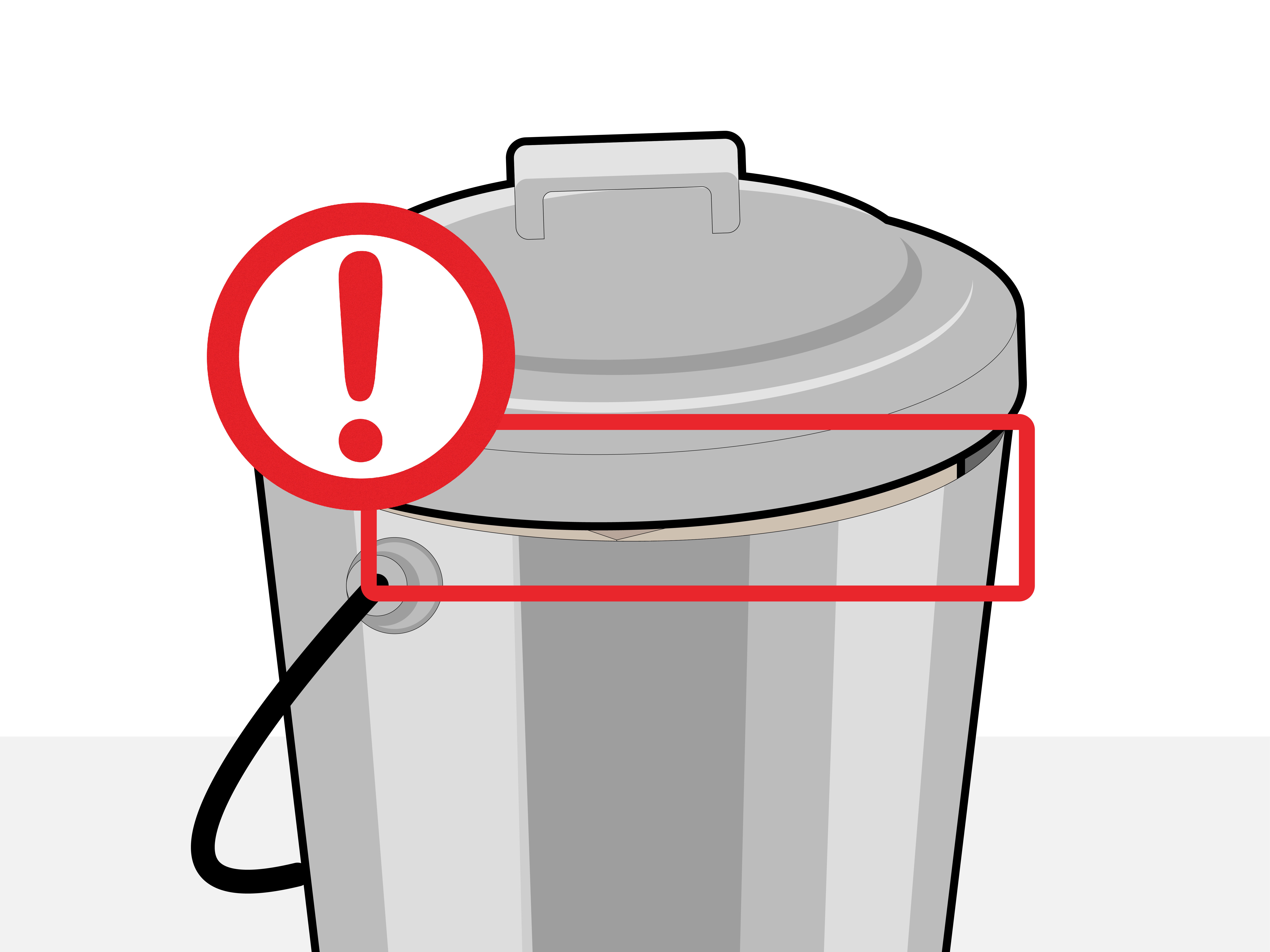
A practical homemade option is a clean metal trash can with a tight-fitting metal lid. Line the inside with cardboard, foam, or thick plastic so electronics do not touch the metal. Place your devices in separate plastic bags or padded cases, add cables and batteries, then close the lid securely. Metal ammo cans, steel file boxes, and purpose-built Faraday bags may also work, but seams, gaps, rubber gaskets, paint, and poor lid contact can reduce performance.
For smaller items, some people use multiple layers: the device in a plastic bag, then inside a conductive pouch, then inside a metal box. Layering is useful because real-world shielding depends on continuity. Tiny openings may matter more at higher frequencies. In plain English: a container with a big gap is less “science shield” and more “metal purse.”
Important Faraday Container Tips
Keep electronics insulated from the metal interior. Remove batteries from devices if the manufacturer recommends it for long-term storage. Check batteries every few months because a leaking battery can ruin your carefully protected radio faster than any space-weather headline. Store printed instructions with the kit so you are not relying on the internet to remember how your emergency radio works. Also, test your backup devices occasionally, then return them to storage.
No consumer Faraday setup can honestly promise perfect protection against every possible EMP intensity, frequency, and direction. Be skeptical of magical marketing claims. A realistic goal is risk reduction for essential backup gear, not guaranteed survival of a gaming PC, a smart refrigerator, and your coffee maker’s emotional support Wi-Fi chip.
Way 2: Unplug Devices and Reduce Long-Wire Exposure
The easiest electronics protection step is also the most overlooked: unplug what you can. Wires can act like pathways for unwanted energy. Power cords, Ethernet cables, coaxial TV lines, external antennas, and long charging cables can all increase exposure to surges or induced currents. During thunderstorms, power outages, utility problems, or serious space-weather alerts, disconnecting electronics is a low-cost way to reduce risk.
This does not mean you need to sprint through the house unplugging everything every time a cloud looks judgmental. Focus on valuable and sensitive equipment: desktop computers, routers, modems, televisions, game consoles, audio systems, backup drives, printers, and charging stations. If a device is not needed, unplug it from wall power. If it connects to a cable line or external antenna, disconnect that too.
Why Unplugging Helps
Many damaging events reach electronics through conducted paths. A surge does not need to politely knock on the front door of your circuit board. It can enter through a power line, network cable, phone line, coaxial cable, or antenna connection. Unplugging removes those paths. For a severe geomagnetic disturbance, the biggest concerns are usually large infrastructure and long transmission conductors, but household electronics can still suffer from power instability, outages, and surges when service is interrupted or restored.
A laptop running on battery, disconnected from power and cables, has less exposure than a desktop system plugged into the grid with six accessories attached. A battery radio stored away has less exposure than a radio connected to a long outdoor antenna. The fewer conductive paths, the better.
Create an “Unplug Checklist”
A simple checklist beats panic every time. Write down the devices you would unplug first: router, modem, desktop PC, external drives, TV, game console, smart-home hub, and chargers. Keep the list near your electrical panel or emergency kit. During a storm warning or outage, follow the list calmly. This is much better than wandering around the house muttering, “What else has a plug?” while holding a flashlight like a detective in a very low-budget crime show.
Pay special attention to external hard drives. Many people back up their files and then leave the backup drive permanently plugged into the same computer. That is convenient, but it also means one surge can damage both the original and the backup. A better habit is to back up important files, eject the drive properly, unplug it, and store it separately.
Way 3: Use Surge Protection, Backup Power, and Offline Redundancy
Surge protectors are not magic EMP shields, but they are still useful for everyday electrical threats. A quality surge protector can help protect electronics from common voltage spikes. Whole-home surge protection installed at the electrical panel can add another layer, especially in areas with frequent lightning or unstable power. For expensive electronics, use layered protection: a properly grounded electrical system, a panel-level surge protective device where appropriate, and high-quality point-of-use surge protectors for sensitive equipment.
The important word is “layered.” One power strip does not make your home electrically invincible. Also, a basic power strip is not the same as a surge protector. If the package does not clearly state surge protection ratings, it may simply be an outlet extender wearing a long plastic costume.
Choose Surge Protectors Wisely
Look for products from reputable brands with recognized safety certification, clear joule ratings, indicator lights, and automatic shutoff if protection is depleted. Avoid daisy-chaining power strips. Do not plug high-wattage appliances like space heaters, refrigerators, microwaves, or air conditioners into ordinary strips. Replace surge protectors after major surges, visible damage, overheating, or when protection indicator lights fail.
A good surge protector is best for ordinary surgesnot a guarantee against extreme electromagnetic events. Still, since everyday surges are far more common than dramatic EMP scenarios, surge protection earns its place in a sensible plan.
Add Backup Power Without Creating New Problems
An uninterruptible power supply, or UPS, can protect computers and network gear from sudden shutdowns. It gives you time to save work, shut down properly, and avoid data corruption. For emergency use, power banks and small solar chargers are useful for phones, radios, lights, and USB devices. Keep them charged, labeled, and stored where you can find them.
Do not build a backup system so complicated that only one person in the house understands it. Emergency gear should be boringly obvious. Label cables. Use simple storage boxes. Keep printed instructions. The best emergency system is the one a tired person can use correctly at midnight.
Protect Your Data, Not Just Your Devices
Sometimes the most valuable thing is not the device; it is the information inside it. Back up important documents, family photos, insurance records, medical information, passwords, and business files. Use the 3-2-1 backup idea: keep three copies of important data, on two different types of storage, with one copy stored offline or off-site.
For EMP preparedness, offline storage matters. A portable SSD locked in a drawer is safer from online threats and many electrical problems than a backup drive permanently attached to a desktop computer. Printed copies also deserve respect. Paper may be old-fashioned, but it has excellent battery life.
What Electronics Are Most Worth Protecting?
You probably do not need to protect every device in your home. Focus on items that help you communicate, navigate, document, light, charge, repair, and stay informed. A practical priority list includes a backup phone, AM/FM or weather radio, power banks, USB charging cables, LED flashlights, spare batteries, small solar charger, portable storage drives, and printed emergency contacts.
If you work from home, add a laptop, external drive, and copies of essential business files. If you have medical devices that require power, talk with a qualified professional or the device manufacturer about safe backup power options. For families, include copies of IDs, insurance documents, prescriptions, and school or travel information.
Common Mistakes to Avoid
Mistake 1: Protecting Gadgets but Forgetting Power
A protected radio is useful. A protected radio with dead batteries is modern art. Store batteries properly, rotate them, and keep a charging plan. Power banks slowly lose charge over time, so schedule a reminder to recharge them every few months.
Mistake 2: Leaving Backup Drives Plugged In
A backup that is always connected is convenient but exposed. After backing up important files, disconnect the drive. Store it in a padded case, preferably inside your shielded container if it contains critical information.
Mistake 3: Believing One Product Solves Everything
No single bag, box, strip, or gadget can eliminate all risk. EMP protection works best as a layered plan: shield a few important devices, unplug sensitive electronics when risk is elevated, use surge protection for everyday hazards, and keep offline backups.
Real-World Experience: What an EMP Preparedness Setup Looks Like at Home
A practical home setup usually begins with one honest question: “What would I actually need if the power went out and my normal devices stopped working?” The answer is rarely “all electronics.” It is usually communication, lighting, charging, documents, and a way to receive information. That realization keeps the plan affordable and sane.
In a typical household, the first experience is sorting through drawers and discovering a shocking number of mystery cables. There will be one cable nobody can identify, one charger from a device that no longer exists, and at least three adapters that seem important only because they look expensive. The useful approach is to test everything. Charge the old phone. Turn on the radio. Check the flashlight. Plug in the power bank. If it works, label it. If it does not, recycle it responsibly.
Next comes the emergency electronics box. A metal container lined with cardboard is simple and inexpensive. Inside, store a basic phone, charging cables, USB wall adapter, power bank, portable radio, spare batteries, flash drive with document scans, and a small notebook with emergency contacts. The notebook matters more than people expect. When stress is high and the internet is down, having phone numbers, addresses, insurance details, and account notes on paper feels less like “old technology” and more like genius.
The second experience is building habits. During strong thunderstorms or unstable power, unplug sensitive equipment. This is not glamorous. Nobody will make an action movie about a person calmly unplugging a router. But it works for common surge risks and teaches the household where important electronics are connected. After doing it a few times, the checklist becomes natural: computer, modem, router, TV, backup drive, chargers.
The third experience is learning that preparedness is maintenance. Batteries expire. Power banks drain. Surge protectors wear out. Password lists become outdated. A good schedule is to check the kit every three months. Turn on the radio, recharge power banks, confirm that flash drives still open, update documents, and make sure the lid still closes properly. This takes less time than cleaning out the refrigerator, and it is much less emotionally complicated than deciding whether that jar of sauce from last year is still “probably fine.”
The most useful lesson is that EMP preparedness overlaps with ordinary emergency readiness. The same kit helps during storms, blackouts, travel disruptions, internet outages, and equipment failures. You are not preparing only for a rare electromagnetic event. You are creating a small island of backup capability for any day when modern convenience decides to take a personal day.
Conclusion
Protecting electronics from an electromagnetic pulse does not need to be expensive, dramatic, or confusing. The three easiest steps are to store critical backup devices in a Faraday container, unplug sensitive electronics to reduce long-wire exposure, and use layered surge protection with offline backups. These habits also help with far more common problems such as thunderstorms, power outages, voltage spikes, and data loss.
The goal is not to protect every screen, speaker, charger, and smart gadget in your home. The goal is to protect the electronics that matter most when normal systems fail. Keep it simple, test your gear, maintain your backups, and remember: the best emergency plan is the one you can actually follow without needing a PhD, a bunker, or a roll of foil the size of a canoe.
Note: This article is for general preparedness and electronics-protection education. It does not claim that any consumer method can guarantee complete protection from every possible electromagnetic event.