“`
There are two types of workout people in this world: the ones with perfectly organized training logs, and the rest of us who have a suspicious pile of half-finished notes, forgotten smartwatch data, and one gym towel that has seen too much. I used to be firmly in the second group. Then I started using the Peloton App to track all of my workouts, and suddenly my fitness life looked less like a junk drawer and more like an actual plan.
The Peloton App is often associated with the famous bike, dramatic sweat, and instructors who somehow make climbing a pretend hill feel like a personal breakthrough. But the app has grown far beyond cycling. Today, it includes strength training, yoga, running, walking, meditation, stretching, Pilates, HIIT, rowing, outdoor audio workouts, gym sessions, and recovery content. In other words, it is not just a spin-class app. It is a full workout tracking app with enough variety to keep boredom from unpacking its bags and moving into your routine.
For me, the real magic is not only the classes. It is the way the Peloton App helps me see my entire fitness routine in one place. Whether I ride, lift, stretch, walk, run, or sneak in a 10-minute core class while pretending I am “just taking a quick break,” the app turns scattered effort into a visible record. That matters, because progress is easier to believe when you can actually see it.
Peloton App Workout Tracking Makes Fitness Feel Organized
Fitness tracking sounds serious, but at its best, it simply answers one question: “What did I actually do?” The Peloton App records completed workouts, tracks streaks, logs class types, saves performance metrics, and gives you a workout history that is easy to review. Instead of guessing whether I trained legs last Tuesday or merely thought about training legs while eating cereal, I can check the app and know.
This is especially useful if your workouts are mixed. Many people no longer follow one neat routine forever. One week might include indoor cycling, dumbbell strength, yoga, outdoor walking, and a mobility session. The next week might be mostly running because the weather is nice and your playlist suddenly makes you feel like the main character in a sports movie. The Peloton App handles that variety well.
One App for Cardio, Strength, Recovery, and Everything Between
The biggest reason I use the Peloton App to track all of my workouts is simple: it lets me combine different types of fitness without turning my phone into a museum of forgotten apps. I can take a 20-minute cycling class, add a 10-minute arms workout, cool down with stretching, and later log a walk. The app keeps those pieces together.
That matters because a balanced routine is not built from one workout style. The CDC and American Heart Association recommend a mix of aerobic activity and muscle-strengthening work for adults. A fitness app that encourages variety makes it easier to build a routine that is not just intense, but sustainable. Translation: your legs do not need to file a formal complaint every Monday.
Why the Peloton App Keeps Me Consistent
Consistency is the unglamorous superhero of fitness. It does not wear a cape. It wears sneakers by the door and says, “Just do 20 minutes.” The Peloton App helps with consistency because it lowers the friction between wanting to work out and actually starting.
Some days I want a tough ride. Some days I want strength training. Some days I want yoga because my hamstrings feel like they were assembled from old extension cords. The app makes it easy to filter by workout type, class length, instructor, music, difficulty, and body focus. That flexibility means I am less likely to skip a workout just because I do not have an hour, the right equipment, or the emotional strength to create my own plan from scratch.
Short Classes Remove the “I Don’t Have Time” Excuse
One underrated Peloton App feature is the abundance of short classes. Ten minutes may not sound heroic, but it is often the difference between doing something and doing nothing. A 10-minute core class can become a 20-minute strength session. A 15-minute walk can become a habit. A five-minute stretch can save your back from sending strongly worded emails.
The app’s class library makes it easy to scale workouts up or down based on real life. Busy morning? Do a 10-minute bodyweight class. Low energy? Try a recovery ride or gentle yoga. Feeling powerful? Stack classes and create a longer session. That flexibility makes the Peloton App useful not only for ambitious fitness goals, but also for ordinary weeks filled with school, work, errands, family, and the mysterious disappearance of clean socks.
The Workout History Turns Effort Into Motivation
One of my favorite parts of Peloton workout tracking is the workout history. After a few weeks, the app starts to tell a story. You can see how many classes you completed, which categories you use most, how often you train, and where your habits are heading. That record becomes motivating because it proves that effort is accumulating, even when individual workouts feel small.
This matters psychologically. A single workout can feel forgettable. Twenty workouts in a month feel like evidence. The Peloton App makes that evidence visible. When I see a streak or a calendar filled with completed classes, I am more likely to keep going. It is the fitness version of not wanting to break a chain, except the chain is made of sweat, pride, and occasional questionable dance moves during warmups.
Progress Is Not Always About Personal Records
Fitness apps often focus on numbers: calories, output, pace, distance, heart rate, and ranking. Those can be useful, especially for cycling, running, and rowing. But the Peloton App also helps me notice progress that is less dramatic but just as important. I can see that I stretched more this month. I added strength workouts twice a week. I returned to meditation. I chose recovery instead of pretending rest is illegal.
That broader view makes the app feel healthier. It is not only about chasing bigger numbers. It is about building a routine that supports energy, mobility, strength, endurance, and mental focus.
Peloton App Features That Make Tracking Easier
The Peloton App includes several features that make workout tracking feel natural rather than tedious. The completed class log is the foundation, but the app also supports class stacking, programs, collections, badges, streaks, challenges, and integrations with wearable devices and health platforms.
Class Stacking Helps Build a Complete Workout
Class stacking is one of those features that sounds small until you use it. Instead of finishing one class and wandering around the app like a confused raccoon, you can line up multiple workouts in advance. For example, I might stack a warm-up ride, a cycling class, a core workout, and a stretch. The result feels like a complete training session without needing to invent one myself.
This is especially helpful for strength training. You can pair lower-body strength with core, or upper-body strength with mobility. You can also add a cooldown stretch, which is my personal attempt to become the kind of person who “takes recovery seriously” instead of the kind who limps dramatically to the kitchen.
Programs and Collections Reduce Decision Fatigue
Decision fatigue is real. Sometimes the hardest part of working out is not the workout. It is choosing the workout. Peloton programs and collections help by grouping classes around goals, themes, skills, or training styles. That structure makes it easier to show up without overthinking.
For beginners, this can be especially valuable. Instead of asking, “What should I do today?” the app gives you a path. For more experienced users, programs can help add focus, whether the goal is stronger legs, better running endurance, improved mobility, or a more consistent yoga habit.
Badges and Streaks Add Just Enough Gamification
I do not want my entire life to become a video game, but I will admit that badges work on me. Peloton badges, streaks, milestones, and challenges add a little spark to the routine. They are not the main reason to exercise, but they can help on the days when motivation is hiding under the couch.
The key is that the rewards are tied to showing up. That makes the system feel encouraging rather than punishing. You do not have to be the fastest person in a class to feel successful. You just have to participate, finish, and keep building momentum.
How Peloton Works With Wearables and Other Fitness Data
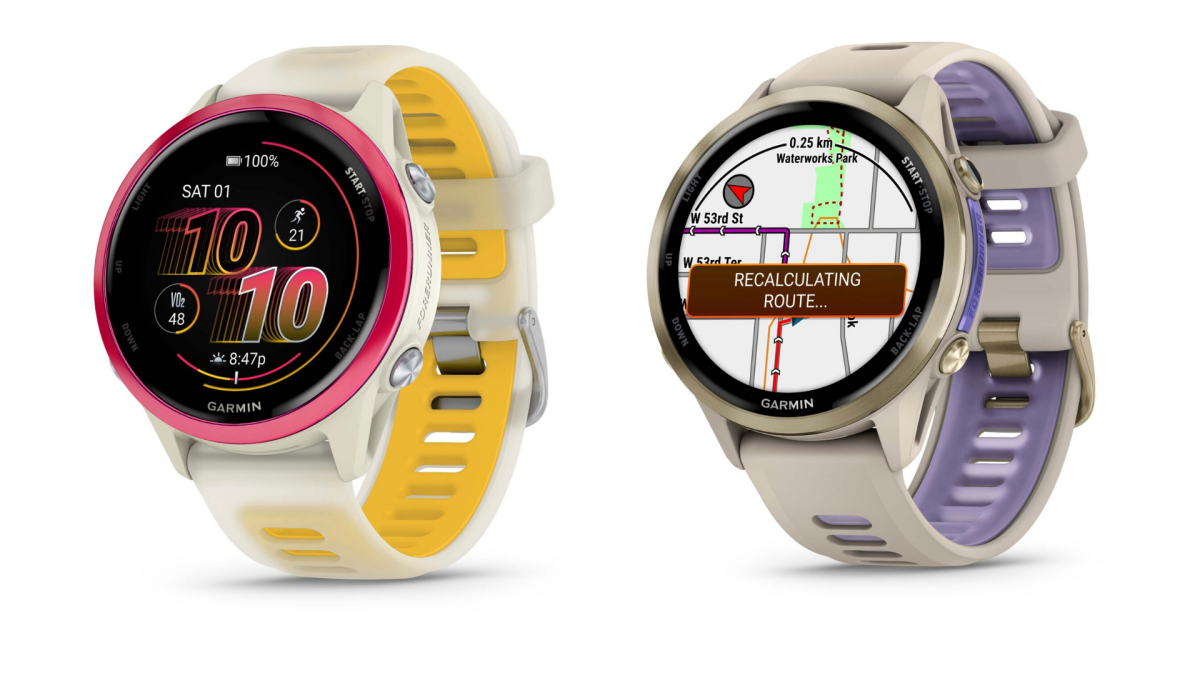
Fitness data can get messy quickly. One device tracks steps, another tracks runs, another tracks cycling, and suddenly your workout history is spread across five apps like a very athletic treasure hunt. Peloton has improved its integrations over time, including support for Apple Health, Apple Watch setup, and Garmin syncing options. This makes it easier to centralize workout data and reduce double logging.
For Apple users, the Peloton App can connect with Apple Health so activity can sync across platforms. Apple Watch support also makes heart rate tracking more convenient during many Peloton workouts. For Garmin users, improved syncing helps bring more training history together, which is useful if you use Garmin outdoors and Peloton indoors.
No system is perfect, and fitness tech still has occasional “why are you like this?” moments. But the Peloton App is much better when it plays nicely with the devices people already use. A workout tracking app should not feel like a second job. Ideally, the data moves quietly in the background while you focus on moving your body.
Why I Prefer Peloton Over a Basic Workout Log
A notebook can track workouts. So can a spreadsheet. So can a notes app titled “Gym Stuff” that slowly becomes a chaos scroll. The difference is that Peloton combines tracking with instruction, motivation, music, and structure.
When I open a basic log, I still have to decide what to do. When I open Peloton, the workout is already there. The instructor guides the session, the timer keeps me honest, and the app records the result. It closes the gap between planning, doing, and tracking.
The Instructors Make a Big Difference
Peloton instructors are a major part of the experience. The best ones make workouts feel personal, even when thousands of people have taken the same class. They cue form, explain effort levels, tell stories, crack jokes, and occasionally say something inspiring at the exact moment your legs are trying to resign.
That coaching helps me stay engaged. It also helps me push when I should push and back off when I should back off. A good instructor turns a workout from a task into an appointment I actually want to keep.
Music Makes Tracking Feel Less Like Homework
Music is another reason the Peloton App works for me. A playlist can change the entire personality of a workout. A 20-minute ride with the right music feels like a party where everyone forgot to bring snacks but did bring resistance. Strength training with a good soundtrack feels less repetitive. Even walking workouts can feel more intentional when paired with coaching and rhythm.
That entertainment factor matters because the best workout tracking app is the one you keep using. Peloton makes the process enjoyable enough that tracking becomes automatic.
Peloton App One vs. App+: Which Makes Sense?
Peloton offers different app membership options, including App One and App+. App One is aimed at users who want access to many non-equipment workouts, such as strength, yoga, meditation, outdoor running, and gym workouts, with limited cardio equipment classes. App+ offers broader access, including full cardio equipment classes and access to more of the Peloton ecosystem.
The right choice depends on how you train. If you mostly do strength, yoga, walking, meditation, and bodyweight workouts, App One may be enough. If you regularly use a bike, treadmill, rower, or other cardio equipment and want full access to equipment-based classes, App+ may make more sense.
The important point is that you do not need Peloton hardware to benefit from the Peloton App. That makes it useful for people who work out at home, at the gym, outside, or in hotel rooms where the “fitness center” is one treadmill, one suspicious dumbbell, and a television permanently stuck on a cooking show.
How I Use the Peloton App in a Real Week
A typical week for me is not glamorous. It is practical. I use the Peloton App to build a routine that includes cardio, strength, and recovery without making fitness feel like a second career.
On Monday, I might start with a 30-minute ride and add a 10-minute stretch. Tuesday might be full-body strength. Wednesday might be an outdoor walk or run. Thursday could be yoga, especially if my body is making antique furniture noises. Friday might be another ride or a short HIIT class. On the weekend, I may do a longer walk, a fun theme ride, or a mobility class.
The app tracks all of it. That gives me a clearer picture than simply counting “gym days.” I can see whether I am overdoing cardio, neglecting strength, skipping recovery, or accidentally creating a routine made entirely of vibes.
Using Peloton for Strength Training
Strength training is one of the best reasons to use the Peloton App. The library includes bodyweight classes, dumbbell workouts, core sessions, upper-body training, lower-body training, full-body strength, barre, Pilates, and gym-style workouts. This variety helps me avoid doing the same three exercises forever, which is good because my muscles enjoy being surprised and my brain enjoys not being bored.
I also like that classes have clear time limits. A 20-minute strength class feels approachable. A 30-minute full-body session feels complete. A 10-minute core workout is just short enough that I cannot create a convincing excuse to avoid it.
Using Peloton for Recovery
Recovery is where the app quietly becomes more valuable. Stretching, yoga, meditation, breathwork, and low-impact classes help balance harder sessions. The app reminds me that fitness is not only about intensity. Sometimes the smartest workout is the one that helps you feel better tomorrow.
This is also where tracking helps. If I look back and see three hard workouts in a row, I am more likely to choose mobility or yoga. Without that history, I might keep pushing until my body starts communicating exclusively through creaks and sighs.
Who Should Use the Peloton App?
The Peloton App is a strong fit for people who want guided workouts, variety, flexible class lengths, music-driven sessions, and easy workout tracking. It works well for beginners who need structure and for experienced exercisers who want a deep class library. It is also helpful for anyone who trains across multiple categories, such as cycling, running, strength, yoga, walking, and stretching.
It may not be perfect for people who want highly customized coaching from a personal trainer, extremely detailed periodized programming, or a completely free solution. Some athletes may still prefer specialized apps for marathon training, powerlifting, bodybuilding, or advanced endurance planning. But for general fitness, consistency, and all-in-one workout tracking, Peloton is hard to beat.
Tips for Getting the Most From Peloton Workout Tracking
First, use filters. Do not scroll endlessly. Choose workout type, length, difficulty, instructor, music, and body focus. The faster you find a class, the less time your brain has to negotiate an escape.
Second, stack classes. A complete workout does not need to be one long session. Build your own combination: warm-up, main workout, core, stretch. The app will track each piece.
Third, review your workout history weekly. Look for patterns. Are you training consistently? Are you including strength? Are you recovering? Are you doing the same workout type because it is comfortable, or because it supports your goals?
Fourth, connect your wearable if you use one. Heart rate and activity syncing can make your workout data more complete. It also reduces the need to manually enter everything, which is wonderful because manual entry is where motivation goes to take a nap.
Finally, choose workouts you actually like. The best app in the world cannot help if you hate every class. Peloton has enough instructors and formats that you can experiment until you find your favorites.
Personal Experience: Why I Keep Coming Back to the Peloton App
My experience with the Peloton App has changed the way I think about tracking workouts. Before using it consistently, I treated fitness tracking like a chore. I would start strong, record a few workouts, forget for a week, then return to my log with the confidence of a detective investigating a cold case. I knew I had exercised, but I could not always remember what I had done, how hard it felt, or whether my routine made sense.
Peloton solved that problem by making tracking almost invisible. I do not have to pause after a workout and write a paragraph about my heroic battle with dumbbells. I take the class, finish it, and the app records it. That small convenience is huge. When tracking is automatic, I actually keep a history. When I keep a history, I make better choices.
One specific example is strength training. I used to be inconsistent with strength workouts because cardio felt easier to measure. A ride has output. A run has pace. A walk has distance. Strength training can feel more abstract, especially if you are not following a formal lifting program. With Peloton, I can see how many strength classes I completed, what areas I trained, and how often I included core or lower-body work. That makes strength feel like a visible part of my routine instead of a vague promise I make to myself every Sunday night.
The app has also helped me respect recovery. This surprised me. I thought I would use Peloton mostly for harder workouts, but some of the most useful sessions have been stretching and yoga. When my workout history shows several demanding days, choosing a recovery class feels intentional rather than lazy. That is a big mindset shift. Rest and mobility become part of the plan, not evidence that I have lost discipline and should be banished from the kingdom of fitness.
I also appreciate how the app fits different moods. There are days when I want a serious training session with clear effort cues. There are days when I want a music-themed ride because my soul requires pop songs and dramatic resistance changes. There are days when I only have 10 minutes, and the app lets me turn those 10 minutes into something useful. That flexibility keeps me from falling into the all-or-nothing trap.
Another reason I keep using the Peloton App is that it makes progress feel human. Not every week is perfect. Some weeks are busy. Some workouts are short. Some days my performance is lower than expected. But the app helps me see the bigger pattern. If I completed four workouts in a messy week, that still counts. If I stretched after a long day, that still counts. If I walked instead of doing a high-intensity class, that still counts. The app encourages consistency without demanding perfection.
There is also a community element, even when I am working out alone. Seeing others in classes, earning badges, joining challenges, and following familiar instructors creates a sense of connection. It is not the same as being in a crowded studio, but it adds energy. Sometimes that little boost is enough to make me press start.
Most importantly, the Peloton App helps me trust my routine. I no longer have to wonder whether I am doing enough variety, enough strength, or enough recovery. I can look at the data and adjust. The app does not magically do the squats for me, which is rude but understandable. What it does is remove confusion. It gives me structure, proof, and momentum.
That is why I use the Peloton App to track all of my workouts. It turns exercise from a collection of random good intentions into a routine I can see, measure, and repeat. And for me, that is the difference between “I should work out more” and “I know what I am doing today.”
Conclusion
The Peloton App is more than a place to find cycling classes. It is a flexible fitness platform and workout tracking app that helps organize cardio, strength, yoga, running, walking, meditation, stretching, and recovery in one place. Its biggest advantage is not any single feature. It is the way those features work together: guided classes, workout history, streaks, badges, filters, programs, class stacking, wearable support, and enough variety to keep exercise interesting.
For anyone trying to build a consistent fitness routine, that combination is powerful. You do not need perfect motivation. You need a system that makes the next workout easier to start and the last workout easier to remember. The Peloton App does both. It keeps the record, offers the plan, brings the music, and occasionally convinces you that a 10-minute core class is a reasonable life choice.
If your workouts feel scattered across apps, notebooks, memories, and optimistic intentions, using the Peloton App to track all of your workouts can bring everything together. It may not lift the weights for you, but it can help you show up, stay consistent, and see the progress you are already making.
Note: This article is written for general fitness and lifestyle information. Anyone starting a new exercise routine, returning after injury, or managing a health condition should seek guidance from a qualified professional.
“`