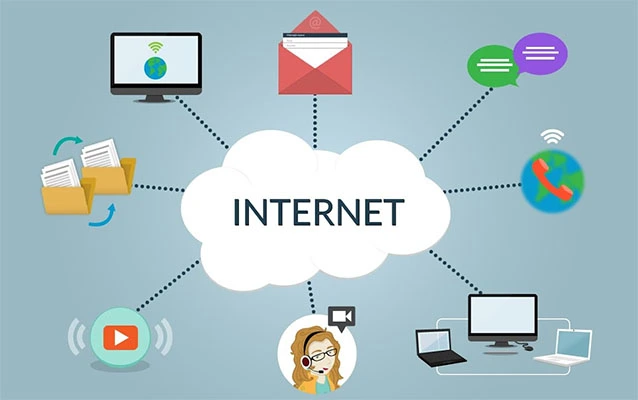
“IP address” stands for Internet Protocol address. That sounds very official, like something wearing a tiny suit and carrying a clipboard, but the idea is surprisingly simple: an IP address is a unique label used to identify a device or destination on a network so information can be sent to the right place.
Every time you open a website, stream a video, join a video call, or send a message, your device participates in a giant digital delivery system. Instead of trucks, envelopes, and mailboxes, the internet uses packets, routers, and addresses. An IP address helps those packets know where to go. Without IP addresses, the internet would be less like a global communication network and more like a pizza delivery driver wandering around with no house numbers.
In this guide, we’ll break down what IP address means, how IP addresses work, the difference between IPv4 and IPv6, why public and private IP addresses matter, and what your IP address can reveal about you. We’ll keep things clear, practical, and only mildly nerdy.
What Does IP Address Mean?
An IP address is short for Internet Protocol address. “Internet Protocol” refers to the rules that devices use to send and receive data across networks. The “address” part is exactly what it sounds like: it tells the network where a device, server, or service can be reached.
Think of the Internet Protocol as the postal system of the internet. It does not care whether you are sending a meme, an email, a school assignment, or a photo of your dog looking guilty beside an exploded pillow. It only cares about moving packets of data from a source address to a destination address.
What Is an IP Address Used For?
An IP address is used to identify devices and route data between them. When your laptop visits a website, your request does not magically float through cyberspace. It is broken into small units of data called packets. Those packets travel across networks, passing through routers that read address information and forward the data toward its destination.
For example, when you type a website name into your browser, the Domain Name System, or DNS, helps translate that human-friendly name into an IP address. You remember a name like example.com; computers prefer numbers and structured addresses. DNS is basically the internet’s contact list, except it does not gossip or forget birthdays.
How Does an IP Address Work?
An IP address works by giving each network-connected device a logical identity. When data leaves your device, the packet includes important details such as the source IP address and destination IP address. Routers use that information to decide where to send the packet next.
This process is called routing. Routing is one of the core jobs of the Internet Protocol. It allows data to travel across many different networks and still reach the correct destination. The route may pass through your home router, your internet service provider, regional network equipment, and finally the server hosting the website or app you requested.
A Simple Example
Imagine you open a weather website. Your phone sends a request to the website’s server. The request includes your device’s current network address and the server’s address. The server sends information back, and your screen displays the forecast. If the forecast says “light rain” while the sky outside looks like a dramatic movie scene, that is not the IP address’s fault. It only delivered the data.
IPv4 vs. IPv6: What Is the Difference?
There are two major versions of IP addresses in common use: IPv4 and IPv6.
What Is IPv4?
IPv4 stands for Internet Protocol version 4. It is the older and still widely used version of IP addressing. An IPv4 address is usually written as four numbers separated by periods, such as:
192.168.1.1
Each number is called an octet, and IPv4 addresses are 32 bits long. That allows for about 4.3 billion possible addresses. That sounded enormous in the early days of the internet. Then smartphones, laptops, smart TVs, tablets, game consoles, security cameras, thermostats, and refrigerators with opinions all showed up.
What Is IPv6?
IPv6 stands for Internet Protocol version 6. It was created to solve the address shortage problem and improve modern networking. IPv6 addresses are 128 bits long and written in hexadecimal format, such as:
2001:0db8:85a3:0000:0000:8a2e:0370:7334
IPv6 provides a massively larger pool of addresses than IPv4. In plain English: we are not likely to run out of IPv6 addresses because your smart toaster wanted one.
Public IP Address vs. Private IP Address
Not every IP address works the same way. Two important categories are public IP addresses and private IP addresses.
What Is a Public IP Address?
A public IP address is visible on the internet. It is usually assigned to your network by your internet service provider. When websites and online services communicate with your home network, they generally see your public IP address.
For most households, the public IP address belongs to the router, not each individual phone or laptop. Your router acts like the front desk of a busy hotel. It receives incoming and outgoing traffic, then helps send each packet to the right device inside your network.
What Is a Private IP Address?
A private IP address is used inside a local network, such as your home Wi-Fi. Common private IPv4 address ranges include addresses beginning with 10., 172.16. through 172.31., and 192.168..
Private IP addresses are not meant to be routed directly across the public internet. Your laptop may have a private address like 192.168.1.25, while your router uses one public IP address to communicate with the wider internet.
What Is NAT and Why Does It Matter?
NAT stands for Network Address Translation. NAT allows multiple devices on a private network to share a single public IP address. This is one reason your phone, laptop, smart TV, and tablet can all use the internet at home without each needing its own separate public IPv4 address.
Here is a simple version: your device sends a request to the router, the router forwards it to the internet using the public IP address, and when the reply comes back, the router remembers which device asked for it. NAT is like a very organized receptionist who says, “Ah yes, this packet is for the laptop in the kitchen.”
Static IP Address vs. Dynamic IP Address
Another useful distinction is static versus dynamic IP addressing.
Static IP Address
A static IP address stays the same over time. Businesses, servers, remote access systems, and some specialized network setups may use static IP addresses because consistency matters. If a server’s address changed every afternoon like it was trying on outfits, other systems would have trouble finding it.
Dynamic IP Address
A dynamic IP address can change. Most home internet connections use dynamic addressing. Your internet service provider may assign your router an address for a period of time, then change it later. Inside your home network, your router usually assigns private IP addresses automatically using DHCP, which stands for Dynamic Host Configuration Protocol.
Can an IP Address Identify You Personally?
An IP address can reveal some information, but it usually does not identify you personally by itself. It may show your approximate location, internet service provider, and network type. For example, a website might infer your city or region from your IP address, but it typically cannot see your exact street address just from the IP address alone.
That said, IP addresses can still be part of online tracking. Websites, apps, advertisers, analytics tools, and security systems may combine IP address data with cookies, device details, account logins, browser settings, and other signals. One puzzle piece is not the whole puzzle, but enough pieces can become very revealing.
Why Do Websites Log IP Addresses?
Websites often log IP addresses for practical reasons. Server logs can help site owners detect abuse, block spam, troubleshoot errors, prevent fraud, manage traffic, and understand general audience patterns. For example, if one IP address is sending thousands of suspicious requests in a minute, a security system may block or challenge it.
However, this is also why privacy matters. IP addresses can be useful for security, but they should be handled responsibly. Good websites limit unnecessary data collection, protect logs, and explain data practices in a privacy policy that does not require a law degree and three cups of coffee to understand.
Can You Hide or Change Your IP Address?
You can change or mask the IP address that websites see in several ways. Restarting a router may sometimes result in a new dynamic public IP address, depending on the internet service provider. A VPN can route your traffic through another server, making websites see the VPN server’s IP address instead of your direct public IP address. Mobile networks may also assign different IP addresses as you move between connections.
Still, hiding an IP address does not make someone invisible online. Accounts, cookies, browser fingerprints, app permissions, and online behavior can still reveal information. Privacy is not one magic button; it is more like cleaning your room. One sock under the bed still counts.
How to Find Your IP Address
You can usually find your IP address in your device’s network settings. On Windows, you can check network details in Settings or use command-line tools. On macOS, IP information appears under Network settings. On phones, Wi-Fi details usually show the device’s local IP address.
Remember that your device may have both a private local IP address and a public IP address. The private address identifies your device on your local network. The public address identifies your network to the wider internet.
Common IP Address Examples
Here are a few examples you may see:
192.168.1.1often used by home routers as a private IPv4 address.10.0.0.1another common private IPv4 address.127.0.0.1the loopback address, often called localhost.8.8.8.8a well-known public DNS server address.2001:db8::1an IPv6 documentation example.
The important lesson is that IP addresses are structured identifiers. Some are public, some are private, some are reserved, and some are used for testing or documentation.
IP Address and DNS: The Internet’s Name Game
People are good at remembering names. Computers are better at working with numbers and addresses. DNS bridges that gap. When you type a domain name into a browser, DNS helps find the matching IP address so your device can connect to the correct server.
Without DNS, you would need to remember numerical addresses for websites. That would make browsing the web feel like trying to call everyone you know from memory, including your dentist, your school, your bank, and that one pizza place with the good garlic knots. DNS saves us from that chaos.
Why IP Addresses Matter for Everyday Users
You do not need to be a network engineer to benefit from understanding IP addresses. Basic IP knowledge can help you troubleshoot Wi-Fi problems, set up devices, understand privacy settings, configure smart home equipment, and recognize suspicious online activity.
For example, if your printer refuses to connect, checking whether it has a valid private IP address can help. If a game console complains about NAT type, understanding public and private IP addresses makes the message less mysterious. If a website blocks your login because it sees unusual activity from your IP address, you will know what that means.
Common Myths About IP Addresses
Myth 1: An IP Address Shows Your Exact Home Address
Usually, no. An IP address may suggest an approximate location, such as a city or region, but it normally does not reveal your exact house or apartment.
Myth 2: Every Device Always Has One Permanent IP Address
Not quite. Devices can have different addresses on different networks, and many addresses are assigned dynamically.
Myth 3: IPv6 Is Only for Big Companies
IPv6 is for the modern internet. Many phones, home networks, cloud services, and internet providers already support it.
Myth 4: A VPN Solves All Privacy Problems
A VPN can mask your public IP address from websites, but it does not erase cookies, account activity, browser fingerprints, or poor security habits.
Practical Experiences Related to IP Addresses
One of the most common real-life experiences with IP addresses happens during home Wi-Fi troubleshooting. Imagine your laptop says it is connected to Wi-Fi, but websites refuse to load. You restart the browser. Nothing. You blame the laptop. Still nothing. You consider blaming Mercury in retrograde. Then you check the network settings and notice the device does not have a proper IP address from the router. Suddenly, the problem becomes less magical and more manageable.
Another everyday example is setting up a printer. Many wireless printers receive a private IP address from the router. If that address changes, your computer may temporarily lose track of the printer. This is why some people reserve an IP address for a printer inside the router settings. It is not glamorous, but neither is arguing with a printer before a deadline.
Gaming also introduces many people to IP address concepts. Players may see messages about NAT type, port forwarding, or connection quality. These issues often involve how a home network uses private IP addresses behind one public IP address. Understanding the difference between the device address and the public router address can make troubleshooting much easier.
Remote work provides another useful example. Some companies allow access to internal systems only from approved IP addresses or through a secure VPN. In that situation, an IP address becomes part of access control. The company is not just asking, “Who are you?” It is also asking, “Where is this connection coming from?” That extra check can help reduce unauthorized access.
Travel can make IP addresses feel even more real. Open a streaming service, banking app, or shopping website while abroad, and you may see different content, extra security checks, or location-based restrictions. The service may be reacting to your current public IP address. Your device did not grow a mustache and become suspicious overnight; it simply appeared to be connecting from a different network or region.
Small business owners run into IP addresses when managing websites, email systems, firewalls, or online stores. A web host may ask them to update DNS records so a domain points to a server’s IP address. A security plugin may show login attempts from different IP addresses. An email provider may use IP reputation to decide whether messages look trustworthy. In these cases, IP addresses quietly influence whether customers can find a website, receive messages, or safely log in.
Parents and students also encounter IP addresses through school networks, learning platforms, and shared devices. A school may use IP-based filters to protect students on campus. A learning website may notice that multiple students are logging in from the same network. This does not mean every student has the same device address; it may mean they share the same public IP address through the school’s router.
Even smart home devices depend on IP addressing. Security cameras, speakers, thermostats, doorbells, and TVs all need network identities to communicate. When a smart bulb stops responding, the issue may be Wi-Fi signal, the app, the cloud service, or the local IP assignment. The tiny light bulb is not being dramatic on purpose, although it may feel that way.
The biggest practical lesson is this: IP addresses are not just technical trivia. They affect connectivity, privacy, security, troubleshooting, streaming, gaming, remote access, and smart devices. Once you understand the basics, many everyday tech problems become less intimidating. You do not need to memorize every networking term. Just knowing that an IP address identifies a device or destination on a network gives you a strong starting point.
Conclusion
So, what does IP address stand for? It stands for Internet Protocol address, a unique address used to identify devices and destinations on networks. IP addresses help data move across the internet, guide routers, support DNS, enable home Wi-Fi, and make modern digital life possible.
IPv4 addresses look like familiar dotted numbers, while IPv6 addresses are longer and designed for a world overflowing with connected devices. Public IP addresses face the internet, private IP addresses work inside local networks, and NAT helps many devices share one public address. Your IP address can reveal some general information, but it is only one part of the bigger online privacy picture.
In short, an IP address is the internet’s way of saying, “Send the data here.” Not flashy. Not mysterious. Just incredibly important.