At first glance, using audio hardware to drive NeoPixels sounds like the kind of idea born at 2 a.m. beside a half-empty coffee mug and a soldering iron that has definitely been left on too long. Audio hardware is for sound, right? Speakers, microphones, synths, and that one Bluetooth gadget that refuses to pair unless Mercury is in retrograde. NeoPixels, on the other hand, are addressable RGB LEDs that want a very specific digital waveform. So why would an audio peripheral be useful?
The answer is surprisingly elegant: many microcontrollers include audio interfaces designed to stream data continuously, accurately, and with very little CPU babysitting. That is exactly what long NeoPixel strips need. Instead of bit-banging a delicate waveform in software, a developer can use an I2S peripheral, DMA, or related serial-output hardware to push carefully encoded LED data at high speed while the processor gets back to doing more interesting things, such as calculating animations, reading sensors, serving Wi-Fi packets, or pretending it is not afraid of timing bugs.
This article explains how using audio hardware to drive NeoPixels works, why it can be dramatically more efficient than traditional software timing, where the real speed gains come from, and what builders should watch out for when lighting up hundreds or thousands of LEDs.
What Are NeoPixels, Really?
NeoPixel is Adafruit’s popular name for addressable RGB LEDs based on parts such as WS2812, WS2812B, SK6812, and related one-wire LED chips. Each LED package contains red, green, and blue LEDs plus a tiny controller. The controller receives color data, stores the first 24 bits for itself, and passes the remaining data to the next LED in the chain.
That simplicity is the magic. One data wire can control a single LED, a strip wrapped around a desk, a wearable costume, a wall panel, or a festival installation that can be seen from low Earth orbit. The trade-off is timing. WS2812-style LEDs do not use a separate clock wire. Instead, they interpret digital ones and zeros by measuring how long the data line stays high during each bit period.
The Timing Problem
A typical WS2812B data signal runs at roughly 800 Kbps. Each pixel needs 24 bits, usually sent in green-red-blue order. One LED therefore requires about 30 microseconds of data time, plus a reset or latch period at the end of the frame. That sounds tiny until the strip becomes large.
For example, a 60-pixel strip needs about 1.8 milliseconds for one full update. A 1,000-pixel installation needs about 30 milliseconds before reset time is even counted. That limits the maximum frame rate on a single data line. Worse, when old-school bit-banging is used, the CPU may be tied up during transmission. Interrupts can be delayed, timekeeping can drift, servos can stutter, Wi-Fi can get cranky, and your animation engine may start looking like it learned choreography from a sleepy raccoon.
Why Audio Hardware Makes Sense
Audio interfaces such as I2S are built to move steady streams of bits. In normal life, I2S sends digital audio samples from a microcontroller to a DAC, amplifier, or codec. It uses signals such as bit clock, word select, and serial data. The important part for NeoPixels is not the music terminology; it is the reliable stream of precisely timed bits.
When using I2S for LEDs, the trick is to stop thinking of the peripheral as “audio” and start thinking of it as a programmable waveform conveyor belt. If the hardware can shift out bits at a predictable rate, and if those bits can be arranged to mimic the high-low pulse shapes that NeoPixels expect, then the LED strip does not care whether the peripheral was originally intended for hi-fi audio, LCD panels, or tiny electronic bagpipes.
Encoding LED Bits Into I2S Bits
One common approach is to represent each NeoPixel data bit with several I2S bits. For instance, a WS2812 “0” can be encoded as a short-high pattern such as 100, while a “1” can be encoded as a longer-high pattern such as 110. At a suitable I2S bit rate, those patterns create pulses close enough to the WS2812 timing requirements.
A practical design may use an I2S rate around 2.6 Mbps, where each I2S bit is roughly 385 nanoseconds. With three I2S bits used to represent one LED bit, the generated waveform falls into the range that many WS2812-style LEDs accept. Since each RGB pixel requires 24 LED bits, the expanded output becomes 72 I2S bits, or nine bytes per pixel, plus a block of zeros at the end to create the reset/latch interval.
That expansion costs memory, but it buys reliable timing and low CPU load. The CPU fills a buffer; DMA feeds the I2S peripheral; the peripheral streams the waveform; the LEDs update. Everyone stays in their lane. Beautiful.
Does This Actually Make NeoPixels “Faster”?
Here is the fine print, in friendly neon letters: a single WS2812 data line has a fixed timing protocol. You cannot simply blast a normal WS2812 strip at ten times the speed and expect it to smile politely. The LEDs need pulses in the timing range they understand.
So when people say audio hardware can drive NeoPixels “super fast,” they usually mean one or more of these things:
- The CPU is freed from timing-critical bit-banging.
- DMA streams the waveform with minimal processor involvement.
- Longer strips can update more smoothly because the processor can calculate the next frame while hardware sends the current one.
- Parallel output can update multiple LED strings at the same time.
- Large installations can be split across lanes, reducing total frame time.
The biggest real speed gain comes from parallelism. If 1,024 LEDs are arranged as one long strip, updating them on a single data line takes roughly 30.7 milliseconds plus latch time. If the same 1,024 LEDs are split across eight equal outputs, each output handles 128 pixels. The data time per lane drops to about 3.8 milliseconds plus latch time. That is the difference between “acceptable” and “wow, the wall just became a video display.”
I2S Versus SPI, RMT, PIO, and Other LED Tricks
I2S is not the only clever way to drive NeoPixels. It is part of a larger family of hardware-assisted methods that all share the same goal: stop forcing the CPU to wiggle a GPIO pin with perfect timing.
SPI-Based NeoPixel Output
SPI can also generate NeoPixel-compatible waveforms by encoding each LED bit into several SPI bits. The MOSI line becomes the LED data line. This method is conceptually simple and widely portable, but it may consume an entire SPI bus. If the project also needs flash memory, a display, radio hardware, or sensors on SPI, resource conflicts can appear quickly.
RMT on ESP32
Espressif chips often include an RMT peripheral designed to generate accurate remote-control waveforms. It is a natural fit for WS2812-style timing. Modern ESP-IDF LED strip components support RMT backends and, on some chips, DMA assistance. RMT is convenient and clean, but large LED counts can increase memory pressure and frequent interrupts may become a problem if DMA is unavailable or if Wi-Fi interrupts interfere on the same core.
PIO on Raspberry Pi Pico
The RP2040 microcontroller includes programmable I/O, or PIO. A tiny PIO program can generate WS2812 waveforms while the main ARM cores do other work. Combined with DMA, PIO becomes a very efficient way to stream LED data in the background. It feels a little like hiring a tiny robot intern who only knows four instructions but performs them with terrifying precision.
OctoWS2811 and Parallel DMA
On Teensy boards, the OctoWS2811 library popularized high-performance WS2811 and WS2812 output by driving eight LED strips simultaneously with DMA. This style of parallel output is extremely useful for big LED displays because it reduces update time by spreading pixels across multiple lanes. The idea remains influential: for large installations, do not make one poor data pin carry the entire parade.
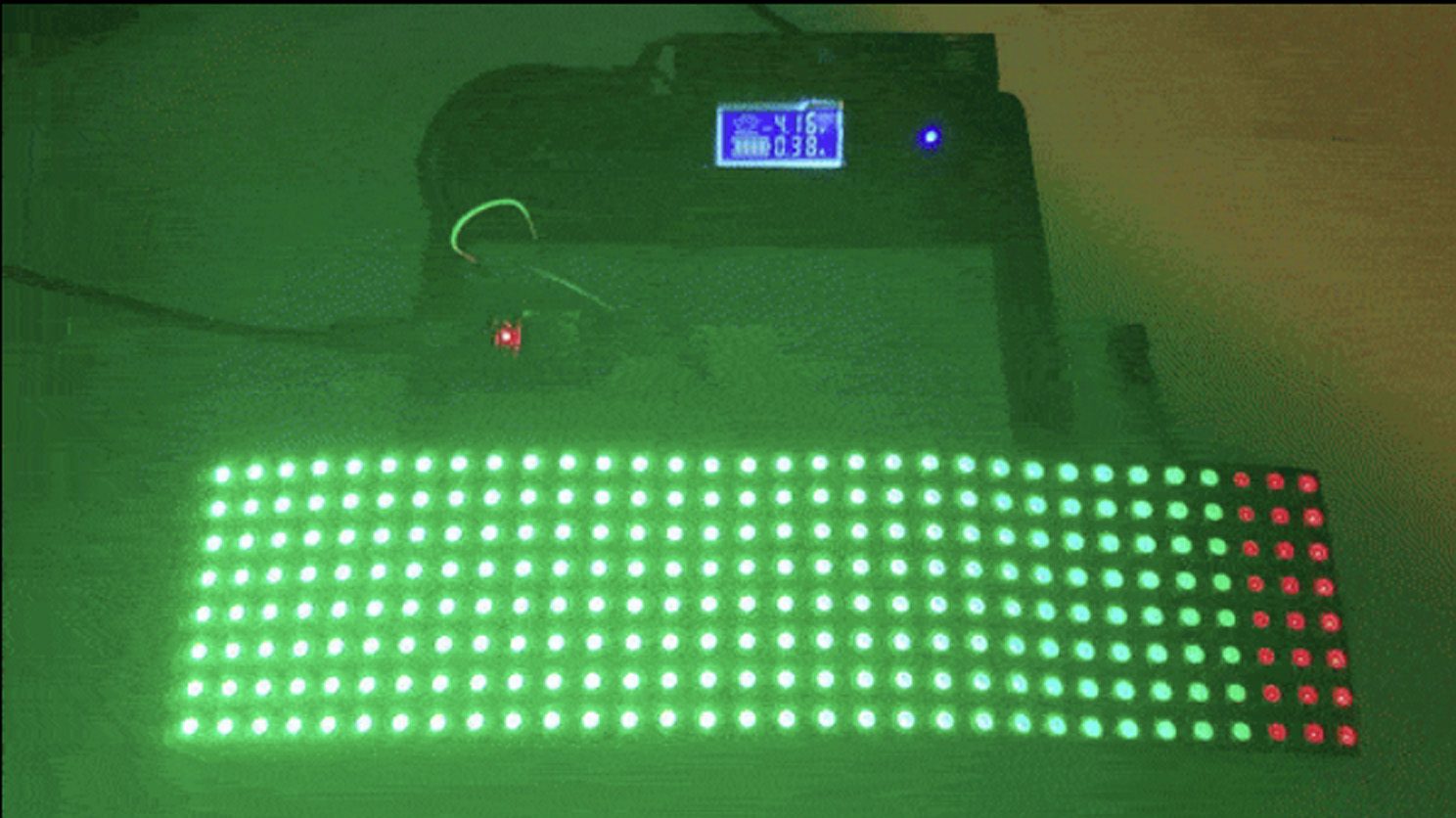
A Practical Example: ESP32, I2S, and a 256-Pixel Matrix
Imagine an 8-by-32 WS2812B matrix controlled by an ESP32. A traditional bit-banged driver might work for basic animations, but the processor has to spend valuable time maintaining the LED waveform. If the project also uses Wi-Fi, audio input, web control, or sensor data, timing conflicts can create flicker or dropped frames.
With an I2S-based driver, the application builds a pixel buffer, converts RGB values into an encoded waveform buffer, and lets DMA stream that buffer through I2S. For 256 LEDs, using a three-I2S-bits-per-LED-bit encoding, the transfer buffer is a little over 2 KB plus reset padding. At the right bit rate, a full update can land comfortably above typical animation frame rates.
For a 512-pixel display, frame rate drops because there is twice as much data, but the CPU is still free during transmission. That matters. Even when raw line speed is fixed, perceived performance improves because animation math, network handling, and user interaction can continue instead of waiting for a blocking LED update to finish.
Design Checklist for Fast NeoPixel Hardware
Driving NeoPixels super fast is not only about code. Hardware details matter. The LED strip is a digital device, but electricity is still electricity, and it enjoys punishing optimism.
Use a Proper Power Supply
Each RGB LED can draw significant current at full white. A large installation can demand many amps. Power should be injected along long strips, not only at one end. Undersized wiring causes voltage drop, color shift, random resets, and the classic “why is the far end orange when I asked for white?” mystery.
Share Ground
The controller and LED power supply must share a common ground. Without it, the data signal has no reliable reference. The strip may flicker, ignore commands, or behave like it has joined a modern dance troupe.
Level Shift When Needed
Many microcontrollers output 3.3V logic while many NeoPixel strips are powered at 5V. Some strips accept 3.3V data, especially over short distances, but reliable installations usually use a 5V level shifter such as a 74HCT-family buffer. For long cables or professional builds, level shifting is not paranoia; it is maintenance prevention.
Add Signal Protection
A small series resistor on the data line can reduce ringing. A large capacitor across the LED power input can soften startup surges. Good wiring practices, short data runs, twisted pairs, and proper connectors all help when the installation grows beyond a breadboard experiment.
Watch DMA Buffer Size
Encoding one NeoPixel bit into three or four hardware bits increases memory usage. RGB pixels that begin as three bytes may require nine or twelve bytes in the waveform buffer. For thousands of LEDs, this matters. Some designs use lookup tables, partial buffering, double buffering, or parallel lane layouts to manage RAM.
When Audio-Style LED Driving Is Worth It
I2S or other audio-style hardware output is especially attractive when a project has many LEDs, needs smooth animation, uses Wi-Fi or Bluetooth, reads sensors in real time, or must avoid blocking code. It is also useful when an LED installation behaves like a low-resolution video display.
For a tiny project with eight pixels on a desk toy, a standard NeoPixel library is fine. There is no need to bring a DMA cannon to a birthday candle fight. But for hundreds or thousands of pixels, hardware-assisted output becomes the difference between a robust system and a flicker-prone science fair volcano with RGB ambitions.
Common Mistakes and How to Avoid Them
Mistake 1: Thinking I2S Makes One Strip Infinitely Faster
I2S improves timing precision and CPU efficiency, but a single WS2812 chain still has protocol limits. To dramatically improve refresh speed, split the LEDs across multiple outputs.
Mistake 2: Ignoring Reset Timing
Some WS2812-family LEDs accept a short reset interval, while newer variants may need a longer low period. If a strip updates inconsistently, increase the reset padding before rewriting the entire driver in a dramatic act of keyboard thunder.
Mistake 3: Forgetting Peripheral Conflicts
I2S, SPI, RMT, and DMA are finite resources. A project using audio input, displays, camera interfaces, or wireless features may already depend on the same hardware blocks. Plan the pinout and peripheral map before designing a PCB.
Mistake 4: Testing Only at Low Brightness
An LED system that works at 10% brightness may fail at full white because current demand rises sharply. Test worst-case power conditions early. Your future self will be grateful, and your power supply will stop making that suspicious warm smell.
Real-World Experience: Lessons From Fast NeoPixel Builds
The first lesson from experimenting with audio hardware and NeoPixels is that the waveform is only half the story. On a logic analyzer, an I2S-generated signal can look gorgeous: clean pulses, consistent timing, no awkward pauses, no jitter from interrupts. Then the strip still flickers. This is the moment when many builders learn that “digital LEDs” are also very analog about power, ground, cable length, and noise.
In practical builds, the most reliable path is to start small. Test one strip with a known-good power supply, common ground, and a short data wire. Confirm the encoding pattern with a logic analyzer if possible. A three-step pattern such as 100 for zero and 110 for one is easy to reason about, but the exact bit rate matters. Too slow and the LEDs may latch early; too fast and the pulse widths may fall outside the comfortable range. Once one strip behaves, scale to a matrix or multiple lanes.
The second lesson is that frame-rate math should guide the physical layout. If an installation has 2,400 LEDs, placing all of them on one chain is technically simple but visually limiting. The update time is long enough that quick motion can look sluggish. Splitting those LEDs into eight or sixteen outputs changes everything. The controller sends multiple shorter streams in parallel, and animations feel more immediate. Large LED walls, costumes, stage props, and architectural lighting all benefit from this planning.
The third lesson is to respect RAM. A beautiful animation buffer may already consume memory, and the encoded DMA buffer can multiply that requirement. On memory-constrained chips, double buffering may be luxurious. Some developers generate waveform data line by line, use compact lookup tables, or choose a driver that streams from a smaller working buffer. The best solution depends on whether the project values maximum frame rate, lowest latency, lowest memory use, or simplest code.
The fourth lesson is that Wi-Fi and LEDs can be awkward roommates. Wireless stacks use interrupts and timing-sensitive tasks. Hardware-driven output helps tremendously because DMA continues while the CPU handles network work, but resource conflicts still happen. On ESP32-class chips, choosing between I2S, RMT, and SPI is not only a performance question; it is also a system-design question. The “best” driver is the one that leaves enough hardware resources for the rest of the product.
The fifth lesson is that level shifting saves weekends. A strip may appear stable with 3.3V data on the bench, then fail after installation when the cable is longer, the voltage sags, or the first pixel warms up. A proper 5V buffer, a series data resistor, good connectors, and power injection are boring parts until the day they prevent chaos. In LED work, boring is a compliment.
Finally, audio-hardware NeoPixel driving is fun because it changes how you think about peripherals. I2S is not only for audio. SPI is not only for sensors. PIO is not only a cute acronym. These blocks are waveform engines. Once you understand that, a microcontroller becomes less like a fixed toolbox and more like a small factory where every machine can be repurposed. That is the spirit behind using audio hardware to drive NeoPixels super fast: not magic, not cheating, just clever engineering with excellent lighting.
Conclusion
Using audio hardware to drive NeoPixels super fast is a smart way to solve a classic LED problem. WS2812-style LEDs demand precise timing, and large installations demand lots of data. I2S, DMA, SPI, RMT, PIO, and parallel-output techniques let developers move that timing burden away from the CPU and into hardware designed for steady, accurate streams.
The result is smoother animation, better multitasking, fewer timing conflicts, and a practical route to driving hundreds or thousands of LEDs. The real secret is not violating the WS2812 protocol; it is respecting the protocol while using smarter hardware to feed it. Add good power design, sensible layout, level shifting, and parallel lanes, and NeoPixels can move from “cute desk glow” to “full-blown light show” without melting your processor’s schedule.