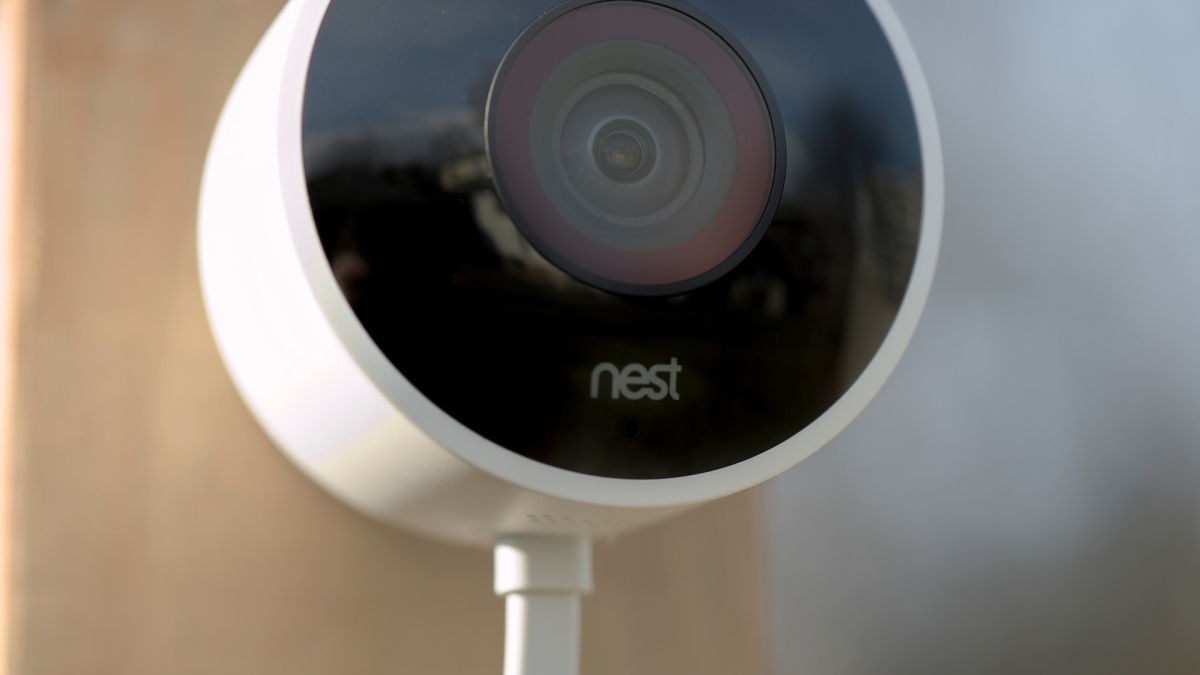
There are two kinds of people in the smart home world: people who happily pay monthly fees, and people who look at another subscription charge and start making the same face their camera makes during a firmware update. Google Nest cameras are polished, convenient, and deeply connected to the Google Home ecosystem. But if you mainly want to see who is at the door, record the raccoon treating your trash can like a buffet, or keep an eye on the driveway without paying forever, subscription-free security cameras deserve a serious look.
The best subscription-free alternatives to Google Nest are not “cheap knockoffs.” Many now offer sharp 2K or 4K video, person and vehicle detection, color night vision, two-way audio, local storage, solar charging, and smart home compatibility. The key difference is storage philosophy. Instead of putting most useful video history behind a monthly cloud plan, these cameras save footage to a microSD card, home hub, hard drive, NVR, or local network storage.
That does not mean every subscription-free camera is perfect. Local storage requires a little more planning. You must think about storage capacity, Wi-Fi strength, backup options, and where the footage physically lives. But for homeowners, renters, small-business owners, and anyone tired of “just $9.99 a month” slowly becoming a second utility bill, the trade-off can be worth it.
What “Subscription-Free” Really Means
A subscription-free security camera should let you use its essential features without a paid cloud plan. At minimum, that means live view, motion alerts, and video recording should work locally. Some brands also include person detection, vehicle detection, pet detection, facial recognition, or package alerts without a recurring fee.
However, “subscription-free” does not always mean “zero compromises.” A camera may offer local recording for free but charge for cloud backup, richer AI alerts, longer remote video history, or professional monitoring. That is not automatically bad. Optional subscriptions can be useful. The problem starts when the camera feels incomplete unless you keep paying.
Google Nest cameras remain excellent for users who want a clean Google Home experience, strong app design, and smart alerts. But extended event video history, 24/7 video history on supported models, familiar face detection, AI notifications, and some advanced features are tied to Google Home Premium plans. Subscription-free alternatives flip the equation: you pay more attention upfront to hardware and storage, then pay less month after month.
Best Subscription-Free Alternatives to Google Nest
1. EufyCam S3 Pro or EufyCam S330: Best Whole-Home Nest Alternative
Eufy is one of the strongest choices for people who like the idea of Nest but do not love the long-term bill. Its HomeBase system stores footage locally and can support expandable storage, making it practical for multiple outdoor cameras. Models such as the EufyCam S330 and S3 Pro focus on 4K video, built-in solar charging, AI detection, and local recording with no mandatory monthly fee.
The biggest advantage is the ecosystem. Eufy feels more like a complete smart security platform than a single camera with an SD card shoved into it. The HomeBase acts as the brain, handling storage and some AI processing locally. For a household replacing several Nest cameras, that centralized approach is cleaner than managing five separate memory cards.
Eufy is a great pick if you want outdoor cameras around the driveway, side gate, garage, and backyard. The solar-powered models reduce battery anxiety, and the local storage model makes the monthly cost easy to love: zero dollars, which happens to be everyone’s favorite subscription tier.
2. TP-Link Tapo C120 and C425: Best Budget-Friendly Choice
TP-Link’s Tapo cameras are excellent for people who want strong features without a dramatic credit-card moment. The Tapo C120 is a compact wired indoor/outdoor camera with 2K video, color night vision, person/pet/vehicle detection, and local microSD storage. The Tapo C425, often marketed as a wire-free MagCam, is better for renters or anyone who wants flexible placement without running a power cable.
Tapo’s biggest appeal is value. You can build a simple system for a front porch, nursery, apartment entry, or back patio without buying an expensive hub. Many models support microSD cards up to 512GB, allowing continuous or event-based recording depending on settings and camera model.
There is an optional Tapo Care cloud plan, but the cameras are not useless without it. That matters. A good subscription-free camera should not punish you for choosing local storage. Tapo mostly gets that balance right.
3. Reolink Argus 4 Pro and Reolink NVR Systems: Best for Local Storage Power Users
Reolink is the brand to consider when you want serious local recording options. Its battery cameras, solar cameras, PoE cameras, Wi-Fi cameras, and NVR systems give you more ways to design a setup than most mainstream smart camera brands. The Reolink Argus 4 Pro is a strong wireless option with 4K video, a wide 180-degree view, color night vision, solar support, and local microSD or hub-based storage.
For larger homes or small businesses, Reolink’s wired PoE systems are even more compelling. Power over Ethernet cameras receive power and data through one cable, record to an NVR, and avoid many Wi-Fi headaches. If you have ever watched a wireless camera buffer during the exact moment someone walks past your car, you know why wired systems still have fans.
Reolink is best for users who want control. You can keep footage on your property, expand storage with an NVR, and avoid paying monthly cloud fees. The app may not feel as slick as Google Home to everyone, but the storage flexibility is excellent.
4. Lorex Cameras and NVR Kits: Best for Traditional Security Without Monthly Fees
Lorex has long leaned into a no-monthly-fee security model. Instead of selling cloud storage as the heart of the experience, Lorex focuses on local recording through DVRs, NVRs, and onboard storage. This makes it attractive for homeowners who want a security system that behaves more like classic surveillance equipment with modern app access.
Many Lorex systems offer 2K or 4K resolution, spotlights, color night vision, sirens, two-way talk, smart motion detection, and local storage. The brand is especially useful if you want multiple cameras around a property and prefer a dedicated recorder instead of relying on individual memory cards.
The trade-off is style and simplicity. Lorex can feel more “security system” than “cute smart home gadget.” That is not an insult. If you care more about capturing usable footage than matching your camera to your minimalist plant shelf, Lorex is doing the important work.
5. Blink Outdoor 4 With Sync Module: Best Simple Battery Option
Blink is a practical alternative for users who want affordable battery-powered cameras. With a compatible Sync Module, Blink can save clips locally to USB or microSD storage, depending on the module. That makes it possible to use Blink cameras without relying on a paid subscription for basic clip storage.
Blink’s strengths are simplicity, battery life, and price. It is not the most advanced system for local AI features or continuous recording, but it works well for basic motion-triggered monitoring around porches, gates, sheds, and garages.
Choose Blink if you want a low-maintenance system and do not need heavy-duty 24/7 recording. Think of it as the “keep an eye on things” option rather than the “CSI: Driveway Edition” option.
6. Aqara Video Doorbells and Cameras: Best for Apple and Matter-Friendly Homes
Aqara is worth considering if your smart home leans toward Apple Home, Matter, Zigbee, or local automation. Aqara’s video doorbells and camera hubs often include local storage options, facial recognition features, and smart home hub functions. The Aqara G4 video doorbell, for example, is known for no-subscription storage options and Apple Home compatibility. The newer G410 doorbell adds more advanced smart home hub features and local recording options.
Aqara is not always the first brand people mention when comparing Nest alternatives, but it can be a clever choice for smart home enthusiasts. Some cameras double as hubs, connecting sensors and automations that go beyond basic video monitoring.
If Google Nest is attractive because of ecosystem integration, Aqara is attractive because it plays in multiple ecosystems. It is especially interesting for people who want a doorbell camera that does more than announce package theft after the package has already begun its new life elsewhere.
7. UniFi Protect: Best Premium Local System
UniFi Protect is not the cheapest Google Nest alternative, but it is one of the most powerful local-first security systems. It is designed around local recording, dedicated UniFi hardware, and no camera licensing fees. For tech-savvy homeowners, prosumers, and small businesses, it can feel like graduating from consumer smart cameras to a real surveillance platform.
The system is best when paired with UniFi networking gear, a UniFi console, and compatible cameras. That means the upfront cost is higher and setup requires more planning. But the reward is a polished local recording system with strong remote access, a clean interface, and scalability.
UniFi Protect is overkill for someone who only wants one camera watching a dog nap. It is excellent for someone who wants multiple wired cameras, long retention, reliable recording, and local control without monthly license fees.
8. Swann Security Systems: Best No-Nonsense DIY Kits
Swann offers a wide range of DIY home and business security systems with an emphasis on fee-free security. Many systems use local storage through DVRs, NVRs, or onboard storage, while some models include limited free cloud options.
Swann is a good fit for people who want to buy a kit, install cameras, and avoid managing a complicated subscription menu. The brand offers wired and wireless options, including spotlight cameras, multi-camera kits, and systems suitable for larger properties.
Like Lorex, Swann feels more practical than trendy. But when the goal is clear footage, local recording, and no recurring bill, practical is exactly the point.
Quick Comparison: Which Subscription-Free Camera Should You Choose?
| Best For | Recommended Brand or Model | Why It Works |
|---|---|---|
| Whole-home wireless setup | EufyCam S3 Pro or S330 with HomeBase | 4K video, solar options, expandable local storage, strong AI features |
| Budget indoor/outdoor monitoring | TP-Link Tapo C120 | 2K video, local microSD recording, useful free detection features |
| Flexible battery placement | Tapo C425 or Blink Outdoor 4 | Wire-free installation and optional local recording options |
| Large property or small business | Reolink or Lorex NVR system | Local hard-drive storage, multi-camera support, no required cloud plan |
| Premium wired local system | UniFi Protect | Local NVR recording, no licensing fees, scalable surveillance platform |
| Apple or Matter smart homes | Aqara G4 or G410 | Local storage options plus strong smart home integration |
What to Check Before Replacing Google Nest
Storage Type
Local storage comes in several flavors: microSD cards, USB drives, built-in memory, home hubs, NAS support, DVRs, and NVRs. MicroSD cameras are affordable and easy, but they can be stolen with the camera unless the card is stored indoors or footage is backed up elsewhere. NVR and hub systems are better for multi-camera setups because footage is stored inside your home.
Continuous Recording vs. Event Recording
Some cameras record continuously, while others only save clips after motion is detected. Continuous recording gives you a full timeline, but it uses more storage and usually requires wired power. Battery cameras often rely on event clips to conserve energy. If you want 24/7 recording, look closely at power requirements before buying.
Smart Detection Features
Person detection is useful. Vehicle detection is useful. Pet detection is useful if your dog believes every leaf is a national emergency. But not every brand includes these features for free. Before replacing Nest, confirm which AI alerts work without a cloud plan.
App Quality
Google’s app experience is one reason people stay with Nest. Some subscription-free systems are powerful but less polished. Read recent app reviews, check how fast clips load, and make sure remote viewing works the way you expect.
Privacy and Security
Local storage can reduce dependence on cloud servers, but it does not automatically make a camera secure. Use strong passwords, turn on two-factor authentication, update firmware, avoid reusing passwords, and place indoor cameras thoughtfully. A privacy shutter or privacy mode is valuable for cameras inside bedrooms, offices, and living spaces.
Are Subscription-Free Cameras Really Cheaper?
Usually, yesespecially over several years. A camera system that costs more upfront can become cheaper when it avoids $100 to $200 per year in subscription fees. The math becomes even stronger when you have multiple cameras. Four cameras on a paid cloud plan can quietly turn into the most expensive “small” purchase in your house.
That said, local storage has its own costs. You may need high-endurance microSD cards, a hard drive, a hub, an NVR, Ethernet cables, solar panels, or mounting hardware. Still, these are usually one-time purchases. The main financial appeal is control: you decide when to upgrade instead of being pulled along by subscription price changes.
Best Setup Tips for Subscription-Free Security Cameras
First, buy high-endurance storage cards for cameras that record to microSD. Regular cards can wear out quickly under constant recording. Second, test camera placement before drilling holes. Open the app, walk through the detection zone, check night vision, and confirm the Wi-Fi signal is strong. Third, avoid pointing cameras directly at busy streets unless you enjoy receiving 400 motion alerts from innocent sedans.
Fourth, use activity zones. Good zones reduce false alerts from trees, sidewalks, flags, pets, and neighbors who walk with the confidence of people who do not know they are triggering your camera every morning. Fifth, consider at least one backup method for critical areas. A front door camera with local storage is good; a front door camera that also backs up to a hub inside the house is better.
Real-World Experience: Living With Subscription-Free Cameras
The biggest surprise when switching from a cloud-first camera like Google Nest to a subscription-free system is how much the experience depends on setup. With Nest, the selling point is convenience. You install the camera, subscribe if you want deeper history, and let Google handle the storage. With local-first cameras, you become the storage manager, the notification manager, and occasionally the person standing on a ladder muttering, “Why is the Wi-Fi perfect everywhere except this one corner?”
In day-to-day use, subscription-free cameras feel best when each camera has a clear job. A front porch camera should focus on faces, packages, and approach paths. A driveway camera should cover vehicles and the walkway, not half the street. A backyard camera should watch gates, sheds, and patio doors. When cameras are placed with purpose, local AI detection works better and storage fills more slowly.
MicroSD-based cameras are the easiest entry point. Install a high-endurance card, choose event recording or continuous recording, and check playback after a few test motions. The first lesson is simple: do not assume recording works just because live view works. Always trigger a motion event, wait a minute, then confirm the clip appears in the timeline. It is boring. It is also much better than discovering after a real incident that your camera was basically a decorative owl with Wi-Fi.
Hub-based systems, like Eufy HomeBase or Reolink Home Hub setups, feel more organized. Instead of opening each camera’s storage separately, you get a central place for recordings. This is especially helpful when you have cameras covering overlapping areas. For example, if a delivery disappears, you can check the doorbell, porch camera, and driveway camera in sequence. That kind of timeline makes local storage feel powerful rather than primitive.
Wired NVR systems are the most dependable but require the most commitment. Running Ethernet cables is not glamorous. Nobody writes poetry about attic cable runs. But once PoE cameras are installed, they are refreshingly stable. They do not need battery charging, they do not fight weak Wi-Fi, and they can record continuously to a large hard drive. For homeowners who plan to stay put, this is often the best long-term subscription-free route.
The main downside of going subscription-free is remote disaster protection. If all footage lives on a camera that gets stolen, or on a recorder damaged during a break-in, you may lose evidence. For critical locations, consider a system that stores footage inside the house, supports NAS backup, or offers optional cloud backup for only the most important cameras. Subscription-free does not have to mean cloud-free forever; it means the cloud should be optional, not mandatory.
After a few weeks, the best local systems fade into the background. You stop thinking about monthly fees. You still get alerts. You still check clips. You still tell the dog through two-way audio to get off the outdoor sofa, even though the dog has clearly consulted legal counsel and refuses. The difference is psychological as much as financial: the camera feels like hardware you own, not a subscription with a lens attached.
Final Verdict
If you love Google Home and want the smoothest possible smart home experience, Google Nest still makes sense. But if your priority is avoiding monthly fees, keeping video storage local, and building a system that does not become more expensive every year, there are excellent subscription-free alternatives.
Choose Eufy for a polished wireless ecosystem, Tapo for affordable flexibility, Reolink for storage control, Lorex or Swann for traditional multi-camera security, Blink for simple battery-powered monitoring, Aqara for smart home integration, and UniFi Protect for a premium local-first setup. The best choice depends less on brand hype and more on your home: how many cameras you need, where they will go, whether you want 24/7 recording, and how much setup you are willing to do.
The good news is simple: you no longer have to accept a monthly fee as the price of seeing what happened on your own porch. Subscription-free security cameras have grown up. They are sharper, smarter, and more practical than ever. Your front door can be protected, your driveway can be watched, and your budget can finally stop whispering, “Another subscription? Seriously?”
Note: Product features, app functions, storage limits, and optional cloud plans can change over time. Always verify the current specifications for the exact camera model before buying or publishing a recommendation.