Finding the best keyboard for Mac sounds simple until you realize the keyboard aisle is basically a tiny civilization with factions: slim-key loyalists, mechanical keyboard enthusiasts, ergonomic believers, spreadsheet warriors, RGB enjoyers, and people who just want the Command key to be where their fingers expect it. Mac users have one extra challenge: not every great keyboard feels truly made for macOS.
A keyboard can technically “work” with a Mac and still feel slightly wrong. Maybe the Option and Command keys are mislabeled. Maybe the function row does not control brightness, Mission Control, or media playback properly. Maybe Bluetooth behaves like it needs a motivational speech every Monday morning. The best keyboards for Mac avoid those tiny annoyances and make your desk feel smoother, faster, and more comfortable.
This guide rounds up 11 excellent Mac keyboards for different types of users: writers, designers, coders, students, office workers, spreadsheet champions, compact-desk minimalists, and mechanical keyboard fans who consider switch sound a personality trait. The list includes Apple’s own Magic Keyboard, polished productivity boards from Logitech, Mac-friendly mechanical models from Keychron and NuPhy, and a few specialty picks that deserve a spot on serious desks.
Quick Comparison: Best Mac Keyboards at a Glance
| Keyboard | Best For | Why It Stands Out |
|---|---|---|
| Apple Magic Keyboard with Touch ID | Best overall Mac keyboard | Native Apple feel, Touch ID, USB-C charging, clean design |
| Logitech MX Keys S for Mac | Best productivity keyboard | Comfortable scissor keys, smart backlighting, multi-device support |
| Apple Magic Keyboard with Touch ID and Numeric Keypad | Best for numbers and spreadsheets | Full-size Apple layout with Touch ID and numeric keypad |
| Keychron Q1 Max | Best premium mechanical keyboard | Aluminum body, 75% layout, QMK/VIA customization |
| Satechi SM1 Slim Mechanical Keyboard | Best slim mechanical Mac keyboard | Low-profile tactile switches, Mac-first layout, portable design |
| Logitech MX Mechanical Mini for Mac | Best compact mechanical keyboard | Low-profile mechanical switches with Logitech polish |
| Keychron K3 Max | Best travel mechanical keyboard | Ultra-slim 75% layout, Bluetooth, 2.4GHz, wired USB-C |
| NuPhy Air75 V3 | Best portable enthusiast keyboard | Low-profile mechanical feel, stylish design, strong battery life |
| Logitech Wave Keys for Mac | Best ergonomic Mac keyboard | Wavy keyframe, cushioned palm rest, approachable comfort |
| Das Keyboard MacTigr | Best wired mechanical keyboard | Premium metal build, Cherry MX switches, Mac-specific controls |
| Matias Tactile Pro for Mac | Best clicky old-school Mac keyboard | Classic tactile feel, Mac symbols, full-size wired layout |
How to Choose the Best Keyboard for Mac
Look for a Real Mac Layout
The first thing to check is not color, lighting, or whether the keyboard looks cool enough to deserve its own Instagram account. Start with the layout. A good Mac keyboard should have properly placed Command and Option keys, macOS function shortcuts, and key legends that match what you actually use every day.
Decide Between Slim Keys and Mechanical Switches
If you like the feel of a MacBook keyboard, a scissor-switch keyboard such as Apple Magic Keyboard or Logitech MX Keys S for Mac will feel familiar. If you want deeper travel, a more tactile response, and a more satisfying typing rhythm, mechanical keyboards from Keychron, NuPhy, Satechi, Logitech, Das Keyboard, and Matias may be better.
Choose the Right Size
Full-size keyboards include a numeric keypad and are great for finance, spreadsheets, data entry, and creative shortcuts. Compact 75% keyboards save desk space while keeping function keys and arrows. Mini keyboards are excellent for travel, but they may require more shortcut memorization. In other words, do not buy a tiny keyboard and then act surprised when the number pad has vanished like a magician’s assistant.
The 11 Best Keyboards for Mac
1. Apple Magic Keyboard with Touch ID: Best Overall Keyboard for Mac
The Apple Magic Keyboard with Touch ID is the safest recommendation for most Mac users because it behaves exactly the way a Mac keyboard should. It pairs easily, charges by USB-C, looks clean next to an iMac or MacBook, and offers Touch ID for quick logins, password approvals, Apple Pay, and fast user switching on compatible Apple silicon Macs.
The typing feel is shallow, crisp, and quiet. It is not a keyboard for people who want chunky mechanical feedback, but for everyday writing, browsing, email, schoolwork, coding, and office tasks, it is wonderfully predictable. The low profile also helps keep your wrists in a natural position without needing a huge wrist rest.
Best for: Mac users who want the most seamless Apple experience.
Possible drawback: It is not the most customizable keyboard, and mechanical keyboard fans may find it too flat.
2. Logitech MX Keys S for Mac: Best Productivity Keyboard for Mac
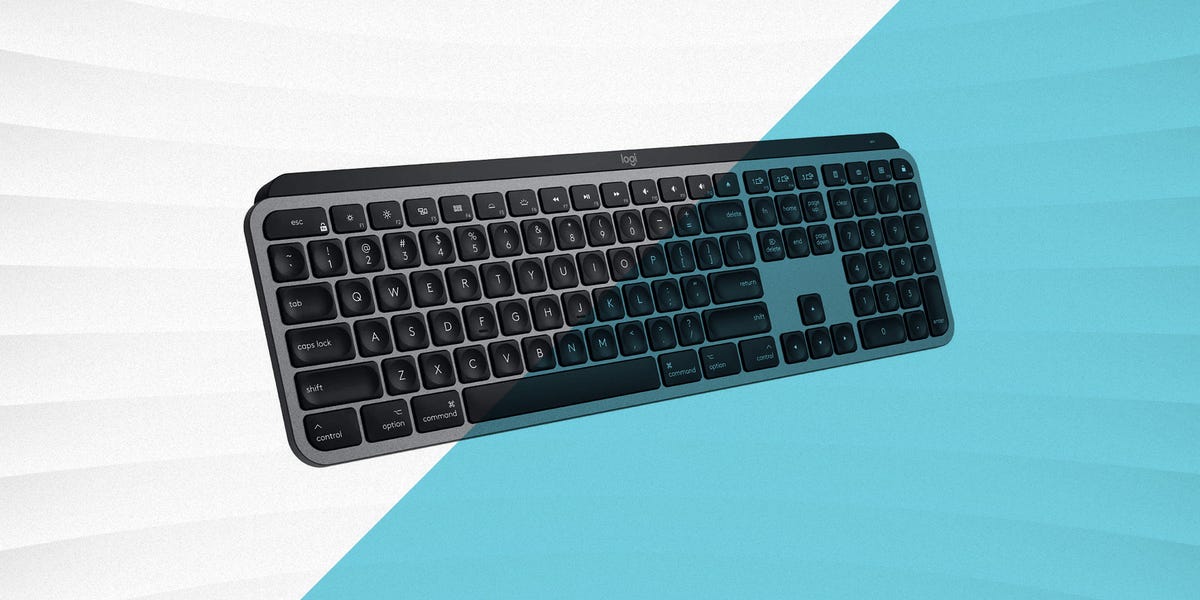
The Logitech MX Keys S for Mac is one of the strongest alternatives to Apple’s Magic Keyboard. It has a dedicated Mac layout, comfortable low-profile scissor keys, smart illumination, and excellent multi-device switching. If you regularly jump between a MacBook, iPad, and another computer, the MX Keys S for Mac makes that workflow feel less like juggling flaming cables.
The keys are slightly dished, helping guide your fingertips to the center of each key. This small design choice can reduce typing errors and makes long writing sessions feel smoother. The keyboard is also heavier and more planted than many slim boards, so it does not slide around your desk like it is training for the Olympics.
Best for: Writers, remote workers, designers, and multitaskers.
Possible drawback: It does not include Touch ID, and it is still a scissor-switch keyboard rather than a true mechanical board.
3. Apple Magic Keyboard with Touch ID and Numeric Keypad: Best for Spreadsheets
If the regular Magic Keyboard is the elegant city bike, the Magic Keyboard with Touch ID and Numeric Keypad is the commuter bike with panniers. It gives you the same Apple-native feel, but adds a number pad, full-size arrow keys, and extra navigation controls.
This is the better choice for accountants, analysts, students in data-heavy classes, editors using shortcut-heavy apps, and anyone who spends serious time in Excel, Numbers, Google Sheets, or finance tools. The numeric keypad makes repetitive number entry much faster, and Touch ID remains a major convenience if your Mac supports it.
Best for: Spreadsheet users, finance work, and full-size keyboard fans.
Possible drawback: It takes up more desk space and costs more than the compact version.
4. Keychron Q1 Max: Best Premium Mechanical Keyboard for Mac
The Keychron Q1 Max is a premium mechanical keyboard for Mac users who want a deeper, richer typing experience. It uses a compact 75% layout, so you keep function keys and arrow keys without sacrificing the entire desk. The full-metal body feels substantial, and the keyboard supports Bluetooth, 2.4GHz wireless, and wired USB-C.
What makes the Q1 Max special is its enthusiast-level customization. QMK/VIA support lets you remap keys, create macros, and tailor the keyboard to your exact workflow. For Mac users who want a mechanical keyboard that feels serious but still supports macOS-friendly use, this is one of the most compelling picks.
Best for: Mechanical keyboard fans, coders, creators, and power users.
Possible drawback: It is heavier, more expensive, and more keyboard than casual users need.
5. Satechi SM1 Slim Mechanical Keyboard: Best Slim Mechanical Keyboard for Mac
The Satechi SM1 Slim Mechanical Backlit Bluetooth Keyboard is a smart middle ground between Apple-like slimness and mechanical-keyboard satisfaction. It has a compact 75% layout, tactile low-profile switches, backlighting, and support for multiple devices. It is also designed with Mac users in mind, while still offering flexibility for Windows setups.
The SM1 is especially attractive if you want mechanical feedback but do not want a tall, heavy keyboard that looks like it was built to survive a meteor strike. It is portable, modern, and comfortable enough for daily writing or office work. The backlight is useful in dim rooms, though like most illuminated wireless keyboards, it can reduce battery life when used heavily.
Best for: Mac users who want a slim mechanical keyboard without going full enthusiast.
Possible drawback: It is not as deeply customizable as some Keychron boards.
6. Logitech MX Mechanical Mini for Mac: Best Compact Mechanical Keyboard
The Logitech MX Mechanical Mini for Mac gives you a Mac-specific layout with low-profile mechanical switches and Logitech’s polished productivity features. It feels more tactile than the MX Keys S while remaining quieter and slimmer than many traditional mechanical keyboards.
Its compact layout is ideal for smaller desks and mouse-heavy workflows. Designers and video editors may appreciate the extra mouse space, while writers may enjoy the tactile bump from the switches. The smart backlighting is another practical touch, especially if your desk lives somewhere between “cozy evening workspace” and “why is this room lit like a cave?”
Best for: Compact-desk users who want mechanical feel with mainstream convenience.
Possible drawback: No number pad, and switch options are more limited than enthusiast boards.
7. Keychron K3 Max: Best Travel Mechanical Keyboard for Mac
The Keychron K3 Max is an ultra-slim 75% mechanical keyboard that travels well and works across Mac, Windows, and Linux. It supports Bluetooth, 2.4GHz wireless, and wired USB-C, giving users plenty of connection flexibility. The layout keeps the essentials without making the keyboard feel oversized.
This is a strong pick for MacBook users who want a better typing setup at home, in a dorm, at a coworking space, or while traveling. It feels more satisfying than most laptop-style keyboards, but it stays thin enough to pack without needing a separate suitcase and a dramatic farewell scene.
Best for: MacBook owners, travelers, students, and compact mechanical fans.
Possible drawback: Low-profile mechanical switches may not satisfy users who prefer deep full-height switches.
8. NuPhy Air75 V3: Best Portable Enthusiast Keyboard for Mac
The NuPhy Air75 V3 is a stylish low-profile mechanical keyboard that feels made for people who care about design as much as typing. It offers a 75% layout, hot-swappable switches, multi-device connectivity, and a portable build that works well with Mac setups. It is one of those keyboards that makes your desk look more intentional, even if there is still a coffee cup and three mystery cables nearby.
The typing feel is lively and refined, with enough mechanical personality to make long sessions enjoyable. It is also a good option for users who switch between macOS and other systems, since it is designed for broad compatibility.
Best for: Design-conscious Mac users, portable setup fans, and low-profile mechanical enthusiasts.
Possible drawback: Software and switch ecosystems may feel less familiar than Logitech or Keychron for some users.
9. Logitech Wave Keys for Mac: Best Ergonomic Keyboard for Mac
The Logitech Wave Keys for Mac is built for comfort without forcing you to relearn typing from scratch. Its wavy keyframe places your hands in a more natural position, and the cushioned palm rest gives your wrists more support during long sessions. Unlike some ergonomic keyboards that look like they escaped from a science museum, Wave Keys still feels friendly and approachable.
It is a great choice for users who type all day and want more comfort than a flat keyboard provides. It also has Mac-specific keys and works with macOS, iPadOS, and iOS, which makes it a practical pick for Apple-heavy setups.
Best for: Comfort-focused users, long typing days, and budget-conscious ergonomic shoppers.
Possible drawback: It is not mechanical, and the built-in palm rest makes it less compact for travel.
10. Das Keyboard MacTigr: Best Wired Mechanical Keyboard for Mac
The Das Keyboard MacTigr is a premium wired mechanical keyboard built specifically for Mac users. It has a sturdy metal design, dedicated Mac controls, a useful volume knob, and a professional look that says, “I type for a living, and I have opinions about key travel.”
Because it is wired, you do not have to think about charging or Bluetooth pairing. That alone can be a selling point for offices, studios, and users who value reliability above desk minimalism. Its mechanical switches provide a smooth typing feel, and the build quality is excellent.
Best for: Professional typists, developers, and wired-keyboard loyalists.
Possible drawback: It is expensive, wired only, and not as portable as compact wireless keyboards.
11. Matias Tactile Pro for Mac: Best Clicky Old-School Mac Keyboard
The Matias Tactile Pro for Mac is for people who miss the classic Apple Extended Keyboard feel. It is full-size, wired, clicky, and unapologetically old-school. The keys have a strong tactile response, and the Mac legends make it feel at home on an Apple desk.
This is not the keyboard for a silent library, a shared bedroom, or a workplace where your coworkers already sigh when you open a snack bag. But for users who love loud, tactile feedback, the Matias Tactile Pro offers a distinctive typing experience that modern flat keyboards cannot match.
Best for: Classic keyboard fans, writers, and users who love loud tactile switches.
Possible drawback: It is noisy and less modern than newer wireless options.
Which Mac Keyboard Should You Buy?
If you want the easiest recommendation, choose the Apple Magic Keyboard with Touch ID. It is simple, elegant, and deeply integrated with macOS. If you want a better productivity keyboard with more comfort and multi-device support, choose the Logitech MX Keys S for Mac. If you want mechanical keys, the Keychron Q1 Max is the premium enthusiast pick, while the Satechi SM1 and Logitech MX Mechanical Mini for Mac are friendlier low-profile options.
For travel, the Keychron K3 Max and NuPhy Air75 V3 are excellent choices. For ergonomic comfort, Logitech Wave Keys for Mac is the obvious pick. For serious wired typing, Das Keyboard MacTigr is a professional tool. And if you want a loud, nostalgic Mac typing experience, Matias Tactile Pro brings the old-school click.
Real-World Experience: What It Is Like to Live With a Mac Keyboard
A keyboard review can list switches, battery life, layouts, and connectivity modes, but the real test starts after the honeymoon period. The first day with a new keyboard is always exciting. The keys feel fresh, the desk looks upgraded, and you suddenly believe you are one accessory away from becoming the most organized person in your zip code. By week two, the truth arrives. That is when you know whether the keyboard actually fits your habits.
For Mac users, the most important experience is muscle memory. If you press Command dozens or hundreds of times per day, the key placement must feel natural. A keyboard with mislabeled or awkward modifier keys creates tiny mistakes all day long. You copy when you meant to paste, open Spotlight when you meant to switch apps, and eventually start blaming the keyboard like it personally betrayed you. That is why Mac-specific layouts matter more than they seem in product photos.
Typing feel also changes how you work. A slim scissor keyboard such as the Apple Magic Keyboard or Logitech MX Keys S for Mac encourages quick, light typing. It feels efficient and quiet, which is perfect for shared spaces, classrooms, offices, and late-night work. Mechanical keyboards create a different rhythm. They make each press feel more deliberate. For writing, coding, or editing, that extra feedback can make long sessions more enjoyable. It is not magic, but it can make your hands feel more connected to the words appearing on screen.
Desk space is another underrated factor. A full-size keyboard with a number pad is wonderful if you enter numbers every day, but it pushes your mouse farther to the side. Over time, that can make your shoulder feel less relaxed. A 75% keyboard solves this nicely by keeping arrows and function keys while giving your mouse more room. Many MacBook users end up loving this size because it feels complete without dominating the desk.
Wireless convenience is fantastic until the battery dies five minutes before a meeting. That is why USB-C charging is now a major quality-of-life feature. A good Mac keyboard should be easy to charge with the same cable you already use for other devices. Multi-device pairing is also valuable if you move between a Mac, iPad, and work laptop. The best keyboards make switching devices feel instant instead of turning it into a Bluetooth treasure hunt.
Backlighting is helpful, but it is not always essential. If you type in dim rooms, illuminated keys are convenient. If you mostly work in daylight, turning off the backlight often improves battery life. The same goes for customization software. Power users may love macros and remapping, but casual users may never open the app. The best keyboard is not the one with the longest feature list. It is the one whose features you actually use.
Finally, sound matters. Quiet keyboards are better for shared rooms and calls. Clicky keyboards are fun but can become a social experiment. Before buying a loud mechanical keyboard, imagine using it while someone nearby is watching a movie, studying, or trying to sleep. If the imaginary person looks annoyed, choose a quieter switch.
The best experience comes from matching the keyboard to your real life. Writers may want comfort and feedback. Designers may want compact size and reliable shortcuts. Spreadsheet users need a number pad. Students may prefer portability. Office workers may need quiet keys. The perfect Mac keyboard is not always the fanciest one. It is the one you stop noticing because it simply lets you work faster, type better, and enjoy your Mac more.
Conclusion
The best keyboards for Mac are not just about looks, although a clean desk setup never hurt anyone’s mood. The right keyboard should match macOS naturally, feel comfortable during long sessions, connect reliably, and suit your workflow. Apple’s Magic Keyboard remains the easiest all-around choice, Logitech’s MX line is excellent for productivity, and brands like Keychron, Satechi, NuPhy, Das Keyboard, and Matias offer stronger typing experiences for mechanical keyboard fans.
If you want simplicity, stay with Apple. If you want productivity features, go Logitech. If you want mechanical satisfaction, explore Keychron, Satechi, NuPhy, Das Keyboard, or Matias. Your fingers will know when you made the right choice.