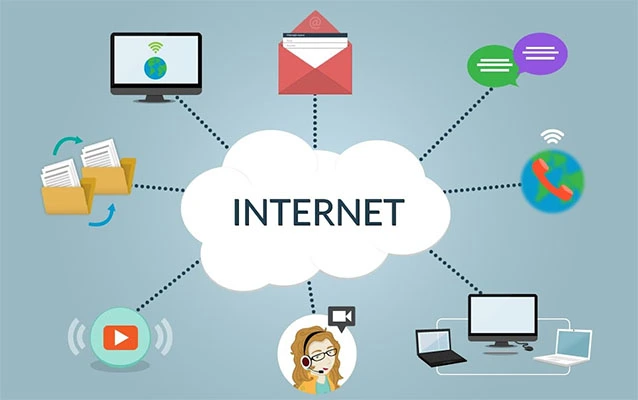
Your IP address is a little like a digital return address. Websites need it to send information back to your device, but advertisers, analytics companies, network administrators, and other observers can also use it to estimate your location and connect pieces of your online activity.
Hiding your IP address will not transform you into an invisible internet ninja. It can, however, reduce location-based tracking, limit what your internet provider can observe, and make it harder for websites to associate your browsing with your home or workplace network. The key is choosing the right privacy tool and understanding what it doesand, just as importantly, what it does not do.
This guide explains how to hide your IP address with a VPN, Tor Browser, proxies, privacy relays, and other practical methods. It also covers common mistakes, leak testing, browser settings, and the privacy habits that should accompany IP masking.
What Is an IP Address, and Why Might You Hide It?
An Internet Protocol address is a numerical identifier assigned to a device or network when it connects to the internet. Most people have a public IP address associated with their router, cellular carrier, workplace, school, or other network provider.
A public IP address normally does not reveal your exact street address to an ordinary website. It can nevertheless indicate your approximate city or region, internet service provider, and type of network. When combined with cookies, account logins, browser fingerprints, advertising IDs, and location permissions, it can become one more useful clue in a much larger tracking puzzle.
Hiding an IP address can help you:
- Reduce location-based profiling and advertising.
- Keep websites from seeing your home or workplace IP address.
- Limit monitoring on public Wi-Fi networks.
- Prevent your internet provider from easily viewing the destinations you visit.
- Separate different browsing sessions more effectively.
- Access your company network through an authorized secure connection.
IP masking improves privacy, but it does not erase cookies, stop GPS access, hide information you voluntarily submit, or prevent an account provider from recognizing you after you log in. A VPN cannot disguise you from a website while you are cheerfully signing in with your full name, phone number, and profile photo. Technology is talented, but it is not a magician.
1. Use a Reputable VPN
A virtual private network is the most practical way for most people to hide their public IP address. When a VPN is active, your device creates an encrypted connection to a VPN server. Websites see the server’s IP address instead of the IP address assigned by your internet provider.
The encryption also makes it harder for someone operating a local Wi-Fi network to inspect your traffic. Your internet provider can generally see that you connected to a VPN service, but it cannot easily see the individual websites passing through the encrypted tunnel.
How to use a VPN correctly
- Choose a trustworthy provider with clearly identified ownership and readable privacy policies.
- Install the provider’s official application rather than an imitation browser extension.
- Select a nearby server for better speed or another region when you need a different regional IP address.
- Turn on the kill switch, which blocks internet access if the VPN unexpectedly disconnects.
- Enable automatic connection on public or untrusted Wi-Fi.
- Confirm that IPv4, IPv6, and DNS requests are traveling through the VPN.
What to look for in a VPN provider
A strong VPN service should offer modern protocols, DNS leak protection, a kill switch, full-device applications, prompt security updates, and transparent explanations of what it records. Independent security audits are helpful, although an audit is not a lifetime guarantee. Check its scope, date, and whether the provider publicly addressed any issues that were found.
Be especially careful with random free VPN apps. Operating a global server network costs money. When a company offers unlimited service without explaining how it earns revenue, your browsing data may be the part of the business model wearing a tiny price tag.
A limited free plan from an established privacy company can be reasonable. An unknown app promising “military-grade invisible super speed” while requesting access to your contacts, photos, microphone, and possibly your houseplants deserves considerably more skepticism.
2. Use Tor Browser for Stronger Anonymity
Tor Browser is designed for people who need more anonymity than a conventional VPN usually provides. It routes browsing traffic through multiple volunteer-operated relays before sending it to the destination website. The website sees the IP address of a Tor exit relay rather than your original IP address.
Tor Browser also includes protections intended to reduce browser fingerprinting. That matters because hiding an IP address is less useful when your browser announces a highly distinctive combination of fonts, extensions, screen dimensions, language settings, and hardware characteristics.
When Tor is a good choice
- Researching sensitive subjects without tying searches to your normal network.
- Reducing surveillance risks while traveling.
- Accessing information in environments affected by censorship.
- Separating anonymous browsing from everyday accounts.
Limitations of Tor
Tor can be slower because traffic travels through several relays. Some websites challenge or block Tor users, and streaming or large downloads may be impractical. Perfect anonymity is not guaranteed, either. Logging into an identifying account, opening downloaded documents in another application, installing extra browser extensions, or sharing personal details can defeat the purpose.
For the strongest protections, use the official Tor Browser rather than a regular browser with a Tor-themed extension. Avoid changing settings simply to make the browser feel more familiar; unusual customization can make your browser easier to distinguish from other Tor users.
3. Use a Proxy Server for Limited IP Masking
A proxy acts as an intermediary between an application and the internet. Your request goes to the proxy, which forwards it to the destination using the proxy’s IP address.
Proxies can be useful when you only need to route one browser, application, or task through another IP address. However, many ordinary proxies do not encrypt the connection between your device and the proxy. They may hide an IP address from the final website while leaving traffic visible to the network operator.
VPN versus proxy
A VPN normally protects traffic from multiple applications or the entire device. A browser proxy generally protects only traffic sent through that browser. VPNs also usually add encryption, while basic proxies may offer no meaningful confidentiality at all.
Never send banking credentials, confidential work files, medical information, or valuable account passwords through an unknown free proxy. A proxy operator sits in a powerful position and may be able to observe or modify unencrypted traffic.
4. Use iCloud Private Relay or a Browser Privacy Relay
Apple users with an eligible iCloud+ subscription can use iCloud Private Relay to improve Safari privacy. Private Relay helps prevent a single party from seeing both the user’s identity and the websites being requested. It also replaces the visible IP address while preserving a broad regional location when necessary.
Private Relay is convenient, but it is not a complete replacement for a traditional VPN. Its protection is primarily associated with Safari browsing and certain related traffic. It does not provide the same system-wide routing options, server selection, or location controls offered by most full VPN applications.
Some browsers and security services provide similar secure-network or privacy-proxy features. Before relying on one, verify whether it protects the entire device, only the browser, or only specific requests. The word “private” on a button is not a technical specification.
5. Switch to a Different Network
Connecting through another network changes the public IP address visible to websites. For example, switching from home Wi-Fi to cellular data typically replaces your home internet address with an address assigned by your mobile carrier.
This method can temporarily separate traffic from your home IP address, but it does not provide strong anonymity. Your mobile carrier still handles the connection, websites can still recognize accounts and browser fingerprints, and the new IP may remain associated with your approximate location.
A personal cellular hotspot is generally safer than an unknown public Wi-Fi network, especially for quick tasks while traveling. For stronger privacy, use the hotspot together with a reputable VPN.
6. Restarting the Router May Change an IP Addressbut It Does Not Hide It
Some internet providers assign dynamic IP addresses that can change after a router reconnects. Restarting the router may result in a new public IP address, although there is no guarantee. The provider may immediately return the same address or keep it assigned for days or months.
Even when the address changes, websites still receive the new IP. This is IP replacement, not IP hiding. It does not encrypt traffic, conceal browsing from the internet provider, or protect you on public Wi-Fi.
Common Privacy Myths About IP Addresses
Incognito mode hides your IP address
It does not. Incognito, InPrivate, and private-browsing modes mainly limit what the browser stores locally after a session. They can remove temporary cookies and history from the device, but websites and network providers can still see your public IP address.
HTTPS makes an IP address invisible
HTTPS encrypts the content exchanged between your browser and a website. It protects passwords, messages, and page data from casual interception. However, the destination must still receive network traffic, so HTTPS alone does not conceal your IP address from that website.
Changing DNS servers hides your IP
A privacy-focused DNS resolver may reduce some DNS logging and protect requests when encrypted DNS is enabled. It does not normally replace the public IP address sent to websites.
A firewall hides your public IP
A firewall filters incoming and outgoing network connections. It is an important security layer, but it does not normally mask the address used for permitted internet traffic.
A VPN makes you completely anonymous
A VPN moves trust from the internet provider to the VPN provider and replaces the visible IP address. Websites may still identify you through logins, cookies, payment information, GPS permissions, advertising IDs, or browser fingerprinting.
How to Check Whether Your IP Address Is Properly Hidden
Do not assume that a privacy tool is working simply because its interface displays a green shield and a reassuring checkmark. Test the connection.
- Before activating the privacy tool, visit a reputable IP-checking service and record the public IPv4 and IPv6 addresses shown.
- Connect to the VPN, proxy, Tor network, or privacy relay.
- Reload the checking page in a fresh browser tab.
- Confirm that the visible public IP has changed.
- Run DNS leak and IPv6 leak tests.
- Check for WebRTC exposure if you use browser-based calling or real-time communication tools.
- Temporarily disconnect the VPN to confirm that the kill switch blocks traffic.
If your original address remains visible, stop sensitive activity and review the application settings. The VPN may protect only selected apps, an extension may cover browser traffic but not other software, or IPv6 may be bypassing the tunnel.
Create a Complete Privacy Setup
Hiding an IP address works best as part of a broader privacy routine. Think of the VPN as one lock on the door, not the entire building.
Reduce browser tracking
Block unnecessary third-party cookies, use built-in tracking protection, remove unused extensions, and keep the browser updated. Privacy-focused browsers can reduce advertising trackers and fingerprinting scripts, although settings should be tested because aggressive blocking may break some websites.
Control location permissions
A hidden IP does little good when a website receives precise GPS or Wi-Fi-based location information. Set location access to “Ask” or “Block” and grant it only when a service genuinely needs it.
Separate online identities
Use different browser profiles for work, personal accounts, shopping, and sensitive research. Avoid logging into normal accounts during sessions that are intended to remain anonymous.
Secure the device itself
Install operating-system updates, enable the firewall, use full-device encryption, and protect important accounts with unique passwords and multifactor authentication. IP privacy cannot rescue a device already controlled by malware.
Protect the home router
Change default administrator credentials, use WPA2 or WPA3 encryption, update router firmware, disable remote administration when it is unnecessary, and remove unknown connected devices.
Which Method Should You Choose?
| Method | Best for | Main advantage | Main limitation |
|---|---|---|---|
| VPN | Everyday privacy and public Wi-Fi | Hides the public IP and encrypts device traffic | Requires trust in the provider |
| Tor Browser | More anonymous web browsing | Multi-hop routing and fingerprinting resistance | Slower and sometimes blocked |
| Proxy | Routing one application | Simple IP replacement | May not encrypt traffic |
| Private Relay | Convenient Safari privacy | Built into supported Apple services | Not full-device protection |
| Cellular hotspot | Avoiding unknown public Wi-Fi | Changes the network and public IP | Does not provide anonymity by itself |
Practical Experience: What a Week of IP Privacy Usually Feels Like
Consider a realistic week-long privacy trial. On the first day, a user installs a reputable VPN on a laptop and phone, activates the kill switch, and chooses a nearby server. The initial result is pleasantly uneventful: websites load, messages arrive, and the internet does not burst into flames. An IP check shows the VPN server’s address rather than the home address.
The first noticeable inconvenience appears during online shopping. A retailer displays the wrong regional store, changes the currency, or asks for additional verification because the VPN server is in another state. Selecting a closer server usually fixes the problem. This is an early lesson in privacy engineering: the strongest setting is not always the most practical setting. A server five thousand miles away may sound adventurous, but it can turn a simple checkout into an international diplomatic incident.
On the second day, the user connects at a coffee shop. The VPN launches automatically before any browsing begins. This is where the tool feels most valuable. The café network can see that the device is communicating with a VPN server, but the encrypted tunnel limits what the local network can inspect. The user still confirms the correct Wi-Fi name because a VPN does not make a fake hotspot trustworthy.
Later, a banking website rejects the VPN connection. Instead of disabling every privacy feature permanently, the user pauses the VPN only for the banking session or uses a trusted home connection. Some VPN apps also allow split tunneling, which can exclude a specific application while protecting everything else. This is convenient, although each exception creates another path that must be understood and maintained.
On the third day, the user tries private browsing without the VPN and discovers that the public IP is unchanged. The browser deletes local session data afterward, but the network identity remains visible. The difference between local privacy and network privacy suddenly becomes clear: private mode keeps the next person using the computer from seeing history, while a VPN or Tor changes what remote sites see.
On the fourth day, Tor Browser enters the experiment. Pages take slightly longer to load, some sites present extra verification challenges, and streaming is not especially enjoyable. For reading articles or conducting sensitive research, however, the separation from ordinary browsing feels meaningful. The user avoids signing into personal accounts and does not install extensions, preserving the standardized browser configuration.
By the fifth day, the biggest discovery is that IP masking does not stop personalization everywhere. A website still remembers a previous visit because an old cookie remains. Another site correctly detects location after the user grants precise location permission. Deleting cookies, separating browser profiles, and reviewing permissions produce a larger privacy improvement than repeatedly changing VPN servers.
The final lesson is that privacy becomes easier when it is automated. Auto-connect protects unfamiliar networks, a kill switch handles accidental disconnections, and browser tracking protection reduces background data collection. After several days, the VPN button stops feeling like a dramatic spy-movie control and becomes more like a seat belt: ordinary, mildly inconvenient at times, and useful precisely because it is enabled before something goes wrong.
Final Thoughts
For most people, a trustworthy VPN offers the best balance of privacy, speed, and convenience. Tor Browser is better suited to sessions that require stronger anonymity, while proxies and browser relays are useful for narrower tasks.
Whatever method you choose, remember that hiding an IP address is only one part of online privacy. Cookies, account logins, location permissions, device fingerprints, malware, and personal disclosures can still identify you. Combine IP masking with secure browser settings, updated devices, careful account habits, and realistic expectations.
The objective is not to become a mythical digital ghost. It is to disclose less information, reduce unnecessary tracking, and regain a sensible amount of control over who learns what about your online activity.