A SaaS onboarding tutorial has one job: help a new user reach value before their enthusiasm evaporates like coffee left beside a laptop during a “quick” product meeting. It should not be a museum tour of every button, tab, dropdown, and feature your team spent eighteen months building. New users do not arrive thinking, “Please explain your entire architecture to me.” They arrive thinking, “Can this solve my problem before lunch?”
That is why a successful SaaS onboarding tutorial is less about showing the product and more about guiding users toward a meaningful win. It teaches by doing, reduces confusion, personalizes the journey, and connects every step to a business outcome such as activation, retention, feature adoption, or expansion. Done well, onboarding feels like a helpful guide. Done poorly, it feels like being trapped in a software escape room where every clue is a tooltip.
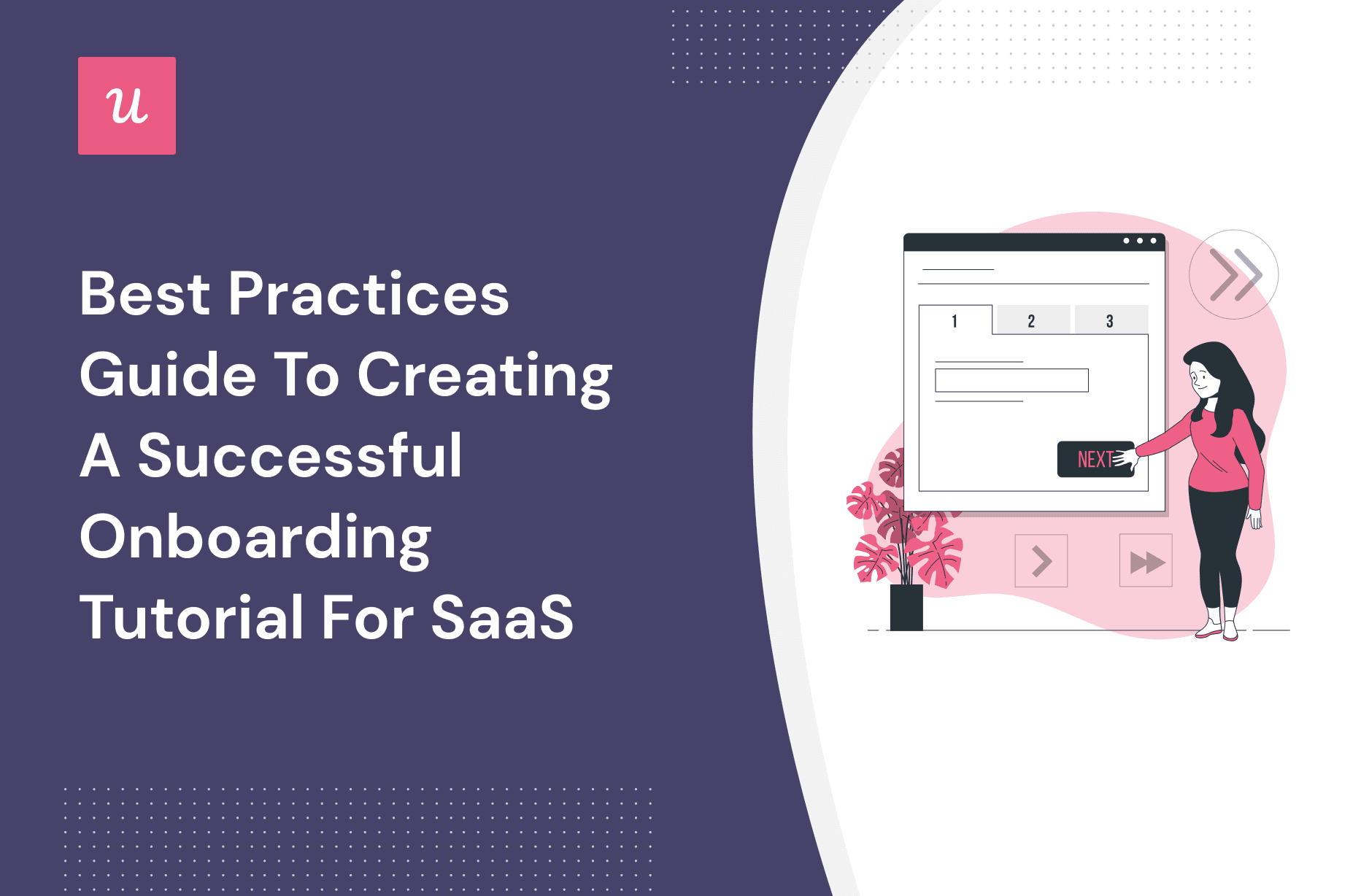
This guide explains the best practices for creating SaaS onboarding tutorials that help users understand your product, complete key actions, and become confident enough to keep going. Whether you are building a product tour, interactive checklist, welcome flow, onboarding email sequence, or in-app tutorial, the principles are the same: make it relevant, make it short, make it actionable, and measure what actually matters.
What Is a SaaS Onboarding Tutorial?
A SaaS onboarding tutorial is a guided experience that helps new users learn how to use a software product after signup. It may appear as an interactive product tour, checklist, setup wizard, welcome video, contextual tooltip, sample project, or role-based walkthrough. The format can vary, but the purpose is always the same: reduce friction and help users reach their first valuable outcome as quickly as possible.
For example, a project management tool might guide users to create their first workspace, invite a teammate, and assign a task. An email marketing platform might help users import contacts, choose a template, and send a test campaign. A data analytics product might ask users to connect a data source and create their first dashboard. These are not random tasks. They are activation steps: actions that prove the product can deliver value.
Why SaaS Onboarding Tutorials Matter
SaaS products are easy to start and even easier to abandon. A user can sign up in thirty seconds, get confused in two minutes, and disappear forever by minute five. No dramatic music. No goodbye email. Just a tiny ghost in your analytics dashboard.
Strong onboarding prevents that silent churn. It helps users understand what to do first, why it matters, and how the product fits their goal. It also reduces support tickets, improves trial-to-paid conversion, increases product adoption, and gives customer success teams a stronger foundation. In product-led growth, onboarding is not a decoration. It is part of the revenue engine.
The best onboarding tutorials do not simply increase completion rates. They increase activation. A user who clicks through ten tooltips but never completes a meaningful action is not onboarded. They are just very polite. Real onboarding happens when users experience the product’s “aha moment”the point where they understand, through action, why the product is useful.
Best Practices for Creating a Successful SaaS Onboarding Tutorial
1. Start With the User’s Goal, Not Your Feature List
The first mistake many SaaS teams make is building onboarding around what the product can do instead of what the user wants to accomplish. This creates bloated tutorials that say, “Here is everything we built,” instead of, “Here is how to get the result you came for.”
Before creating an onboarding tutorial, define the user’s primary goal. Are they trying to save time, automate a workflow, create a report, collaborate with a team, publish content, reduce costs, or make better decisions? Once you know the goal, build the tutorial around the shortest path to that outcome.
For example, if your SaaS platform helps small businesses manage invoices, the first tutorial should not begin with account settings, notification preferences, and theme colors. It should help the user create and send a professional invoice. Let them customize the logo later. First, help them get paid. Priorities, dear software friends.
2. Identify the Activation Point
Every SaaS onboarding tutorial should be designed around an activation point. This is the action or series of actions that strongly indicates a user has experienced value. Activation is different for every product. For a design tool, it may be creating and exporting a first design. For a CRM, it may be importing contacts and logging the first deal. For a team communication platform, it may be inviting coworkers and sending the first message.
Once you identify the activation point, reverse-engineer the tutorial. Ask: What does the user need to do before reaching that moment? What information do they need? What friction might stop them? What can be skipped until later?
This approach keeps onboarding focused. It also prevents the classic “feature parade,” where every department insists their favorite feature deserves step three. A successful onboarding tutorial is not a company politics document. It is a guided path to value.
3. Use Progressive Disclosure
Progressive disclosure means showing users only what they need right now and revealing more details as they become relevant. This is especially important for SaaS products with many features, settings, permissions, integrations, or reporting options.
New users do not need the advanced configuration panel on day one. They need a simple next step. By hiding secondary features until later, you reduce cognitive load and make the product feel easier to learn. The goal is not to pretend your product is simple if it is powerful. The goal is to introduce complexity at the right time.
Think of onboarding like teaching someone to drive. You do not begin with parallel parking, engine diagnostics, and tire pressure theory. You start with the steering wheel, pedals, mirrors, and how not to turn the vehicle into modern art. SaaS onboarding works the same way.
4. Make the Tutorial Interactive
Passive onboarding says, “Look at this.” Interactive onboarding says, “Do this now.” The second one usually works better because users learn by completing real actions inside the product.
Instead of showing a tooltip that explains how to create a dashboard, guide the user to create one. Instead of explaining where templates live, ask them to choose one. Instead of presenting a video about team collaboration, prompt them to invite a teammate or create a sample project.
Interactive onboarding builds confidence because users leave with something completed. They have not merely watched your product perform. They have used it. That difference matters. A tutorial that creates momentum can turn a curious trial user into an activated customer.
5. Personalize the Experience
Not every user needs the same onboarding path. A founder, marketer, developer, customer support manager, and enterprise admin may all use the same SaaS platform for different reasons. If your onboarding treats them exactly the same, someone is going to feel like they accidentally boarded the wrong bus.
Use simple segmentation to personalize the tutorial. Ask one or two questions during signup or the welcome screen, such as:
- What is your role?
- What are you trying to accomplish?
- How large is your team?
- Have you used a tool like this before?
Then tailor the onboarding flow accordingly. A beginner may need more guidance and examples. An advanced user may prefer a quick setup checklist. An admin may need security and team settings. A creator may need templates and publishing steps. Personalization makes onboarding feel smarter, lighter, and more relevant.
6. Keep It Short Enough to Finish
Long onboarding tutorials often fail because they demand too much attention too early. Users are busy. They may be testing three competing tools. They may be on a trial. They may be checking your product between meetings while eating a suspiciously ambitious sandwich. Respect their time.
A good onboarding tutorial focuses on the minimum number of steps needed to reach value. If a step does not help the user activate, remove it, delay it, or turn it into optional contextual help. Your goal is not to show everything. Your goal is to help users make progress.
A useful rule: if your onboarding tutorial needs more than five to seven steps, inspect it carefully. Some products genuinely require more setup, especially enterprise tools or technical platforms. But even then, divide the experience into stages. Show users immediate progress and save advanced configuration for later.
7. Use Checklists to Create Momentum
Onboarding checklists work because they give users structure, clarity, and a tiny dopamine snack every time they complete a task. A checklist turns a vague experience into a visible journey. It answers the user’s silent question: “What should I do next?”
However, a checklist should not be a random to-do list. Each task should move the user toward activation. Weak checklist items include “Visit the settings page” or “Read our welcome message.” Strong checklist items include “Create your first project,” “Invite one teammate,” “Connect your calendar,” or “Publish your first form.”
Keep checklist labels action-oriented and benefit-driven. Instead of “Integrations,” write “Connect your first app.” Instead of “Profile,” write “Add your company details.” The user should immediately understand why the task matters.
8. Add Contextual Help Where Users Need It
Contextual help appears at the moment a user needs guidance. It may be a tooltip, inline hint, help drawer, chatbot prompt, knowledge base link, or short video. The key is timing. Help should appear near the task, not three screens away in a documentation cave guarded by search filters.
For example, if users often abandon the API key setup screen, add a short explanation, sample key format, security note, and link to developer docs directly on that page. If users struggle with importing a CSV file, show a downloadable sample file and common formatting tips before they hit an error.
Good contextual help reduces frustration without interrupting users who already know what they are doing. Make it visible, but not noisy. Nobody wants a tooltip jumping out every twelve seconds like a caffeinated raccoon.
9. Build for Different Learning Styles
Some users like interactive walkthroughs. Others prefer videos. Some want documentation. Others want templates, sample data, or live support. A successful SaaS onboarding tutorial offers multiple learning paths without overwhelming the interface.
For complex products, consider combining:
- An interactive first-run tutorial for essential actions
- A short setup checklist for activation tasks
- Contextual help inside difficult workflows
- A searchable knowledge base for deeper learning
- Short videos for visual learners
- Sample projects or templates for faster setup
This does not mean dumping every resource on the welcome screen. It means placing the right format in the right moment. The best onboarding systems feel supportive, not crowded.
10. Use Real Examples and Sample Data
Blank states are dangerous. A new user staring at an empty dashboard may understand the interface but still not know what to do. Sample data solves this problem by showing what success looks like.
If you run an analytics SaaS product, show a sample dashboard with realistic charts. If you offer proposal software, include sample proposals by industry. If your tool manages social media content, provide example campaigns, captions, and calendars. These examples reduce imagination taxthe mental effort required to picture how the product applies to the user’s own work.
Sample data should be clearly labeled and easy to replace. It should guide, not confuse. The user should think, “Great, I can make something like this,” not, “Why does my brand-new account already have a fake quarterly revenue report?”
11. Avoid Overusing Tooltips
Tooltips are useful, but they are not a complete onboarding strategy. A screen covered in tooltips is just a digital porcupine. Too many popups can block the interface, slow users down, and make the product feel harder than it is.
Use tooltips for brief explanations, not long lectures. Keep copy concise. Point to one action at a time. Let users dismiss guidance easily. Most importantly, do not use tooltips to compensate for unclear product design. If users need a paragraph to understand a button, the button may be the problem.
12. Connect Onboarding Emails With In-App Behavior
Email can support onboarding, but it should not operate in a separate universe. A smart onboarding email sequence responds to what the user has or has not done inside the product.
If a user created a project but did not invite a teammate, send a helpful email about collaboration. If they connected an integration but did not complete setup, send a short troubleshooting guide. If they reached activation, send advanced tips or use cases. Behavior-based onboarding emails feel relevant. Generic daily emails feel like a robot discovered a calendar.
The best combination is in-app guidance for immediate action and email for reminders, education, and re-engagement. Together, they create a smoother onboarding journey.
13. Measure the Right Onboarding Metrics
You cannot improve what you do not measure. But you also need to measure the right things. Completion rate is useful, but it does not tell the full story. A user can complete onboarding and still fail to adopt the product.
Track metrics such as:
- Activation rate
- Time to value
- Onboarding completion rate
- Drop-off by step
- Feature adoption
- Trial-to-paid conversion
- Support tickets during onboarding
- Retention by onboarding cohort
Look for patterns. Where do users stop? Which steps correlate with long-term retention? Which tutorial paths produce the highest activation? Which segments need more help? Data turns onboarding from guesswork into a repeatable growth system.
14. Test, Iterate, and Remove Friction
Your first onboarding tutorial will not be perfect. That is not a failure; that is product life. Launch the tutorial, study user behavior, collect feedback, and improve it over time.
Use session recordings, funnel analysis, surveys, user interviews, and support ticket themes to identify friction. If users skip a step, ask whether it is unnecessary, unclear, poorly timed, or too hard. If users complete a step but do not retain, ask whether the step truly reflects value.
Small changes can make a big difference. A clearer button label, shorter form, better default template, faster integration setup, or simpler checklist can improve onboarding performance without requiring a full redesign. Sometimes the best onboarding improvement is deleting something your team once loved. Be brave. The product will survive.
Common SaaS Onboarding Tutorial Mistakes
Making the Tutorial About the Product Instead of the User
Users care about outcomes. They do not care that your dashboard has twelve widgets unless one of those widgets helps them solve a real problem. Keep the onboarding narrative focused on the user’s goal.
Showing Too Much Too Soon
Do not introduce advanced features before users understand the basics. Early overload creates anxiety and abandonment. Reveal complexity gradually.
Forcing Everyone Through the Same Flow
Uniform onboarding is easier to build but often weaker. Segment users by role, goal, company size, or experience level whenever possible.
Ignoring Empty States
Empty dashboards, blank reports, and unused workspaces make products feel lifeless. Use templates, examples, and guided prompts to help users begin.
Measuring Clicks Instead of Value
Clicks are not success. Activation is success. Retention is success. A tutorial should be judged by whether users reach meaningful outcomes, not whether they politely tap “Next” five times.
Examples of Effective SaaS Onboarding Tutorial Ideas
For a CRM Platform
A strong onboarding tutorial might guide users to import five contacts, create one pipeline, add a sample deal, and schedule a follow-up reminder. The activation moment is not “viewed dashboard.” It is “managed a real sales opportunity.”
For a Project Management Tool
The tutorial could help users create a project, add three tasks, assign one teammate, and set a deadline. A sample project template can make this faster and less intimidating.
For an Email Marketing SaaS
The onboarding path might include choosing a template, importing a small contact list, writing a subject line, and sending a test email. The product should help users feel the thrill of “I can actually send this,” minus the panic of accidentally emailing the entire company.
For an Analytics Tool
Guide users to connect a data source, select a goal, and generate a first dashboard. Sample dashboards and prebuilt reports can shorten time to value dramatically.
Field Notes: Real-World Experience Creating SaaS Onboarding Tutorials
One practical lesson from SaaS onboarding work is that users rarely fail because they are “not smart enough.” They fail because the product asks them to make too many decisions before they trust the payoff. A new user does not yet know which settings matter, which workflow is recommended, or which feature will produce value. When onboarding throws every option at them, it feels like walking into a restaurant where the menu is 47 pages and the waiter says, “Good luck.”
The strongest onboarding tutorials remove early uncertainty. They provide defaults. They recommend the next step. They show an example. They tell the user what success looks like. For instance, instead of asking users to build a workflow from scratch, a SaaS product can offer three templates: “Start with a sales pipeline,” “Start with a marketing calendar,” or “Start with a customer support queue.” This simple choice feels manageable and gives the user momentum.
Another important experience is that onboarding copy matters more than teams expect. A tooltip that says “Configure integration settings” sounds official but cold. A tooltip that says “Connect your first app so your data appears here automatically” explains both the action and the benefit. Good onboarding copy is short, specific, and human. It should sound like a helpful product expert, not a legal disclaimer wearing a tiny hat.
It is also common to discover that the biggest onboarding problem is not the tutorial itself. Sometimes the signup flow asks for too much information. Sometimes the first screen has no clear hierarchy. Sometimes the core action requires a technical setup that should have been simplified months ago. In those cases, adding more onboarding is like putting a welcome mat in front of a maze. The better fix is product simplification.
A useful practice is to watch real users go through onboarding without helping them. This can be humbling. The button your team thinks is obvious may be invisible. The setup step you consider “simple” may require industry knowledge. The feature name everyone loves internally may mean absolutely nothing to a new customer. User observation turns opinions into evidence.
Finally, onboarding should continue after the first session. Many SaaS teams treat onboarding as a one-time tour, but successful products guide users across the full adoption journey. First, help them reach basic value. Then introduce deeper features when behavior shows they are ready. Later, guide them toward collaboration, automation, reporting, integrations, or expansion. Great onboarding is not a single welcome screen. It is an ongoing conversation between the product and the user.
Conclusion
A successful SaaS onboarding tutorial does not overwhelm users with everything your product can do. It helps them do the right thing first. The best onboarding experiences are goal-driven, interactive, personalized, and measured against real activation outcomes. They reduce friction, teach in context, and make users feel capable quickly.
If your onboarding tutorial feels too long, too generic, or too focused on features, simplify it. Start with the user’s goal. Identify the activation point. Build the shortest guided path to value. Add contextual help where users struggle. Measure the journey, improve weak spots, and keep refining.
In SaaS, the first experience often decides whether a user becomes a loyal customer or another mysterious dot in the churn report. Give users clarity, momentum, and a reason to believe your product can help them. That is the difference between onboarding that merely explains software and onboarding that grows a business.