Robux can turn an ordinary Roblox afternoon into a shopping spree involving new avatar accessories, private servers, special abilities, and an alarming number of virtual pets. Unfortunately, the desire for more Robux also attracts fake generators, suspicious surveys, password thieves, and websites that look as trustworthy as a raccoon wearing a business tie.
The good news is that there are legitimate ways to add Robux to your Roblox account. You can purchase Robux directly, redeem an official gift card, receive a transfer from another eligible user, or earn Robux by creating content. Roblox itself states that Robux must be purchased through its services, received through approved features, or earned as a creator. A website claiming that it can magically generate unlimited Robux is offering a scam, not a secret shortcut.
This guide explains four safe methods, how each one works, and what you should check before clicking a purchase or transfer button.
Quick Comparison of the Four Legitimate Methods
| Method | Best For | Important Detail |
|---|---|---|
| Buying Robux directly | Players who want Robux immediately | Computer and web purchases may provide more Robux than some app purchases |
| Redeeming a Roblox gift card | Gifts, controlled spending, and players without a credit card | Redeem the card through the correct Roblox account in a web browser |
| Receiving a Robux transfer | Gifts from trusted friends or relatives | The sender needs Roblox Plus, and age-related requirements may apply |
| Earning Robux as a creator | Developers, designers, builders, and long-term creators | Earnings may be pending and are generally subject to platform fees |
1. Buy Robux Directly Through Roblox
The fastest and simplest way to get Robux is to buy a package through an official Roblox purchasing screen. Depending on your device, purchases may be available through the Roblox website, computer application, mobile application, PlayStation, or Xbox.
Compare the Web and App Offers First
Do not automatically buy the first package that appears on your phone. Roblox currently says that purchases made on the web, on computers, or through gift cards can include up to 25% more Robux. The exact amount may depend on the package, location, payment option, and current pricing, so compare the displayed totals before paying.
For example, imagine that your mobile app and the Roblox website show packages at similar prices. If the website displays a larger Robux total, purchasing there gives you more virtual currency for roughly the same amount of real money. That is not an exciting financial strategy worthy of Wall Street, but it is better than paying extra because you skipped a 20-second comparison.
Use the Correct Roblox Account
Before purchasing, check the username displayed on the screen. This is especially important on a shared computer, family tablet, or device that remembers multiple logins. Robux purchased for the wrong account generally cannot simply be moved wherever you intended them to go.
A safe buying routine looks like this:
- Open the official Roblox website or application.
- Confirm that you are signed in to the correct account.
- Open the Robux purchasing section.
- Compare the available packages and final Robux totals.
- Review the payment information before confirming the purchase.
- Save the receipt in case you need help with a billing issue.
Set a Spending Limit Before Shopping
Robux are easy to spend because digital purchases do not feel quite as dramatic as handing over physical cash. A 50-Robux upgrade here and a 200-Robux accessory there can quietly eat your entire balance.
Choose a budget before buying. Parents and caregivers should also review available parental controls, payment settings, and purchase approval options. It is much easier to discuss a spending limit before a purchase than after someone has bought twelve glowing swords and a hat shaped like a refrigerator.
Robux and most virtual-item purchases are generally final and nonrefundable except where law or Roblox policy provides otherwise. Roblox also describes Robux as a limited license for use on its services rather than real-world currency stored in a bank account.
2. Redeem an Official Roblox Gift Card
Roblox gift cards are a convenient option for birthdays, holidays, allowances, rewards, and anyone who prefers not to attach a personal payment card to an account. They can be purchased through Roblox and authorized online or physical retailers.
Purchase Cards Only From Authorized Sellers
A discounted code from an unknown marketplace may look tempting, but it can be invalid, previously redeemed, fraudulently obtained, or completely imaginary. Roblox states that gift cards obtained from unauthorized sellers or internet auction sites may not be honored. Buy from a recognizable retailer or through Roblox’s official gift-card system.
How Roblox Gift-Card Redemption Works
Some cards add Roblox Credit to an account, while specially marked cards may redeem directly for a stated quantity of Robux. Roblox Credit can then be used to purchase Robux through a web browser. Credit may not appear throughout the mobile application, which sometimes causes players to assume that the card has vanished into the digital wilderness.
- Open Roblox in a web browser.
- Sign in to the account that should receive the card value.
- Open the official redemption page.
- Carefully enter the PIN or code.
- Submit the code and confirm that the credit or Robux appears.
- If the card created a credit balance, use that balance to select a Robux package.
Roblox Credit is generally managed and spent through a browser rather than the Roblox mobile app. A remaining balance may stay in the account until it is used, and some small balances can be converted to Robux through the redemption page when that option is displayed.
Scratch Gently and Protect the Code
If you have a physical card, reveal the PIN carefully. Scraping the panel with the enthusiasm of an archaeologist discovering a lost civilization can damage the printed characters.
Do not photograph the uncovered code and post it online. Do not send it to a stranger who claims to be “checking whether it works.” The first person to redeem a valid code receives its value, and an honest helper does not need to inspect your secret PIN.
3. Receive Robux Through an Official Transfer
Roblox now supports direct Robux transfers between eligible users. This is useful when a parent, relative, or trusted friend wants to send Robux as a gift without purchasing a separate gift card.
Who Can Send and Receive Robux?
The sender must have an active Roblox Plus subscription. The receiver does not need Roblox Plus, but Roblox applies age-check or linked-parent requirements. Users aged 16 or older generally need to complete Roblox’s Age Check, while younger users need a linked parent account and approval. Requirements can also vary by region.
A sender can normally begin a transfer from the recipient’s profile or the Buy Robux area. The sender chooses an amount, reviews the recipient and transfer details, and confirms the transaction. The receiver then receives a notification and must accept the Robux. Once the required steps are completed, the transferred amount is added to the receiving account.
Transfers Are Final
Robux transfers cannot be canceled or reversed after completion. The sender should verify the username, avatar, and profile before confirming. Display names are not always unique, so relying on a familiar-looking name alone is risky.
Roblox also imposes transfer limits. Standard limits may be lower, while accounts in good standing with two-step verification may qualify for higher limits. Because these limits are subject to change, always rely on the amount shown in the current transfer interface rather than an old screenshot or social-media post.
Never Send Robux for “Verification”
Roblox will not ask you to send Robux to an employee, moderator, support agent, or verification account. Anyone claiming that you must send a small amount to unlock a prize, confirm ownership, remove a warning, or receive a larger payment is attempting a scam.
Use transfers only with people you know and trust. A direct-transfer feature makes legitimate gifting easier, but it does not transform every stranger with a dramatic sob story into a financial professional.
4. Earn Robux by Creating on Roblox
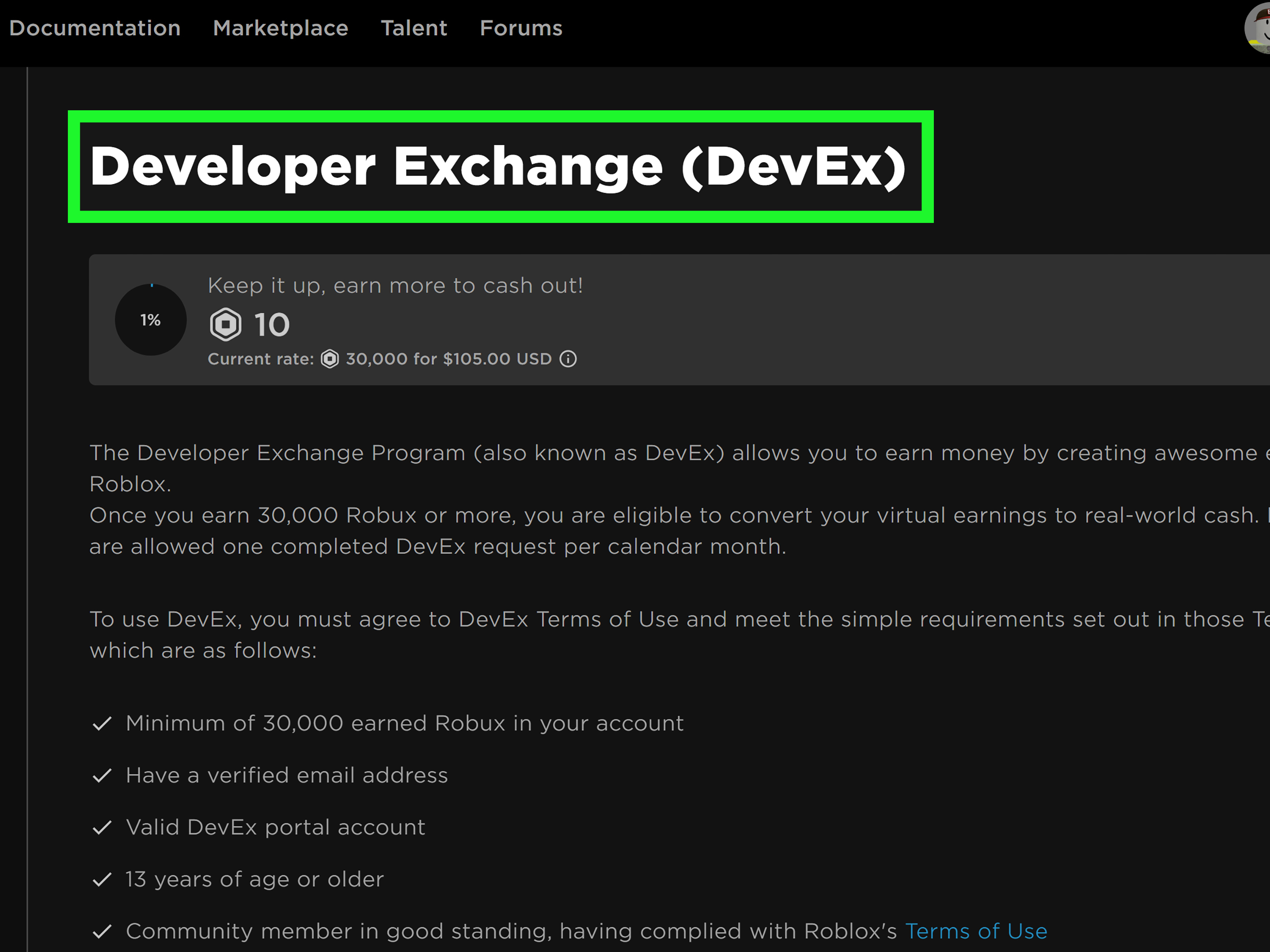
Creating is the only method on this list that can generate Robux without requiring someone to buy currency specifically for your account. However, earning Robux is not an instant-free-currency trick. It requires useful content, technical effort, design skills, an audience, or some combination of all four.
Any user can begin building an experience, but successful monetization usually comes from making something players genuinely enjoy. Roblox offers several creator-economy options, including experience passes, developer products, subscriptions, paid access, avatar items, private servers, Creator Rewards, and eligible Creator Store assets.
Create and Sell Experience Passes
An experience pass is a one-time purchase that grants a lasting benefit. Examples include permanent access to a VIP room, a special tool, increased inventory space, a custom title, or a permanent movement upgrade.
Passes work best when the benefit is clear and useful without making the free experience miserable. Players are more willing to support a game when a pass feels like an optional improvement rather than a toll booth placed every six steps.
Passes are free to create, but the Robux generated by a sale may enter a pending period before becoming available. Sales are also subject to applicable transaction fees.
Sell Repeatable Developer Products
Developer products are designed for purchases that can happen more than once. Examples include temporary boosts, potions, extra lives, consumable tools, donations, or packages of in-experience currency.
A good developer product solves a real player need at a reasonable price. A donation product can also work in an experience with an active community, especially when players understand that their purchase supports continued updates.
Creators must correctly process purchase receipts and deliver the promised product. Charging Robux without reliably granting the item is not merely bad customer service; it is an excellent way to earn angry reports instead of loyal players.
Design and Sell Avatar Items
Age-verified creators who meet current Roblox subscription and publishing requirements may be able to design and sell avatar clothing or accessories. Creating polished three-dimensional items generally requires tools such as Blender or Maya, while classic clothing follows a different workflow.
Successful avatar items usually have a recognizable style, clean construction, appealing thumbnails, and a sensible price. Creators should make original work and avoid copying logos, characters, or designs they do not own. Marketplace uploads are checked through moderation, and publishing requirements or fees may apply.
Build for Engagement, Not Just Purchases
Creator Rewards can provide Robux when qualifying users meaningfully engage with an experience or when eligible new or returning users discover Roblox through a creator’s content. That makes retention important. A game that players enjoy for ten minutes is more valuable than a flashy thumbnail attached to an experience they leave after ten seconds.
Focus on fundamentals:
- Make the first minute easy to understand.
- Test the experience on multiple device types.
- Fix crashes, broken buttons, and confusing instructions.
- Add updates that give players a reason to return.
- Use analytics to study engagement and product performance.
- Price optional purchases according to the value they deliver.
Track Pending Robux and Sales
Creator earnings may not appear in your available balance immediately. Roblox places many sales into a pending status before releasing the Robux. The My Transactions page can show incoming and outgoing activity, currency purchases, sales, Creator Rewards, group payouts, and pending funds.
What About Roblox Premium and Roblox Plus?
Older guides frequently recommend buying Roblox Premium to receive a monthly Robux allowance. That advice needs an important 2026 update.
Roblox stopped offering new Premium subscriptions on April 30, 2026. Existing Premium subscribers may retain their subscriptions and continue receiving the monthly Robux stipend associated with their plans. However, a subscriber who cancels generally cannot purchase Premium again. The former purchase bonus has also ended.
Roblox Plus is the newer subscription available to players. It offers benefits such as eligible purchase discounts, private-server access, Marketplace features, and the ability to send Robux. Roblox Plus helps subscribers stretch or transfer Robux, but the standard plan should not be confused with the old Premium monthly stipend.
How to Avoid Free-Robux Scams
There is no legitimate Robux generator. A website, video, extension, game, survey, or social-media account promising unlimited free Robux is almost certainly trying to collect passwords, session cookies, personal information, payments, or advertising revenue.
Common Warning Signs
- The site asks for your Roblox password.
- You must paste browser code into a developer console.
- You are told to download an unknown extension or application.
- A stranger promises to “double” any Robux you send.
- A page displays a fake countdown or a pretend list of recent winners.
- You must complete endless surveys to “verify that you are human.”
- The offer claims to exploit a secret Roblox glitch.
Roblox says that offers for free Robux, subscriptions, or valuable items are scams designed to steal accounts or information. Roblox also prohibits obtaining, selling, or transferring Robux through unauthorized third-party services.
Protect Your Account
Use a unique password, enable two-step verification, confirm the web address before signing in, and never share login codes. Log out of public or shared devices. Parents should encourage younger players to report suspicious messages rather than hiding an embarrassing mistake.
If you entered your password on a suspicious page, change it immediately, sign out of other sessions, review account activity, enable stronger security, and contact Roblox Support when necessary.
Experience-Based Lessons for Getting and Managing Robux
Consider four common player experiences. They show why the method you choose matters almost as much as the amount of Robux involved.
First, imagine a player named Alex who always buys Robux through a phone because the app is already open. One day, Alex checks the Roblox website before purchasing and discovers that the computer offer displays more Robux for a comparable payment. Nothing magical happened. Alex simply compared the final totals instead of treating the first purchase button like an emergency exit. The lesson is practical: check the web offer, confirm the account, and calculate what you are receiving before paying.
Next is Mia, who receives a Roblox gift card for her birthday. Her family shares a tablet, and two Roblox accounts are saved on it. Before redeeming the code, Mia opens a browser and checks the username twice. That tiny pause prevents the gift card from landing on her brother’s account, where it would undoubtedly be converted into an enormous digital duck before anyone could object. Gift cards are simple, but the code should be treated like cash: protect it, redeem it on the correct account, and keep the receipt until the balance appears.
Now consider Jordan, whose older cousin wants to send a small Robux gift. They use Roblox’s official transfer system rather than arranging a fake purchase through a random experience. Jordan completes the required account steps, accepts the notification, and sees the transfer in My Transactions. Both users verify the username before confirming because they understand that completed transfers are final. The experience demonstrates why official tools matter. A legitimate transfer produces clear notifications and transaction records; a scammer produces urgency, confusing instructions, and seventeen exclamation points.
Finally, there is Sam, a beginner creator who publishes a short obstacle course. Sam’s first version receives few visits because the instructions are unclear and the opening section is frustrating. Instead of adding twenty expensive products, Sam improves the tutorial, shortens the loading time, and asks friends to test the controls. Only then does Sam add a reasonably priced pass for a permanent trail and a repeatable donation product.
The first sales do not appear in the spendable balance immediately, which initially feels alarming. After checking My Transactions, Sam sees that the earnings are pending. Over time, analytics show that players prefer the inexpensive trail to the costly speed boost. Sam lowers the boost price, improves its description, and continues updating the experience.
This creator example contains the most important long-term lesson: Robux earnings follow value. Players support experiences that are entertaining, reliable, and respectful of their time. A store cannot rescue a game that is confusing or broken. Build something enjoyable first, then offer optional purchases that make sense inside it.
Across all four experiences, the pattern is consistent. Compare official purchase options, protect redemption codes, verify transfer details, and create useful content instead of chasing impossible shortcuts. The safest Robux method is rarely the one advertised by a stranger shouting “FREE” in capital letters. It is the method that stays inside Roblox’s official systems and gives you a clear receipt, transaction record, or creator dashboard.
Conclusion
There are four reliable ways to get Robux for your Roblox account: purchase Robux directly, redeem an authorized Roblox gift card, receive an official transfer, or earn Robux by creating experiences and virtual content.
Buying or redeeming a gift card is best when you need Robux quickly. Transfers are convenient for gifts between trusted users who meet Roblox’s eligibility requirements. Creating offers the greatest long-term potential, but it requires patience, original work, testing, and an experience or item that people actually value.
Whichever route you choose, stay inside Roblox’s official purchasing, transfer, and creator systems. Avoid Robux generators, password requests, off-platform sellers, and “verification” payments. Free-Robux promises tend to have an unfortunate exchange rate: you give away your account, and the scammer gives you regret.
Note: Roblox pricing, subscriptions, creator requirements, transfer limits, bonuses, and regional availability can change. Review the options displayed in your account before purchasing, redeeming, transferring, or publishing content.