Citing a PDF should be simple. After all, it is just a file, right? Then you open it and suddenly you are staring at a government report, an ebook chapter, a journal article, a white paper, a manual, a brochure, or a mysterious document from 2007 with no author, no date, and the personality of a fax machine. Welcome to the tiny academic obstacle course known as PDF citation.
The good news is that a PDF is usually not treated as its own magical source category. In most citation styles, you first identify what the PDF actually is. Is it a report? A book? A scholarly article? A company document? A government publication? Once you know the source type, you cite it according to the rules of the style you are using. The PDF part mainly affects whether you include a URL, DOI, database name, access date, or file description.
This guide explains four practical ways to cite a PDF: APA, MLA, Chicago, and IEEE. These are among the most common citation styles used in schools, universities, technical writing, and professional research. You will also see examples, formatting tips, and a real-world workflow for handling messy PDFs without losing your will to finish the assignment.
Before You Cite a PDF: Identify What You Are Looking At
Before choosing a citation format, play detective for about two minutes. The title page, footer, header, first page, copyright page, and final page often contain the information you need. Look for the author, organization, publication date, title, publisher, report number, volume, issue, page range, DOI, and URL. If the PDF came from a database or website, note where you found it.
A common mistake is writing “PDF” as if it replaces the source type. It usually does not. A journal article saved as a PDF is still a journal article. A government report downloaded as a PDF is still a government report. A manual in PDF format is still a manual. Think of PDF as the delivery box, not the pizza.
Information You Should Collect
For most PDF citations, gather the following details:
- Author or organization name
- Publication year or full date
- Title and subtitle
- Publisher or sponsoring organization
- Report number, edition, volume, issue, or page range if available
- URL or DOI
- Access date if your style or instructor requires it
If some information is missing, do not panic. Citation styles have rules for missing authors, missing dates, and untitled documents. Your goal is not perfection carved into marble. Your goal is to help readers find the same source and understand what kind of source it is.
1. How to Cite a PDF in APA Style
APA style is widely used in psychology, education, health sciences, social sciences, business, and other research-heavy fields. In APA 7th edition, the most important rule is to cite the PDF based on what it is, not merely because it is a PDF.
If the PDF is a report, include the author, year, title in italics, report number if available, publisher if needed, and URL. If the author and publisher are the same organization, APA often avoids repeating the publisher name. If the PDF has a DOI, use the DOI instead of a regular URL.
APA Format for a PDF Report
Format:
Author Last Name, Initials. or Organization Name. (Year). Title of report (Report No. if available). Publisher. URL
Example:
National Institute of Education. (2024). Student learning trends in digital classrooms (Report No. 18). Academic Research Press. https://example.org/report.pdf
APA In-Text Citation
Parenthetical citation: (National Institute of Education, 2024)
Narrative citation: National Institute of Education (2024) explains that digital classroom design can affect student engagement.
APA Tips for PDF Citations
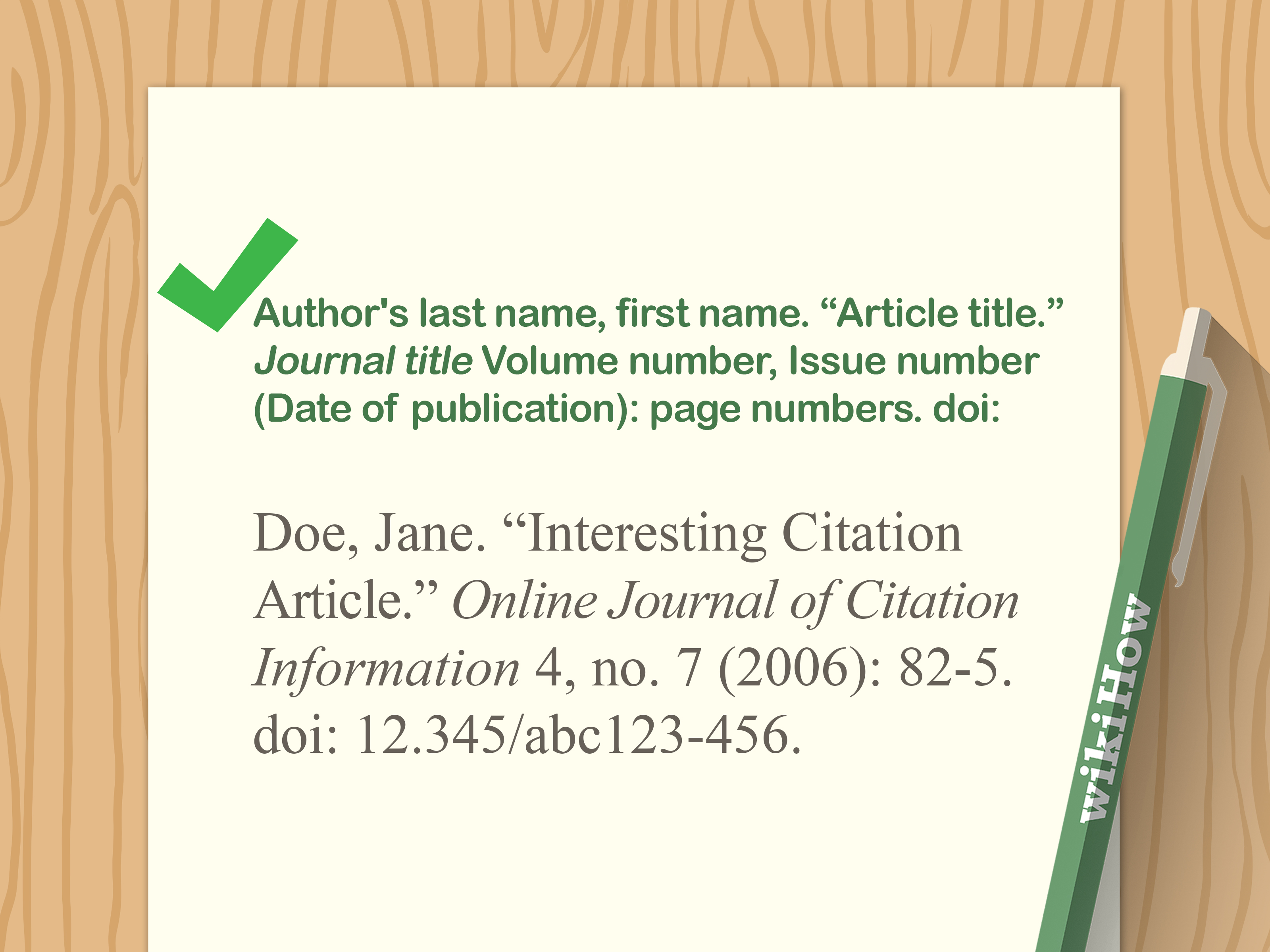
Use sentence case for the title, meaning you capitalize only the first word, proper nouns, and the first word after a colon. Italicize the title if the PDF is a stand-alone work, such as a report, ebook, or white paper. Do not add “PDF” unless it is necessary to clarify the format, and do not include a retrieval date unless the content is designed to change over time.
APA is especially friendly to reports, policy briefs, research summaries, and government documents. If your PDF looks official, has an organization as the author, and contains a formal title page, APA usually handles it neatly.
2. How to Cite a PDF in MLA Style
MLA style is commonly used in literature, language studies, cultural studies, humanities, and many first-year writing courses. MLA focuses on authorship, title, containers, publication details, and location. A “container” is where the work lives, such as a website, journal, database, or collection.
When citing a PDF in MLA, first decide whether the PDF is a stand-alone file or a work inside a larger container. For example, a PDF report on a nonprofit website may require information about both the report and the website. A PDF journal article needs journal details such as volume, issue, year, pages, and DOI or URL.
MLA Format for a PDF Report on a Website
Format:
Author Last Name, First Name. Title of PDF. Publisher, Year. Website Name, URL.
Example:
Johnson, Maria. Digital Reading Habits Among College Students. Center for Learning Research, 2025. Learning Research Online, https://example.org/digital-reading.pdf.
MLA In-Text Citation
Parenthetical citation: (Johnson 14)
Narrative citation: Johnson argues that digital reading habits vary by assignment type (14).
MLA Tips for PDF Citations
MLA uses title case, so major words in titles are capitalized. It also uses page numbers in in-text citations when available. If the PDF does not have page numbers, use the author’s name in the sentence or parenthetical citation and skip the page number unless another locator is available.
One useful MLA habit is to ask, “Where did this PDF come from?” If the file was downloaded from a website, include the website as a container when appropriate. If it came from a journal database, cite the journal and database information according to your instructor’s expectations.
3. How to Cite a PDF in Chicago Style
Chicago style is popular in history, publishing, arts, humanities, and some social science fields. It has two major systems: notes and bibliography, and author-date. Notes and bibliography style uses footnotes or endnotes, while author-date style uses parenthetical citations similar to APA.
For PDFs, Chicago usually follows the same principle as APA and MLA: cite the source according to what it is. If the PDF is a book, cite it as a book and include a URL or DOI. If it is a report, cite it as a report. If it is a journal article, cite it as a journal article. Chicago is detailed, but it is not trying to ruin your weekend. It just enjoys precision.
Chicago Notes and Bibliography Format for a PDF Report
Footnote format:
1. Author First Name Last Name, Title of Report (Place of publication: Publisher, Year), page number, URL.
Bibliography format:
Author Last Name, First Name. Title of Report. Place of publication: Publisher, Year. URL.
Example footnote:
1. Laura Bennett, Public Libraries and Digital Access (Chicago: Civic Knowledge Institute, 2024), 22, https://example.org/library-access.pdf.
Example bibliography entry:
Bennett, Laura. Public Libraries and Digital Access. Chicago: Civic Knowledge Institute, 2024. https://example.org/library-access.pdf.
Chicago Author-Date Format
Reference list format:
Author Last Name, First Name. Year. Title of Report. Place of publication: Publisher. URL.
In-text citation: (Bennett 2024, 22)
Chicago Tips for PDF Citations
Chicago gives writers room to include access dates when useful, especially for online material that may change. For stable PDFs with publication dates, a DOI or URL is usually enough. For historical work, make sure your footnote points to the exact page, section, or chapter you used. Your reader should not need a treasure map and a snack break to find the evidence.
4. How to Cite a PDF in IEEE Style
IEEE style is common in engineering, computer science, information technology, electronics, and technical research. Unlike APA, MLA, and Chicago author-date, IEEE uses numbered references. Sources are numbered in the order they appear in your paper, and the same number is reused whenever you cite that source again.
This style is efficient for technical writing because it keeps the text clean. Instead of writing long author-date citations, you use a bracketed number such as [1]. The full source information appears in the reference list at the end.
IEEE Format for an Online PDF Report
Format:
[1] Author Initials. Last Name or Organization, Title of Report. Publisher, Year. [Online]. Available: URL
Example:
[1] R. Chen, Energy Efficiency in Smart Building Systems. Technology Research Institute, 2025. [Online]. Available: https://example.org/smart-buildings.pdf
IEEE In-Text Citation
Example: Smart building systems can reduce energy waste through sensor-based automation [1].
IEEE Tips for PDF Citations
IEEE references are listed numerically, not alphabetically. If the PDF is the first source you cite, it becomes [1]. If it is the fifth source you cite, it becomes [5]. Do not assign a new number each time you cite the same source. That is how reference lists become tiny haunted houses.
For online PDFs, include “[Online]” and “Available:” when required by your version of IEEE style or instructor guidelines. Technical documents may also include report numbers, standards numbers, version numbers, or institutional details. Those details are not decoration; they help readers identify the exact document.
Common PDF Citation Problems and How to Fix Them
No Author
If a PDF has no personal author, look for an organization. Government agencies, universities, nonprofits, companies, and research centers often act as corporate authors. If there is truly no author, most styles move the title into the author position or begin the citation with the title.
No Date
If there is no publication date, use the style’s no-date format. APA uses “n.d.” MLA may omit the date if none is available. Chicago can use “n.d.” in many cases. Always check whether the PDF has a date hidden in the footer, copyright page, file name, or final page before declaring it dateless.
No Page Numbers
Some PDFs have page numbers; others behave like someone exported a webpage and hoped for the best. If page numbers are missing, use section headings, paragraph numbers, chapter names, or other locators when your citation style allows them. For direct quotations, provide the clearest locator possible.
PDF from a Database
If the PDF came from a library database, cite the original source first. For example, a PDF journal article from a database is still a journal article. Depending on the style, you may include the DOI, database name, or stable URL. A DOI is usually preferred when available because it is designed to be a persistent link.
PDF That Is Actually a Scanned Document
Scanned PDFs can be tricky because they may reproduce older print sources. In that case, cite the original source details if available. If the scan comes from an archive, library, museum, or digital collection, include the collection information required by your style.
Quick Comparison: APA vs. MLA vs. Chicago vs. IEEE
APA is best known for author-date citations and is common in social sciences. MLA emphasizes authors, titles, containers, and page numbers, making it useful for humanities writing. Chicago offers both footnote-based and author-date systems, which makes it flexible for history and publishing. IEEE uses numbered references, making it clean and practical for technical fields.
The biggest difference is not the PDF itself. The difference is how each style wants readers to move from your sentence to the source. APA says, “Here is the author and year.” MLA says, “Here is the author and page.” Chicago notes say, “Here is a detailed footnote.” IEEE says, “Here is a number; check the reference list.” Four styles, one mission: give credit and make sources findable.
Step-by-Step Workflow for Citing Any PDF
- Open the PDF and identify the source type. Decide whether it is a report, article, book, chapter, manual, policy brief, or webpage export.
- Collect the core details. Find the author, title, date, publisher, page numbers, DOI, URL, and any report or version number.
- Choose the required citation style. Use APA, MLA, Chicago, IEEE, or the style assigned by your instructor, journal, or organization.
- Format the reference entry first. Building the full citation helps you avoid missing key information.
- Add the in-text citation. Match the style’s rules for parenthetical citations, footnotes, endnotes, or numbered references.
- Check capitalization and italics. APA uses sentence case for many titles; MLA and Chicago often use title case.
- Test the link. If you include a URL or DOI, make sure it works and points to the correct document.
Examples of PDF Citations in Real-Life Situations
Government PDF Report
A government PDF usually has an agency as the author. In APA, the agency often appears at the beginning of the citation. In MLA, the agency may be the author or publisher depending on the document. In Chicago, the agency can appear as the author or publisher. In IEEE, the agency can be listed as the organizational author.
Academic Journal Article PDF
A journal article PDF should be cited as a journal article. Include the article title, journal name, volume, issue, year, page range, and DOI when available. Do not cite it as a generic PDF just because you downloaded it as one.
Company White Paper PDF
A company white paper may have a corporate author, a publication year, a title, and a URL. Be sure to evaluate credibility, especially if the white paper promotes a product or service. Citation tells readers where the information came from; it does not automatically prove the source is unbiased.
Ebook PDF
If a PDF is an ebook, cite it as a book. Include the author, title, publisher, year, and URL or DOI. If the ebook has chapters by different authors, cite the specific chapter when relevant.
of Practical Experience: What Citing PDFs Teaches You
After working with enough PDFs, you learn that citation is part formatting, part investigation, and part patience. The first lesson is that the cleanest-looking PDF is not always the easiest to cite. A beautifully designed brochure may hide the publication date in six-point type on the back page, while a plain government report may give you every detail you need on page one. Never judge a citation by its cover design.
One practical habit that saves time is creating a “citation capture” routine. The moment you download a PDF, copy the source page URL, file title, publication date, and author information into your notes. This prevents the classic problem where you write a great paragraph, return three days later, and discover that your source is now called “download_final_v8_revised_REALFINAL.pdf.” That file name is not a citation. It is a cry for help.
Another experience-based tip is to compare the PDF with the webpage where it was found. Sometimes the webpage has a clearer title, updated publication date, author bio, or recommended citation. The PDF may contain the formal document, but the landing page may provide metadata that makes the citation more accurate. This is especially common with university reports, nonprofit publications, government documents, and research institute papers.
Students often struggle most with missing information. The instinct is to invent details or force the citation into a perfect pattern. Do not do that. If there is no date, use the correct no-date format. If there is no personal author, use the organization. If there are no page numbers, use another locator when allowed. Honest incompleteness is better than fake precision.
In professional writing, PDF citations matter because they support trust. Readers may not check every source, but they can tell when documentation is careless. A polished article with sloppy citations feels like a fancy restaurant serving soup in a coffee mug. Technically possible, emotionally confusing. Accurate citations show that you respect the reader’s time and the original creator’s work.
One final lesson: citation tools are helpful, but they are not magic. Automatic generators can misread titles, capitalize words incorrectly, skip organizational authors, or mistake a PDF file name for the document title. Use them as assistants, not bosses. Always check the final citation against the style rules. A citation generator can start the job, but your judgment finishes it.
Once you understand the logic, citing PDFs becomes much less intimidating. Identify the source type, collect the details, apply the correct style, and check the result. That is the whole game. The PDF may look like a digital brick, but inside it is usually a normal source wearing a file extension.
Conclusion
Learning how to cite a PDF is really learning how to identify and document sources correctly. APA, MLA, Chicago, and IEEE each have their own style rules, but they share the same basic purpose: give credit, support your claims, and help readers find the original material. Whether you are citing a government report, journal article, ebook, white paper, or technical manual, the smartest move is to treat the PDF according to what it actually is.
APA works well for research reports and social science writing. MLA is useful for humanities papers and source analysis. Chicago gives you detailed options through notes, bibliography entries, and author-date references. IEEE keeps technical writing clean with numbered citations. Choose the style your assignment or publication requires, then follow the format carefully.
In the end, a PDF citation does not have to be scary. It just asks you to slow down, look closely, and record the right information. That may not sound glamorous, but neither is spell-checking your bibliography at midnight. Do it early, do it accurately, and your future self will be deeply grateful.