OpenAI Playground is where ideas go to stretch before they become apps, automations, chatbots, customer-support tools, writing assistants, or that one “simple” side project that somehow grows three dashboards and a logo by Friday. It is a browser-based testing space inside the OpenAI API Platform where you can experiment with models, prompts, settings, structured outputs, tools, and reusable prompt workflows before writing production code.
Think of it as a friendly lab bench for artificial intelligence. ChatGPT is the polished conversation partner. The OpenAI API is the engine developers plug into products. The Playground sits between them: visual, flexible, and built for testing. You can type a prompt, choose a model, adjust parameters, inspect responses, save prompt versions, and copy code when you are ready to build.
This guide explains how to use OpenAI Playground, how to access it, which features matter most, and how to avoid the classic beginner mistakeslike changing six settings at once and then wondering why the model suddenly writes like a pirate accountant.
What Is OpenAI Playground?
OpenAI Playground is an interactive workspace for testing OpenAI models through the API Platform. It allows users to experiment with text generation, reasoning, structured data, image or vision inputs where supported, tools, function calling, prompt variables, and model behavior without immediately building a full application.
The Playground is especially useful for developers, marketers, product managers, educators, founders, analysts, and curious beginners who want more control than a normal chatbot interface provides. You can test how different models respond to the same instruction, refine system prompts, compare outputs, and prepare API-ready prompts for real-world apps.
OpenAI Playground vs. ChatGPT: What Is the Difference?
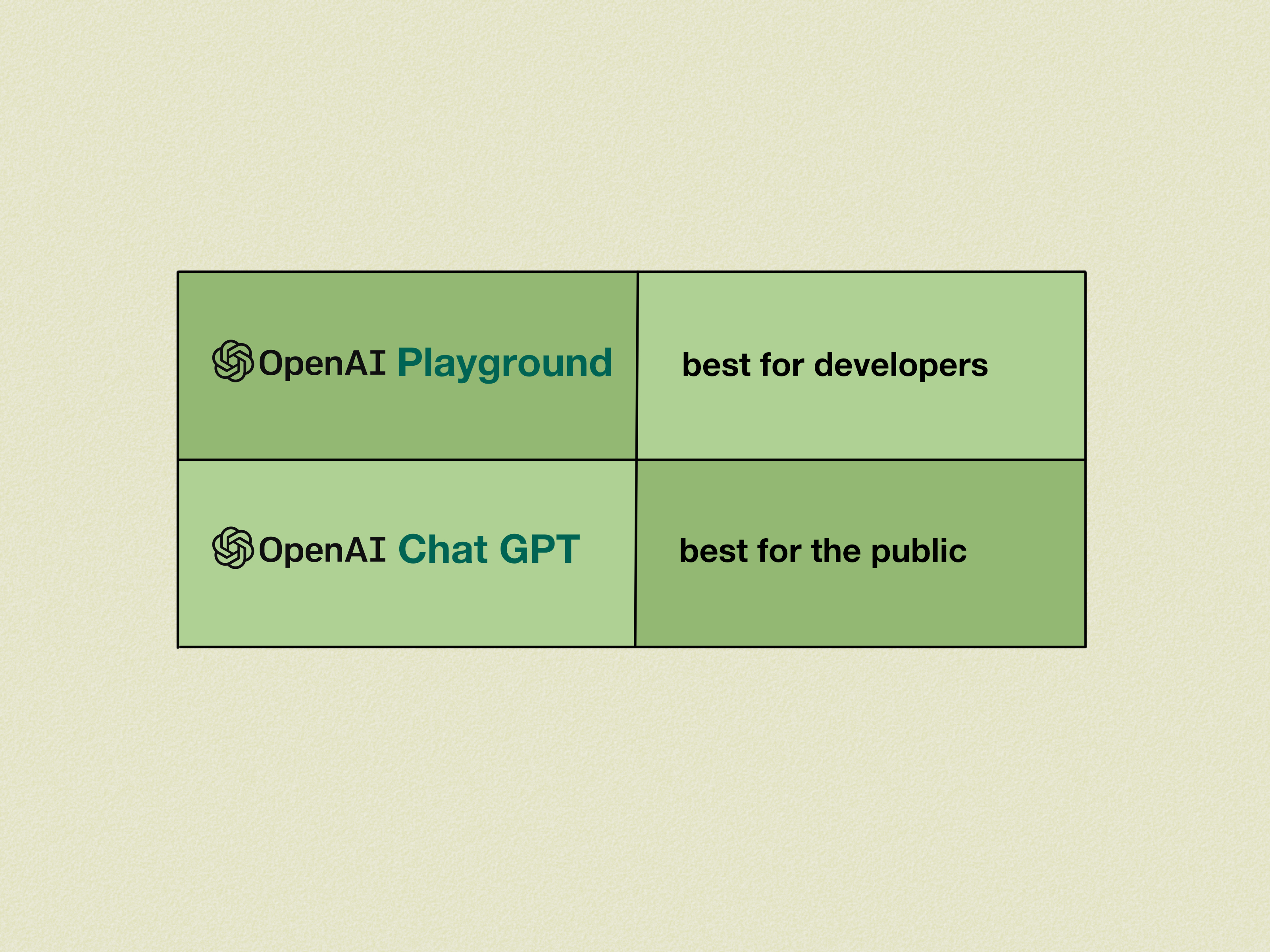
ChatGPT is designed for everyday conversation, writing help, coding support, brainstorming, learning, and productivity. OpenAI Playground is designed for testing and building with OpenAI models. The difference is not “smart vs. smarter.” It is more like “car dashboard vs. mechanic’s diagnostic panel.” Both involve the same road, but one gives you more knobs.
Use ChatGPT when you want:
- Fast answers in a conversational interface
- Writing, summarizing, coding, tutoring, or brainstorming help
- A simple experience without API setup
- Personal productivity features such as file analysis or custom instructions, depending on your plan
Use OpenAI Playground when you want:
- To test prompts for an app or workflow
- To compare models and settings
- To create reusable prompts with variables
- To test structured JSON outputs
- To experiment with tools, function calling, or agent-style workflows
- To copy code and move from prototype to production
In short, ChatGPT is great for doing work. Playground is great for designing the AI behavior that will later do work inside another system.
How to Access OpenAI Playground
To use OpenAI Playground, go to the OpenAI API Platform and sign in with an OpenAI account. The Playground is part of the developer platform, so you may need to set up billing or API access depending on the models and features you want to use. Access can vary by account, region, organization, project settings, usage limits, and model availability.
Step 1: Create or Sign In to Your OpenAI Account
Start by signing in to the OpenAI Platform. If you already use ChatGPT, your login may work, but ChatGPT subscriptions and API billing are not always the same thing. This is a common “wait, why is my wallet looking at me?” moment. The API Platform usually operates with separate usage-based billing.
Step 2: Set Up Your Organization or Project
OpenAI Platform accounts can use organizations and projects to manage API keys, billing, usage, and permissions. If you are working with a team, projects help keep experiments organized. For example, you might create one project for a customer support bot, another for a content workflow, and another for testing structured data extraction.
Step 3: Open the Playground
Once inside the platform dashboard, open the Playground. You will see an interface where you can select a model, enter instructions, add user messages, configure settings, and run test prompts. The exact layout may change over time, but the core workflow remains similar: choose a model, write a prompt, run it, review the output, and improve the setup.
Step 4: Choose a Model
Model selection matters. Larger or more advanced models are often better for complex reasoning, coding, planning, and nuanced writing. Smaller models are often better for speed, cost efficiency, and high-volume tasks. For example, a lightweight model may be enough for classifying support tickets, while a stronger reasoning model may be better for analyzing legal-style policy language or debugging a tricky software problem.
Main Features of OpenAI Playground
1. Prompt Testing
The main reason people use OpenAI Playground is to test prompts. A prompt is the instruction or context you give the model. In the Playground, you can write a system instruction, add user input, and see how the model responds. You can revise the prompt until it produces reliable results.
For example, instead of writing:
You could write:
The second prompt gives role, length, product, tone, key points, and boundaries. The model now has a map instead of a mysterious treasure napkin.
2. System Instructions
System instructions help define how the model should behave. They can set tone, rules, formatting, safety boundaries, and task priorities. For example, a customer service assistant might have a system instruction such as:
This tells the model not just what to do, but how to act while doing it. Strong system instructions are one of the most important parts of building consistent AI workflows.
3. Model Comparison
Playground makes it easier to compare models. You can run similar prompts across different models and evaluate quality, speed, cost, reasoning strength, formatting accuracy, and tone. This is useful because the “best” model depends on the job. The best model for a deep technical explanation may not be the best model for tagging 50,000 product reviews.
A practical testing method is to create a small benchmark. Use 10 to 20 real examples from your expected workflow, run them through several models, and score the outputs. Look for accuracy, consistency, cost, and how often you need to manually fix the result.
4. Adjustable Parameters
Depending on the model and interface version, Playground may expose settings that influence output style and behavior. These can include response length, randomness, formatting controls, or reasoning-related options. The names and availability of these settings can change by model, but the principle is the same: settings help shape how the model responds.
For creative writing, you may want more variety. For data extraction, you usually want consistency. For customer support, you may want a balanced tone: warm enough to sound human, controlled enough not to promise free overnight shipping by unicorn.
5. Prompt Variables
Prompt variables let you create reusable prompts with placeholders. For example:
Instead of rewriting the entire prompt every time, you only change the variable value. This is helpful for teams that want repeatable workflows. A marketing team could use variables for product name, audience, tone, and word count. A support team could use variables for ticket text, customer plan, and policy category.
6. Saved Prompts and Prompt Management
Prompt management allows teams to save, version, share, and reuse prompts. This matters because prompt writing can become messy fast. Without saved versions, your “final prompt” may live in a document called final_final_REAL_v7_use_this_one.txt, which is where productivity goes to take a nap.
Saved prompts make it easier to track improvements, compare versions, and connect prompt experiments to API workflows. When you test a prompt in Playground and later use it programmatically, your workflow becomes more consistent.
7. Structured Outputs
Structured outputs are one of the most useful features for developers. Instead of asking the model for a paragraph, you can ask for a specific format such as JSON. This is helpful when your application needs predictable data.
Example use cases include:
- Extracting names, dates, and invoice totals
- Classifying customer messages by urgency
- Turning product descriptions into database fields
- Generating SEO metadata in a fixed structure
- Returning answers that another system can process automatically
For example, you might ask the model to return:
This is much easier for software to handle than a beautifully written paragraph that begins, “Ah, billingthe thrilling roller coaster of modern commerce.”
8. Tools and Function Calling
OpenAI Playground can help test tool-based workflows. Tools allow a model to interact with external capabilities, such as searching files, calling functions, retrieving data, or connecting to other services. Function calling is especially important for developers because it lets the model decide when a function should be used and what arguments should be passed.
Imagine a travel assistant that can call a function named get_flight_prices. The model does not personally know live flight prices, but it can understand the user’s request, prepare the correct function arguments, and use the returned data to answer. That turns the model from “clever text generator” into “useful workflow coordinator.”
9. Code Export
After testing a prompt, the Playground may provide code examples that help you move into development. This is useful because it reduces the gap between “it worked in the interface” and “now I need to build the actual thing.” Developers can copy the sample request and adapt it for JavaScript, Python, or another environment supported by OpenAI documentation.
10. Evals and Testing Workflows
For serious projects, one good response is not enough. You need repeatability. Evaluation workflows help test whether a prompt or model performs well across many examples. In practical terms, this means you can compare outputs against expected behavior and catch regressions when you update prompts or switch models.
If you are building an AI assistant for real users, evaluation is not optional decoration. It is the seatbelt. Nobody brags about it at parties, but you will be grateful when things get bumpy.
How to Use OpenAI Playground: A Practical Walkthrough
Step 1: Define the Task
Before opening the Playground, write down the exact task. “Make AI help customers” is too broad. “Classify incoming support messages into billing, shipping, returns, or product questions” is much better.
A clear task should include the input, desired output, tone, format, and success criteria. For example:
Step 2: Write a Strong System Instruction
Use the system instruction to define the model’s role and rules. Keep it clear and direct. Avoid vague instructions like “be amazing.” The model will try, but “amazing” is not a measurable requirement. Try this instead:
Step 3: Add Realistic Examples
Test with examples that look like your real use case. Do not only use perfect inputs. Real users write typos, skip context, paste screenshots, use all caps, and occasionally communicate like their keyboard is being chased by bees.
Try easy examples, confusing examples, short examples, long examples, and edge cases. This helps you see where your prompt is strong and where it quietly falls into a puddle.
Step 4: Adjust One Thing at a Time
When improving a prompt, change one variable at a time. If you change the model, system prompt, output format, and settings all at once, you will not know what caused the improvement or failure.
A simple testing routine works well:
- Run the baseline prompt.
- Save the output.
- Change one instruction.
- Run the same examples again.
- Compare results.
Step 5: Test Output Format
If your app needs JSON, test the JSON. If your CMS needs an HTML article, test the HTML. If your spreadsheet needs three columns, test whether the response consistently returns three columns. Formatting reliability is one of the biggest differences between a fun demo and a useful production workflow.
Step 6: Copy Code When Ready
Once your prompt behaves well, use the code export or API examples to start building. Keep your API key private, store it securely, and avoid placing it directly in public frontend code. API keys are like toothbrushes: useful, personal, and absolutely not something you should leave lying around in public.
Best Use Cases for OpenAI Playground
Content and SEO Workflows
Writers and SEO teams can use Playground to create outlines, meta descriptions, content briefs, keyword clustering prompts, title variations, and content refresh workflows. The key is to give the model clear rules: audience, search intent, tone, structure, word count, and forbidden behaviors such as keyword stuffing.
Customer Support Automation
Support teams can test prompts that classify tickets, summarize conversations, draft replies, detect sentiment, or route urgent issues. Playground helps teams refine tone and prevent risky responses, such as inventing policies or promising actions the company cannot perform.
Data Extraction
Businesses often need to turn messy text into clean data. Playground is useful for testing extraction from emails, invoices, reviews, resumes, contracts, product descriptions, or survey responses. Structured outputs make this especially powerful.
Developer Prototyping
Developers can use Playground to test function calling, tool use, JSON schemas, model behavior, and edge cases before writing production code. This saves time because prompt problems are easier to fix in a visual interface than deep inside an application stack.
Education and Training
Teachers, trainers, and instructional designers can test tutoring prompts, quiz generation, rubric feedback, and lesson explanation styles. The Playground makes it easier to tune the assistant’s voice for different age levels and learning goals.
Common Mistakes to Avoid
Mistake 1: Writing Vague Prompts
Vague prompts produce unpredictable answers. “Summarize this” may work, but “Summarize this in three bullet points for a busy executive, focusing on risks, costs, and next actions” is much stronger.
Mistake 2: Ignoring Real Examples
Do not test only with clean demo inputs. Use actual examples from your workflow after removing private or sensitive information. Realistic testing reveals problems early.
Mistake 3: Forgetting About Cost
Different models and usage patterns can have different costs. Long prompts, large context, repeated testing, and high-volume workflows can increase API spending. Choose the model that fits the job, not just the shiniest one in the menu.
Mistake 4: Treating the First Good Output as Finished
A single good answer is encouraging, but it does not prove reliability. Test multiple examples. Try edge cases. Ask what happens when the input is incomplete, confusing, or outside the expected category.
Mistake 5: Putting Secrets in Prompts
Avoid entering passwords, private keys, sensitive customer data, confidential business documents, or personal information unless you fully understand your organization’s data policies and privacy settings. Use safe sample data whenever possible.
OpenAI Playground Tips for Better Results
Use Clear Formatting
Models respond better when your prompt is organized. Use headings, bullet points, numbered rules, and examples. A messy prompt often creates messy output. The model is smart, but it is not a mind reader with a filing cabinet.
Tell the Model What Not to Do
Negative instructions can be helpful when specific risks exist. For example: “Do not invent prices,” “Do not include legal advice,” “Do not mention unavailable products,” or “Do not output anything except valid JSON.”
Use Examples for Style
If you want a certain tone, show it. A sample “good answer” can guide the model more effectively than a vague style phrase. For brand voice work, include a few short examples of approved copy.
Separate Instructions from Input
Use labels such as Instructions, Input, and Output Format. This reduces confusion and helps protect the task structure when user input is long or messy.
Build a Mini Test Set
Create a small collection of test prompts and expected results. Reuse it whenever you change your prompt or model. This simple habit can save hours of debugging later.
Is OpenAI Playground Free?
OpenAI Playground access may require an OpenAI Platform account, and API usage is generally separate from ChatGPT subscription plans. Depending on your account and current OpenAI policies, you may need billing set up to use certain models or features. Pricing and model availability can change, so always check the latest details in the OpenAI Platform before launching a project.
For teams, it is smart to set budgets, monitor usage, and separate projects. That way, one experimental prompt does not accidentally become the most expensive intern your company never hired.
Is OpenAI Playground Safe to Use?
OpenAI provides data controls for API Platform users, and organizations can manage settings related to data sharing. In general, businesses should treat AI prompts like any other software input: review privacy rules, avoid unnecessary sensitive data, and follow company security policies.
If you are using Playground for client work, customer support, legal workflows, healthcare-adjacent content, finance, or education, be extra careful. Test thoroughly, include human review where needed, and do not rely on AI output as the final authority for high-stakes decisions.
Who Should Use OpenAI Playground?
OpenAI Playground is useful for anyone who wants to move beyond casual AI chatting and start designing reliable AI behavior. Developers can prototype APIs. Marketers can refine repeatable content systems. Product managers can test user flows. Founders can validate startup ideas. Analysts can structure messy text. Educators can build learning assistants. Even non-coders can use it to understand how prompt changes affect results.
You do not need to be a senior engineer to benefit from Playground. But if you plan to connect your work to a real application, you should learn basic API concepts, privacy practices, and testing methods. Playground lowers the entry ramp, but it does not remove the need for good judgment.
of Practical Experience: What Using OpenAI Playground Actually Feels Like
The first experience many people have with OpenAI Playground is a mix of excitement and mild button anxiety. You open the interface, see model names, settings, message boxes, output panels, maybe tools or schema options, and suddenly feel like you have wandered into the cockpit of a very polite spaceship. The good news is that you do not need to understand every control on day one. Start with one task, one model, and one clear prompt.
In real use, the Playground becomes most valuable when you stop treating it like a magic answer box and start treating it like a testing studio. For example, suppose you want to build an AI assistant that writes product descriptions. The beginner approach is to type “Write a product description” and hope for the best. The experienced approach is to create a reusable prompt: define the audience, product category, tone, required features, banned claims, output length, and formatting. Then you test it with five products: a backpack, a desk lamp, a coffee grinder, a phone case, and a dog bed. If the dog bed description sounds like luxury car advertising, you know the tone needs adjustment.
Another useful lesson is that small prompt changes can create big differences. Adding “Return only JSON” can turn a chatty response into clean structured data. Adding “Ask a clarifying question if required information is missing” can prevent the model from guessing. Adding “Use plain American English at an eighth-grade reading level” can make explanations much easier to understand. These are not fancy tricks. They are clear instructions, and clear instructions are the secret sauce.
Playground also teaches humility. Sometimes a prompt works beautifully on three examples and then fails spectacularly on the fourth. That is not a disaster; it is useful information. The goal is not to get one perfect output. The goal is to discover what happens across the messy variety of real inputs. This is why experienced users keep a test set. They run the same examples again and again after each prompt change. It sounds boring until it saves your project from embarrassing results.
One of the best habits is naming and saving prompt versions. Do not rely on memory. After ten edits, every prompt starts looking like soup. Save the version that works, write a short note about what changed, and compare it against older versions. If you work with a team, this becomes even more important because everyone needs to know which prompt is approved.
The Playground is also a great place to learn cost awareness. You quickly realize that longer prompts, larger context, and repeated tests can affect usage. That does not mean you should be afraid to experiment. It means you should test intentionally. Use smaller models for simple tasks when they perform well. Reserve more capable models for complex reasoning, coding, or tasks where accuracy matters more than speed.
Finally, the biggest practical lesson is this: OpenAI Playground rewards specificity. The more clearly you define the job, the better the result. It is not about bullying the model with a 900-word instruction manual. It is about giving the right context, rules, examples, and output format. When you do that, the Playground becomes less mysterious and much more usefula workshop where good AI ideas become testable, repeatable, and ready to build.
Conclusion
OpenAI Playground is one of the best places to learn how modern AI models behave before using them in real applications. It gives you a practical way to test prompts, compare models, create reusable workflows, experiment with structured outputs, and prepare API-ready instructions. Whether you are building a chatbot, automating content, extracting data, or exploring AI for the first time, the Playground helps you move from “interesting demo” to “working prototype” with more confidence.
The best way to learn is simple: choose a real task, write a clear prompt, test realistic examples, change one thing at a time, and save what works. Do that consistently, and OpenAI Playground becomes less like a confusing control panel and more like a creative studio with excellent wiring.
Note: This article is based on current OpenAI Platform documentation, OpenAI Help Center guidance, developer resources, and reputable technology education sources available at the time of writing. Always check the official OpenAI Platform for the latest model availability, pricing, and account requirements before publishing technical instructions.